EasyManua.ls Logo

ELNA XPRESSIVE 2 - Punching Tools; File Tools

ELNA XPRESSIVE 2
230 pages
Print Icon
To Next Page IconTo Next Page
To Previous Page IconTo Previous Page
Loading...
ELNA XPRESSIVE II 31
User’s Guide
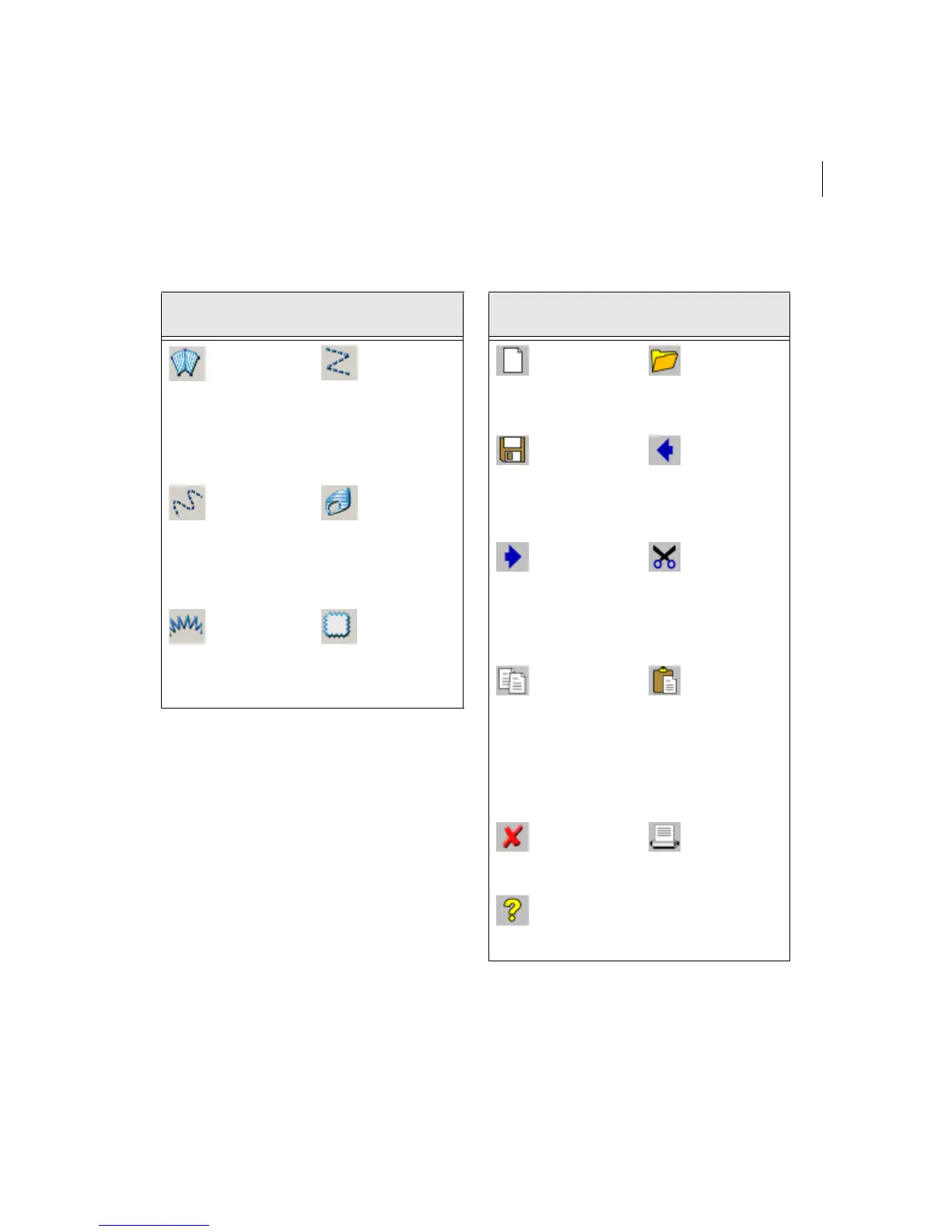
Punching Tools File Tools
Tool
What it
means
Tool
What it
means
Enhanced
Column:
Creates
Satin or Fill
stitches by
traditional
punching
method.
Manual:
Creates
manual and
jump
stitches.
Run:
Creates run
stitches.
Complex
Fill: Creates
a segment
filled with
Satin or
advanced
Fill stitching.
Steil:
Creates steil
stitches.
Appliqué:
Creates an
appliqué
border
around an
appliqué.
Tool
What it
means
Tool
What it
means
New:
Creates a
new
untitled
design.
Open:
Opens an
existing
design file.
Save:
Saves
designs in
a variety
of file
formats.
Undo:
Reverses
your last
action.
Redo:
Reverses
the action
of the
Undo
command.
Cut to
Clipboard:
Cuts the
selection
and copies
it to the
clipboard.
Copy to
Clipboard:
Copies the
selection
to the
clipboard.
Paste
from
Clipboard:
Pastes the
clipboard
contents at
the
insertion
point.
Clear:
Clears the
current
selection.
Print:
Prints the
active
design file.
Contents:
Opens the
online help
window.

Table of Contents

Related product manuals