6
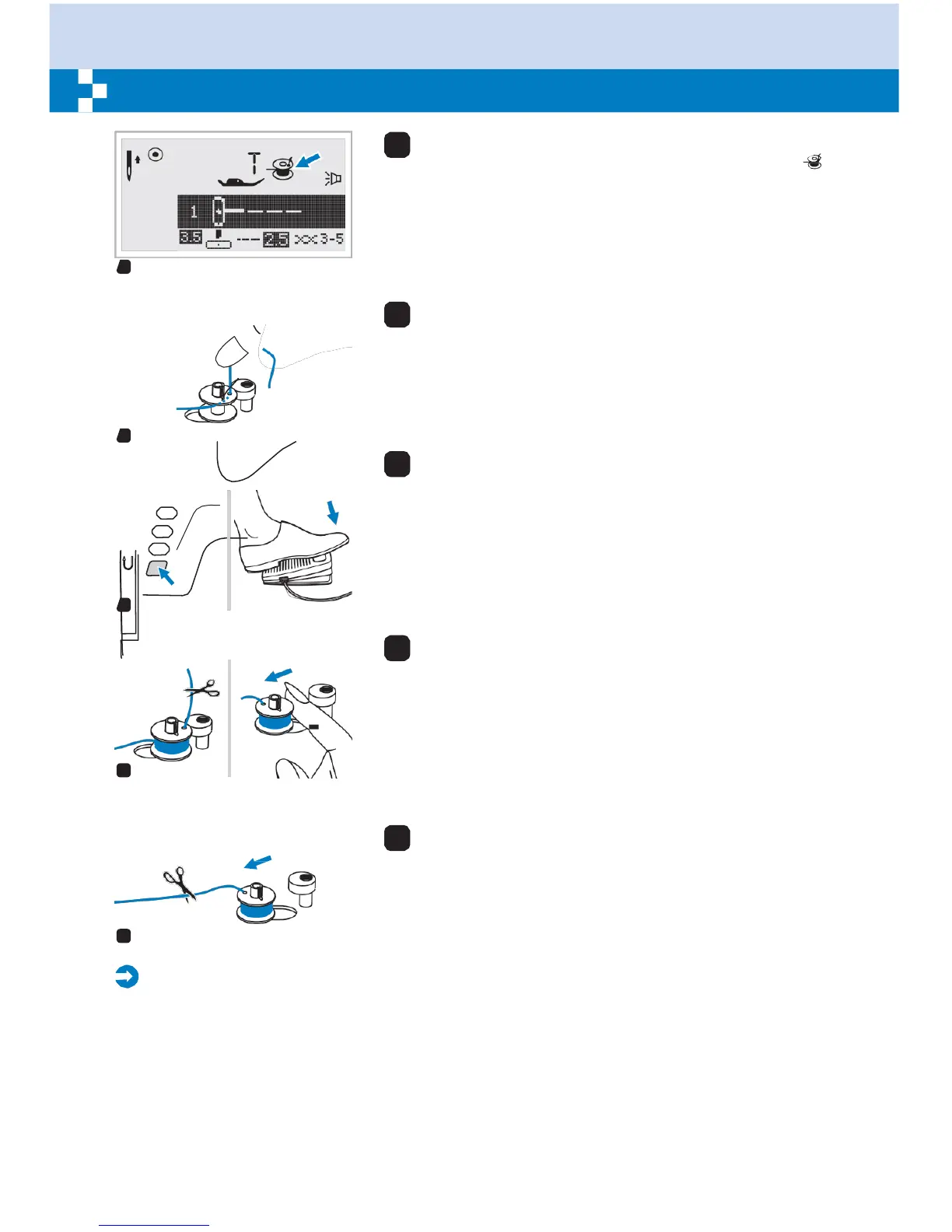
When the bobbin winder spindle is pushed to the right,
which is the "bobbin winding position", the symbol " "
appears on the LCD screen.
The symbol will disappear from the LCD screen when the
bobbin winder spindle is pushed to the left, which is the
"sewing position".
6
7
Hold the thread tail securely in one hand.
7
8
Press on the foot control or the Start/Stop button to
start winding the bobbin.
8
9
After the bobbin has wound a few turns stop the
machine and cut the thread near the hole of the bobbin.
Continue filling the bobbin until it is full. The motor stops
automatically when the bobbin is full. Stop the machine.
Push the bobbin winder spindle to left.
9
10
Cut the thread and then remove the bobbin.
10
Please
Note:
When the bobbin winder switch is placed on the right, "bobbin winding position", the machine will
not sew and the handwheel will not turn. To start sewing, push the bobbin winder switch to the left
"sewing position".


 To Next Page