Recalling and sewing the memorized
pattern
1
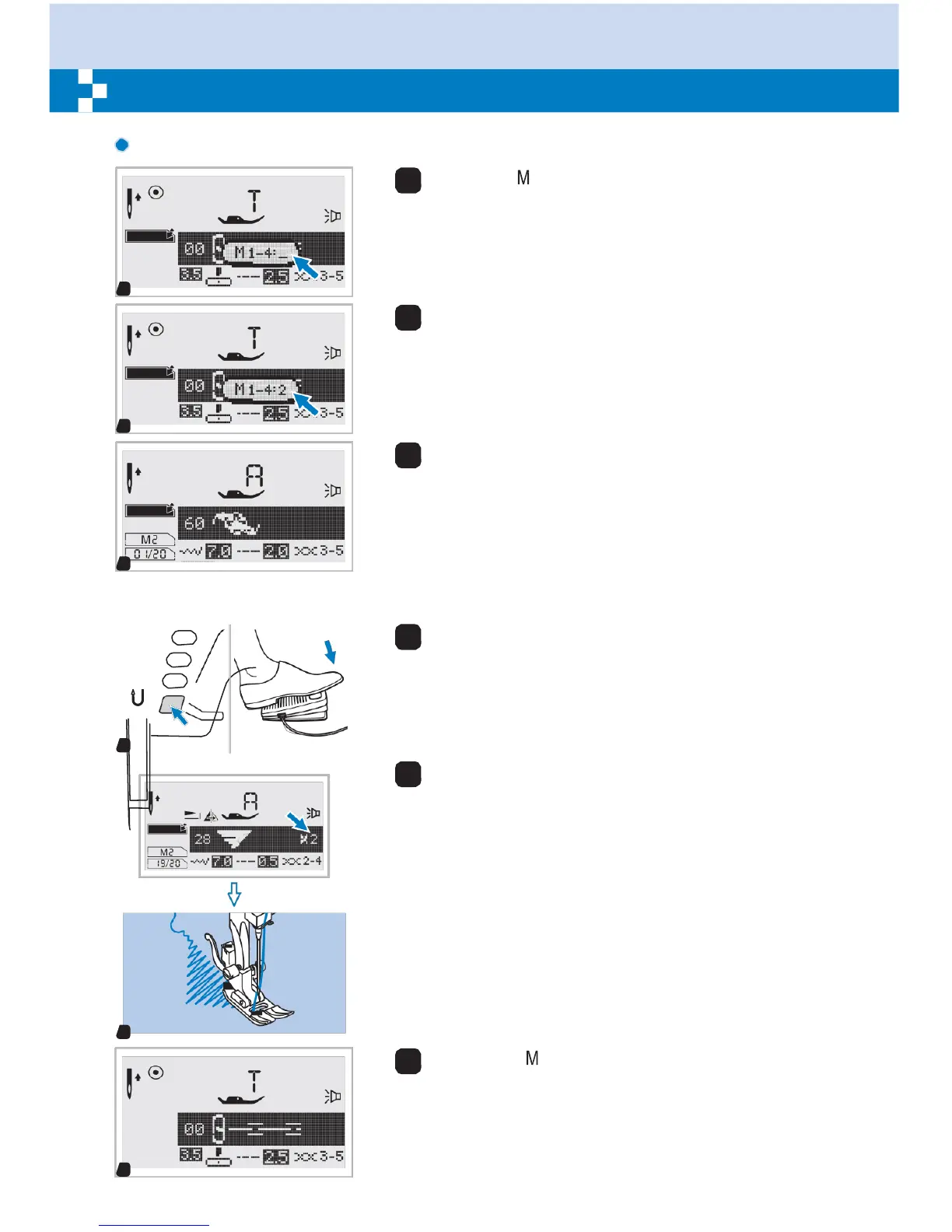
Press the " " button to enter memory mode and then
input the number of memory module when the cursor
start flashing.
M
1
2
Input the number of memory module. (e.g. 2)
M
2
3
LCD sc
–
reen shows the first pattern of the selected
memory module.
Select or browse memory patterns by pressing stitch
M
width " " or " + " buttons.
3
4
Press on the foot control or press the start/stop button
to start the sewing machine.
4
5
The screen shows the current sewing pattern.
M
5
6
Press the " " button to leave memory mode and
return to the normal screen.


 To Next Page