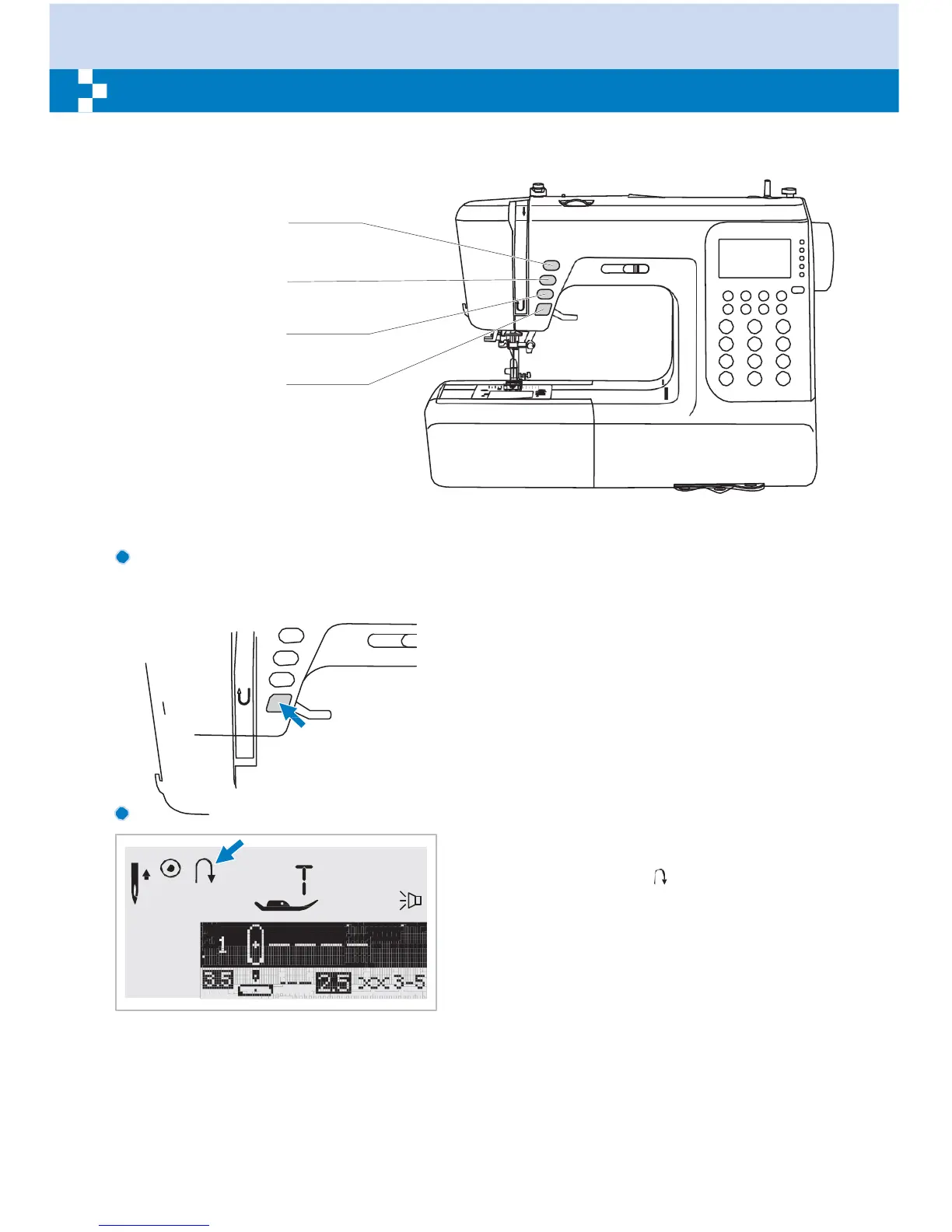
Needle up/down
position button
Auto-lock button
Reverse button
Start/stop button
Start/stop button
The machine will start running when
start/stop button is pressed and will stop
when pressed the second time. The machine
will rotate slowly at the beginning of sewing.
The sewing speed will increase slowly until
reaching the speed setting selected with the
speed limiting adjustment lever.
The foot control must be disconnected to
complete this operation.
Reverse
button
Select Direct Patterns 1-5, or A Group
Pattern 00 and the machine will sew in
reverse. An arrow " " on the LCD screen
display appears while stitching in reverse.
The machine will sew forward after the button
is released.
If you press and reverse the button before
starting to sew, the machine will permanently
sew in reverse. Press the button again to
sew forward again.
Select Direct patterns 6-9, A Group Patterns
01-13, 28-99, and B Group Patterns 00-99 a
reinforcement stitch sews at a low speed and
machine automatically stops if the reverse
button is pressed.


 To Next Page