Auto-lock button
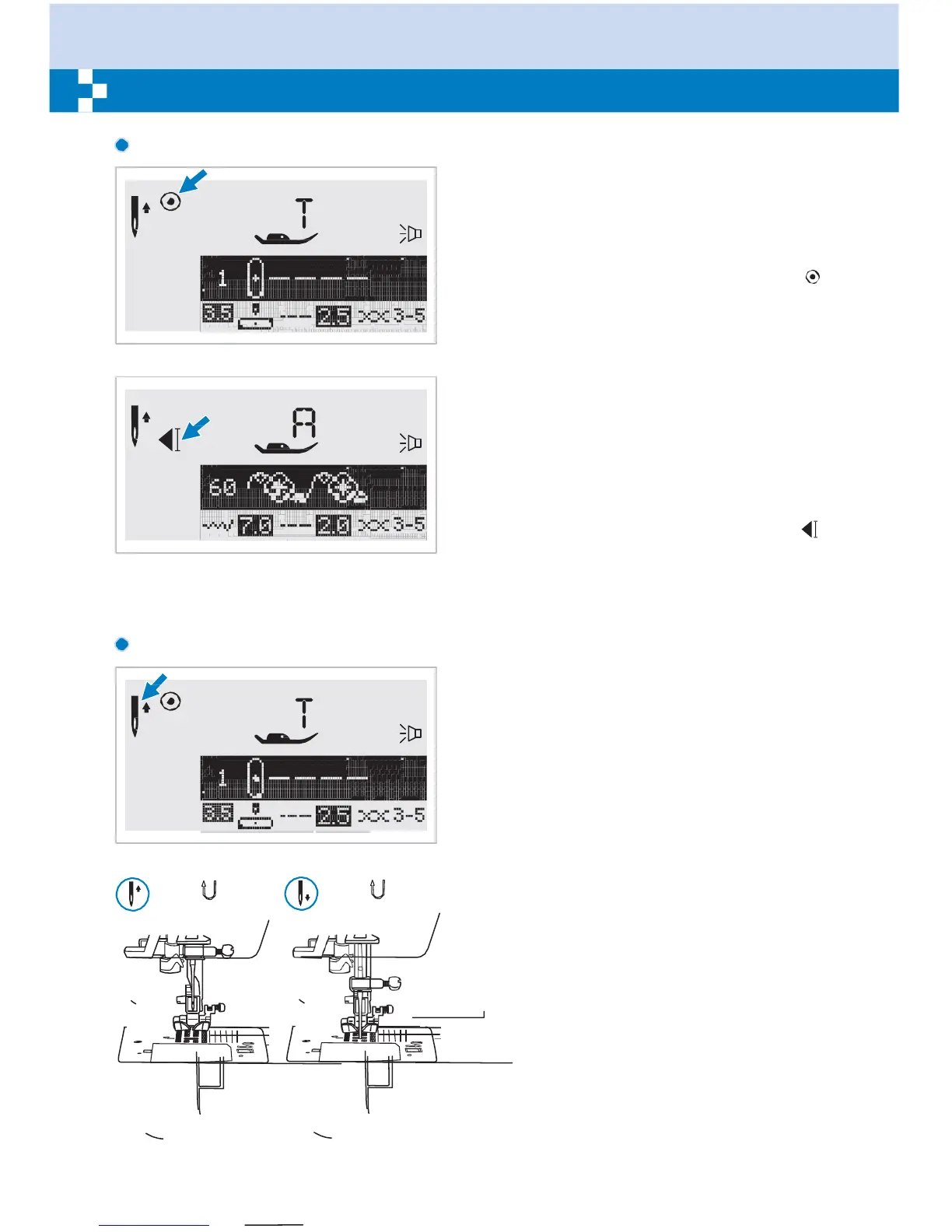
When Direct Patterns 1-4, and A Group
Pattern 00 are selected, the machine will
immediately sew 3 locking stitches when the
Auto-lock button i s p ressed, then
automatically stop.
The LCD screen will display the figure " "
until the machine is stopped.
When Direct Patterns 5-9, A Group Patterns
01-13 , 28-99, and B Group Patterns 00-99
are selected, press the Auto-lock button, the
machine will sew 3 locking stitches at the end
of the current pattern and automatically stop.
The function will be cancelled if you press the
button once again or select another pattern.
The LCD screen will display the figure " "
until the machine is stopped.
Needle up/ down
position button
With the Needle up/ down position button,
you decide whether the needle shall stop in
the up position or in the material when you
stop sewing.
When you press the button so that the arrow
(which displays just to the right of the needle
icon on the LCD screen) will point upward,
the needle will stop in the highest position.
When you press the button so that the arrow
(which displays just to the right of the needle
icon on the LCD screen) points downward,
the machine will stop with the needle in the
lowest position.


 To Next Page