Long Range Wireless Access Point / Client Bridge Version 1.0
19
sure about which clients will be accessing the wireless networks, it is
recommendedthatyouselectAorB/G‐mixedforthebestperformance.
Turbo Mode is a proprietary mode which combines all channels into a single
channel to maximize the through‐put up to 200%. Please be aware
that Turbo
ModeworksonlywithotherTurboModesupporteddevices.
Channel: Select a channel from the drop‐down list. The channels available are
basedonthecountry’sregulation.
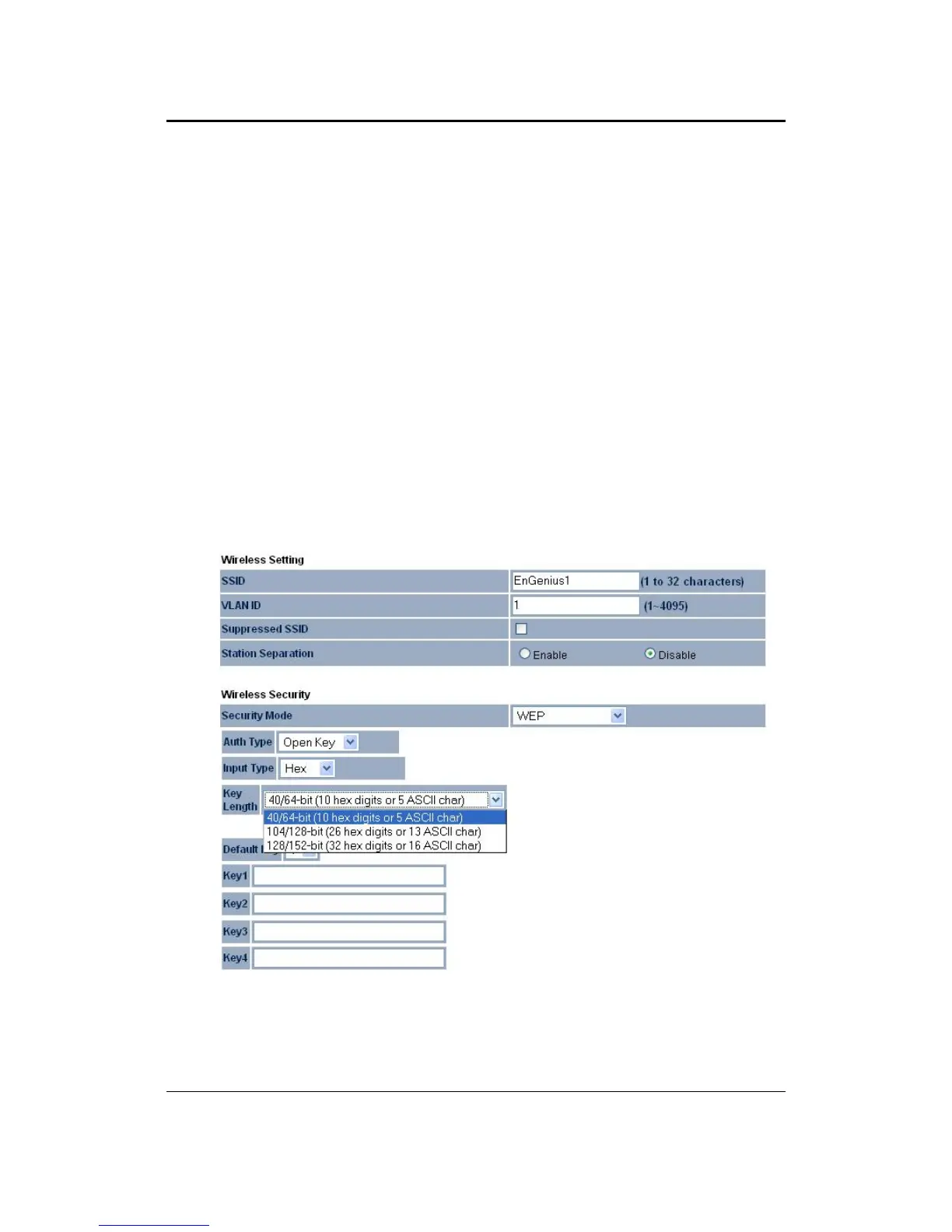
4.4.1.1 WirelessSecurity‐WEP
Security Mode: Select WEP from the drop‐down list if your wireless network
usesWEPencryption.WEPisanacronymfor WiredEquivalentPrivacy, andisa
securityprotocol that providesthe same level of security for wireless networks
asforawirednetwork.
Authentication Type: Select an authentication method. Options available are
OpenKey,SharedKeyorAuto.Anopensystemallowsanyclienttoauthenticate
aslongasitconformstoanyMACaddressfilterpoliciesthatmayhavebeenset.



 To Next Page