Long Range Wireless Access Point / Client Bridge Version 1.0
33
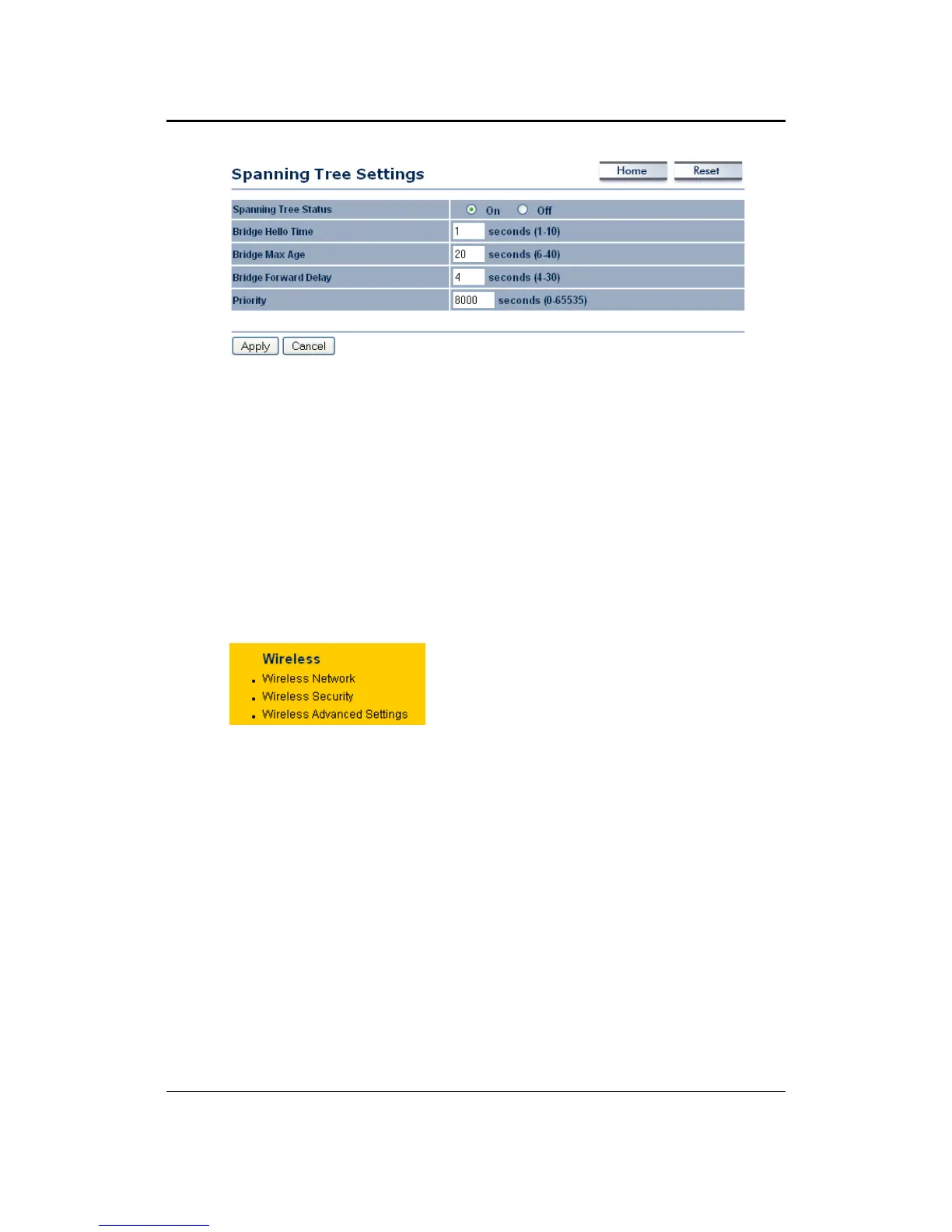
SpanningTreeStatus:Choosetoenableordisablethespanningtreefeature.
BridgeHelloTime:Specifythenumberofsecondsforthehellotime.
BridgeMaxAge:Specifythenumberofsecondsforthemaxage.
Bridge Forward Delay: Specify the number of seconds
for the bridge forward
delay.
Priority:Specifythenumberofsecondsforthepriority.
ClickontheApplybuttontosavethechanges.
5.4 Wireless
Click on the Wireless link on the
navigation drop‐down menu. You will
then see three options: wireless
network, wireless security, and
wireless advanced settings. Each
optionisdescribedbelow.
5.4.1 WirelessNetwork
TheWirelessNetworkpageallowsyoutoconfigurethewirelessmode,channel,
SSID,andsecuritysettings.



 To Next Page