Long Range Wireless Access Point / Client Bridge Version 1.0
59
Clickon the Browse button and then select the appropriate firmwareandthen
clickontheUpgradebutton.
Note:Theupgradeprocessmaytakeabout1minutetocomplete.Donotpower
off the device during this process as it may crash the device and make it
unusable.The
devicewillrestartautomaticallyoncetheupgradeiscomplete.
6.6.5 TimeSettings
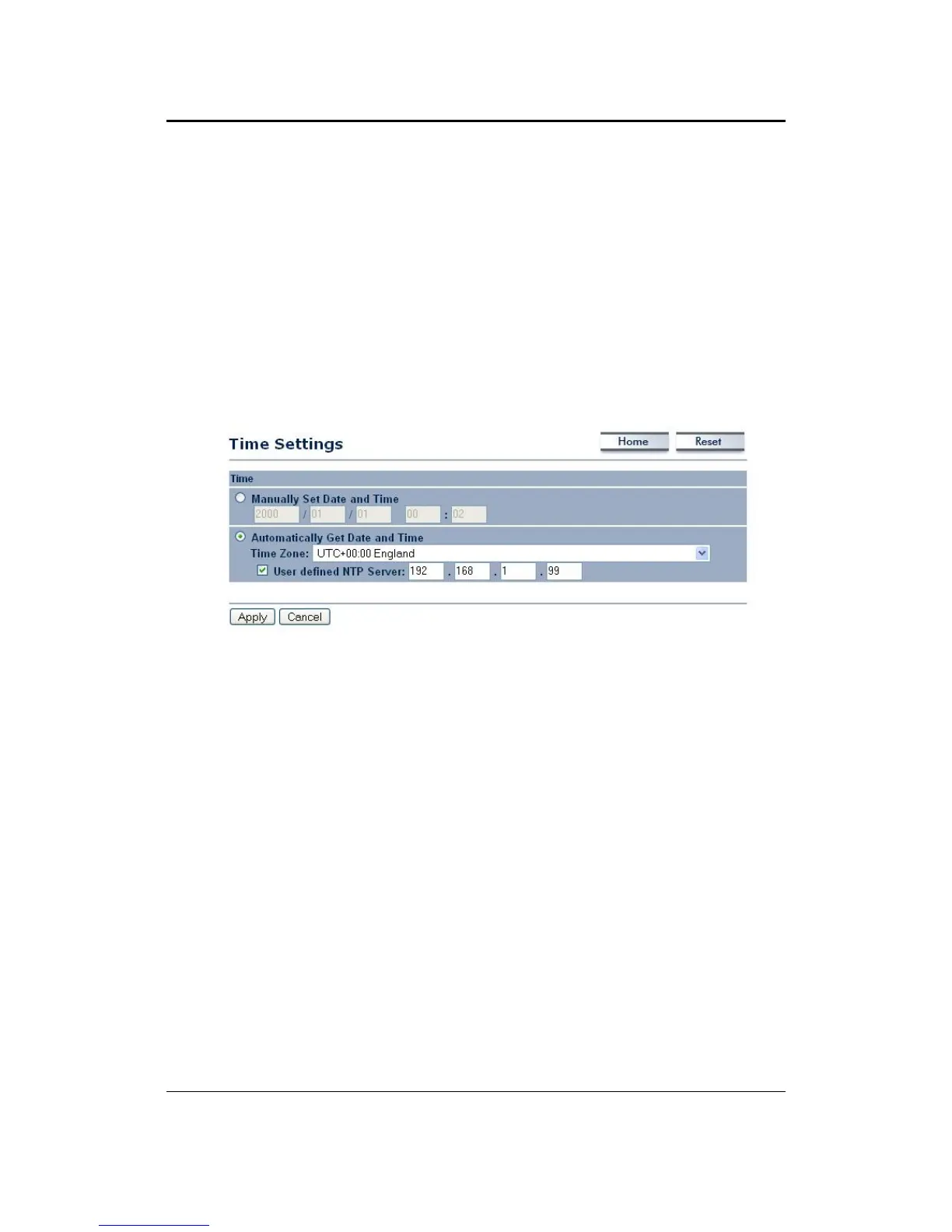
Clickon the Time Settingslinkunder the Management menu. Thispage allows
you to configure the time on the device. You may do this manually or by
connectingtoaNTPserver.
ManuallySetDateandTime:Specifythedateandtime
AutomaticallyGetDateandTime:Selectthetimezonefromthedropdownlist
andthenspecifytheIPaddressoftheNTPserver.
ClickontheApplybuttontosavethechanges.
6.6.6 Log
ClickontheLoglinkundertheManagementmenu.TheLogpagedisplaysalist
ofeventsthataretriggeredontheEthernetandWirelessinterface.Thislogcan
be referred when an unknown error occurs on the system or when a report
needstobesenttothetechnical
supportdepartmentfordebuggingpurposes.



 To Next Page