Long Range Wireless Access Point / Client Bridge Version 1.0
12
3 SwitchingBetweenOperatingModes
This device can operate in three modes: Access Point, Client t Bridge, and Client
Router.Thischapterwilldescribehowtoswitchbetweenoperatingmodes.
3.1 LoggingIn
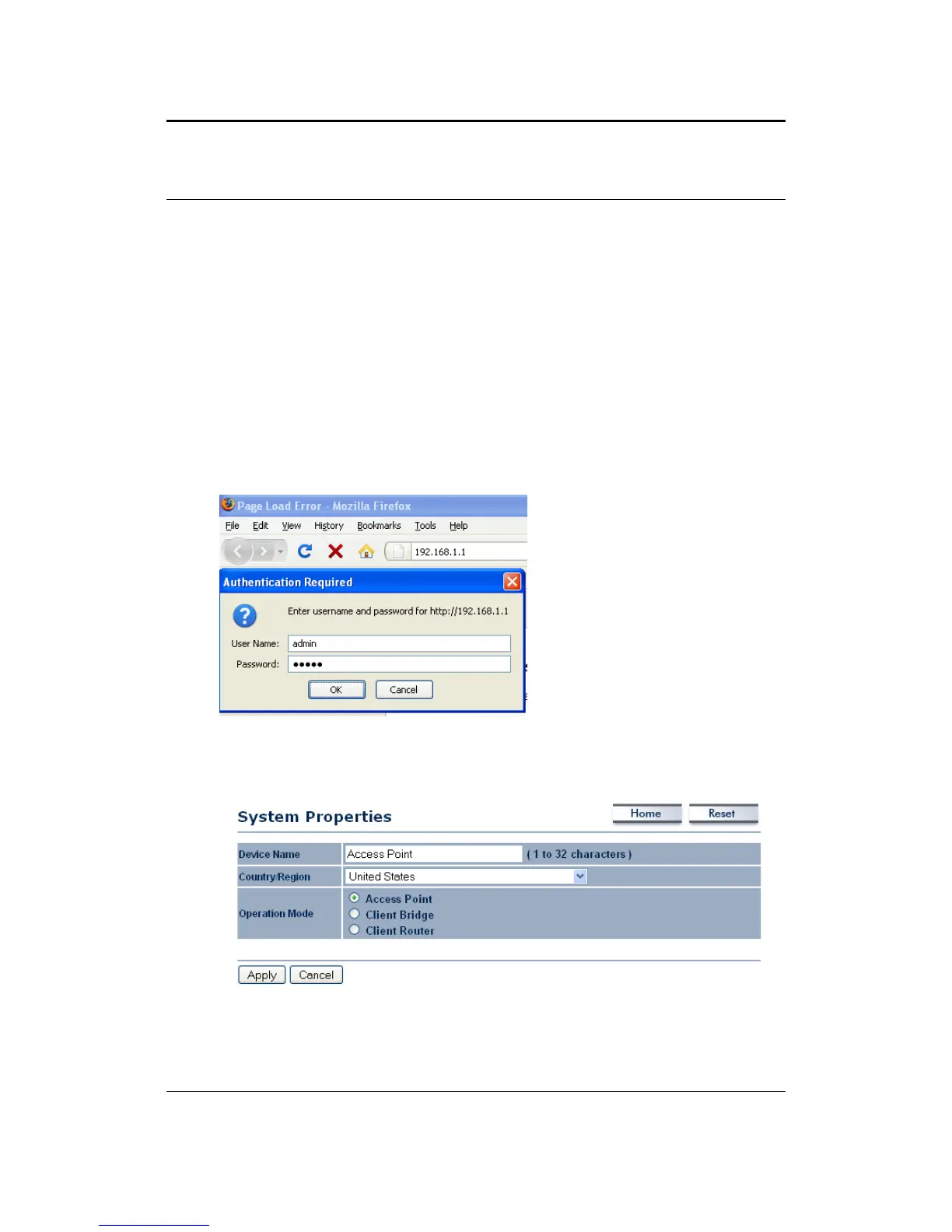
To configure the device through the web‐browser, enter the IP address of the
device(default:192.168.1.1)intotheaddressbaroftheweb‐browserandpress
Enter.
Make sure that the device and your computer s are configured on the same
subnet.RefertoChapter2inorder
toconfiguretheIPaddressofyourcomputer.
AfterconnectingtotheIPaddress,theweb‐browserwilldisplaytheloginpage.
Specifyadminforboththeusernameandpassword.
Afterloggingin, you will see the graphical userinterfaceofthedevice. Click on
theSystemPropertieslinkundertheSystemnavigationdrop‐downmenu.
Select and operating mode from the list (Access Point, Client Bridge, or Client
Router)andthenclickontheApplybutton.



 To Next Page