Long Range Wireless Access Point / Client Bridge Version 1.0
32
DeviceName:Specifyanameforthedevice(thisisnottheSSID),
Country/Region:Selectacountryfromthedrop‐downlist.
Operating Mode: Select and operating mode. Configuration for each operating
modeisdescribedintheirrespectivechapters.
ClickontheApplybutton
tosavethechanges.
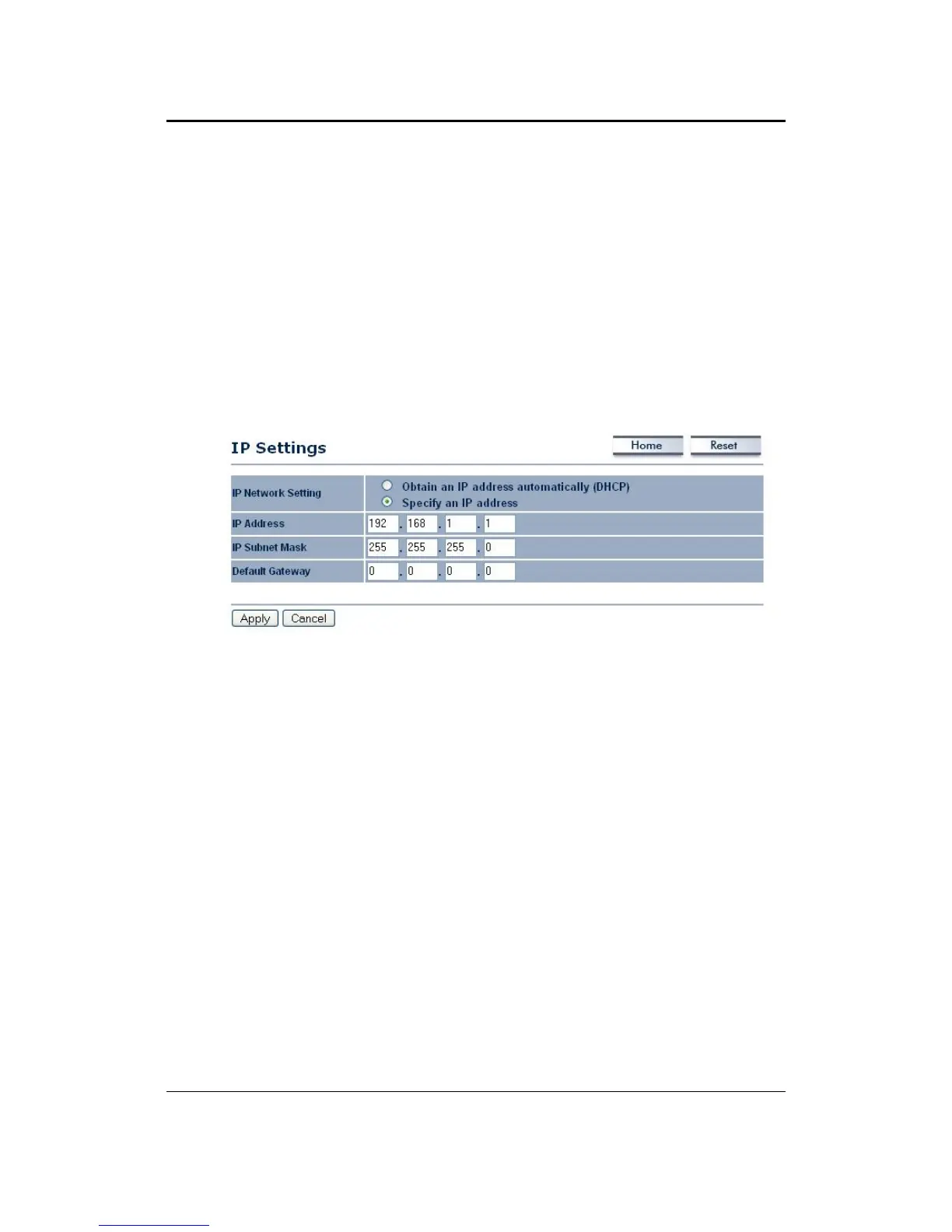
5.3.2 IPSettings
ClickontheIPSettingslinkundertheSystemdrop‐downmenuThispageallows
youtoconfigurethedevicewithastaticIPaddressoraDHCPclient.
IP Network Setting: Select Obtain an IP address automatically (DHCP) radio
button if the Access Point is connected to a DHCP server. This will allow the
AccessPointtopassIPaddressestotheclientsassociatedwithit.Youmayselect
SpecifyanIPAddressradiobuttonifyou
wouldlikethedevicetouseastaticIP
address. In this case, you would be required to specify an IP address, subnet
mask,anddefaultgatewayIPaddress.
IPAddress:SpecifyanIPaddress
IPSubnetMask:SpecifythesubnetmaskfortheIPaddress
DefaultGateway:SpecifytheIPaddressofthedefaultgateway.
ClickontheApplybuttontosavethechanges.
5.3.3 SpanningTreeSettings
Click on the Spanning Tree link under the System drop‐down menu Spanning ‐
Tree Protocol is a link management protocol that provides path redundancy
whilepreventingundesirableloopsinthenetwork.



 To Next Page