Long Range Wireless Access Point / Client Bridge Version 1.0
20
Allauthenticationpacketsaretransmittedwithoutencryption.SharedKeysends
anunencrypted challenge text string to anydevice attempting to communicate
with the Access Point. The device requesting aut hentication encrypts the
challenge text and sends it back to the Access Point. If the challenge text is
encrypted correctly, the Access
Point allows the requesting device to
authenticate. It is recommended to select Auto if you are not sure which
authenticationtypeisused.
InputType:SelectHeorASCIIfromthedrop‐downlist
KeyLength:Selectakeyformatfromthedrop‐downlist.64bit‐hexkeys
require
10characters,whereas128‐bitkeysrequire26characters.Ahexkeyisdefined
asanumberbetween0through9andletterbetweenAthroughF.
Default Key:You mayuse upto fourdifferentkeys for fourdifferentnetworks.
Selectthecurrentkeythatwill
beused.
Key1‐4:YoumayenterfourdifferentWEPkeys.
ClickontheApplybuttontosavethechanges.
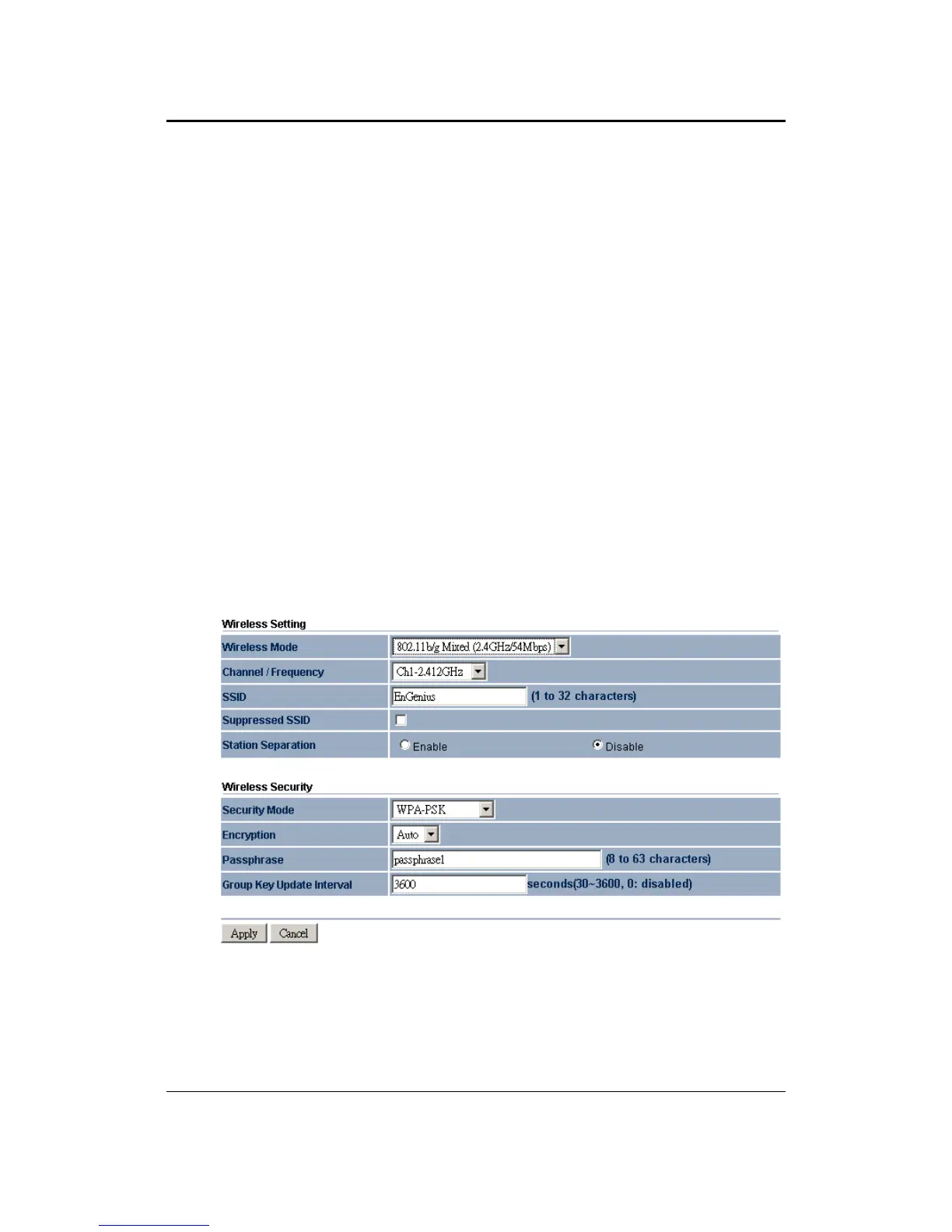
4.4.1.2 WirelessSecurity–WPA‐PSK,WPA2‐PSK,WPA‐Mixed
Security Mode: Select WPA‐PSK, WPA2‐PSK, or WPA‐Mixed from the drop‐
downlistifyourwirelessnetworkusesWPApre‐sharedkey.
Encryption:SelectTKIPorAESfromthedrop‐downlistifyourwirelessnetwork
uses this encryption. WPA (Wi‐Fi Protected Access) was designed to improve
uponthesecurityfeaturesofWEP(WiredEquivalentPrivacy).Thetechnologyis
designedtoworkwithexistingWi‐Fiproductsthathave
beenenabledwithWEP.
WPA provides improved data encryption through the Temporal Integrity



 To Next Page