2 UnderstandingtheHardware
2.1 HardwareInstallation
1 Placetheunitinanappropriatelocationafterconductingasitesurvey.
2 Plug one end of the Ethernet cable into the Network port of the PoE injector and
anotherendintoyourPC/Notebook.
3 Plug one end of another Ethernet cable to AP/Bridge portof the PoE injector and
theotherendintoyoucable/DSLmodem(Internet)
4 Insertthe DC‐inlet of the power adapter intothe 24V port of the PoEinjectorand
theotherendintothepowersocketonthewall.
Thisdiagramdepictsthehardwareconfiguration
2.2 HardwareDescription
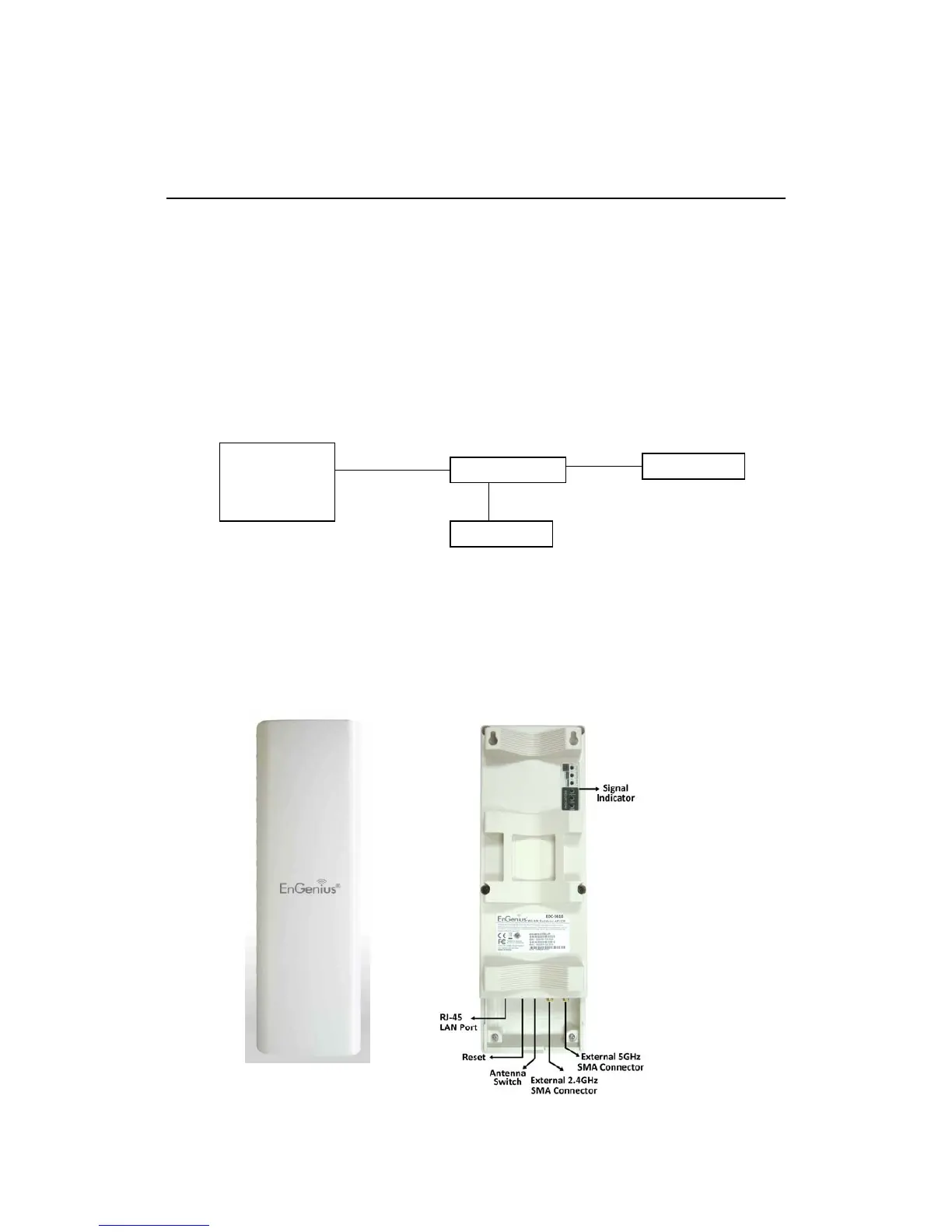
TheimagesbelowdepictthefrontandrearpaneloftheAccessPoint/ClientBridge.
PoEIn



 To Next Page