Long Range Wireless Access Point / Client Bridge Version 1.0
36
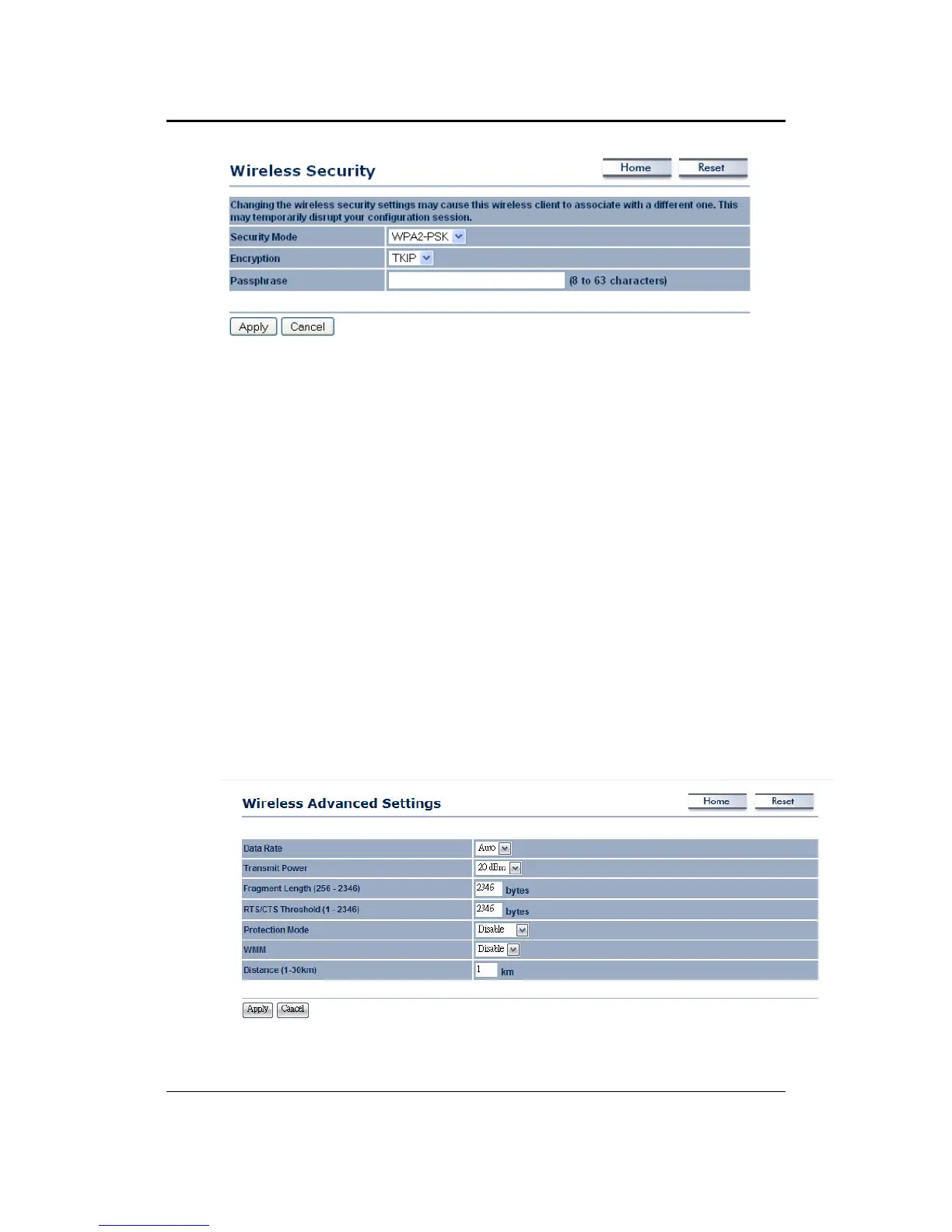
Encryption:SelectTKIPorAESfromthedrop‐downlistifyourwirelessnetwork
uses this encryption. WPA (Wi‐Fi Protected Access) was designed to improve
uponthesecurityfeaturesofWEP(WiredEquivalentPrivacy).Thetechnologyis
designedtoworkwithexistingWi‐Fiproductsthathave
beenenabledwithWEP.
WPA provides improved data encryption through the Temporal Integrity
Protocol (TKIP), which scrambles the keys using a hashing algorithm and by
adding an integrity checking feature which makes sure that keys haven’t been
tamperedwith.
Passphrase:Specifyapassphrase that is shared amongst the Access
Points and
clients.
ClickontheApplybuttontosavethechanges.
5.4.3 WirelessAdvancedSettings
ClickontheWirelessAdvancedSettingslink.Onthispageyoucanconfigurethe
advancedsettingstotweaktheperformanceof yourwirelessnetwork. Options
availableare:datarate,transmitpower,fragmentationthreshold,RTSthreshold,
protectionmodeanddistance.



 To Next Page