Long Range Wireless Access Point / Client Bridge Version 1.0
47
6.4.1 WANSettings
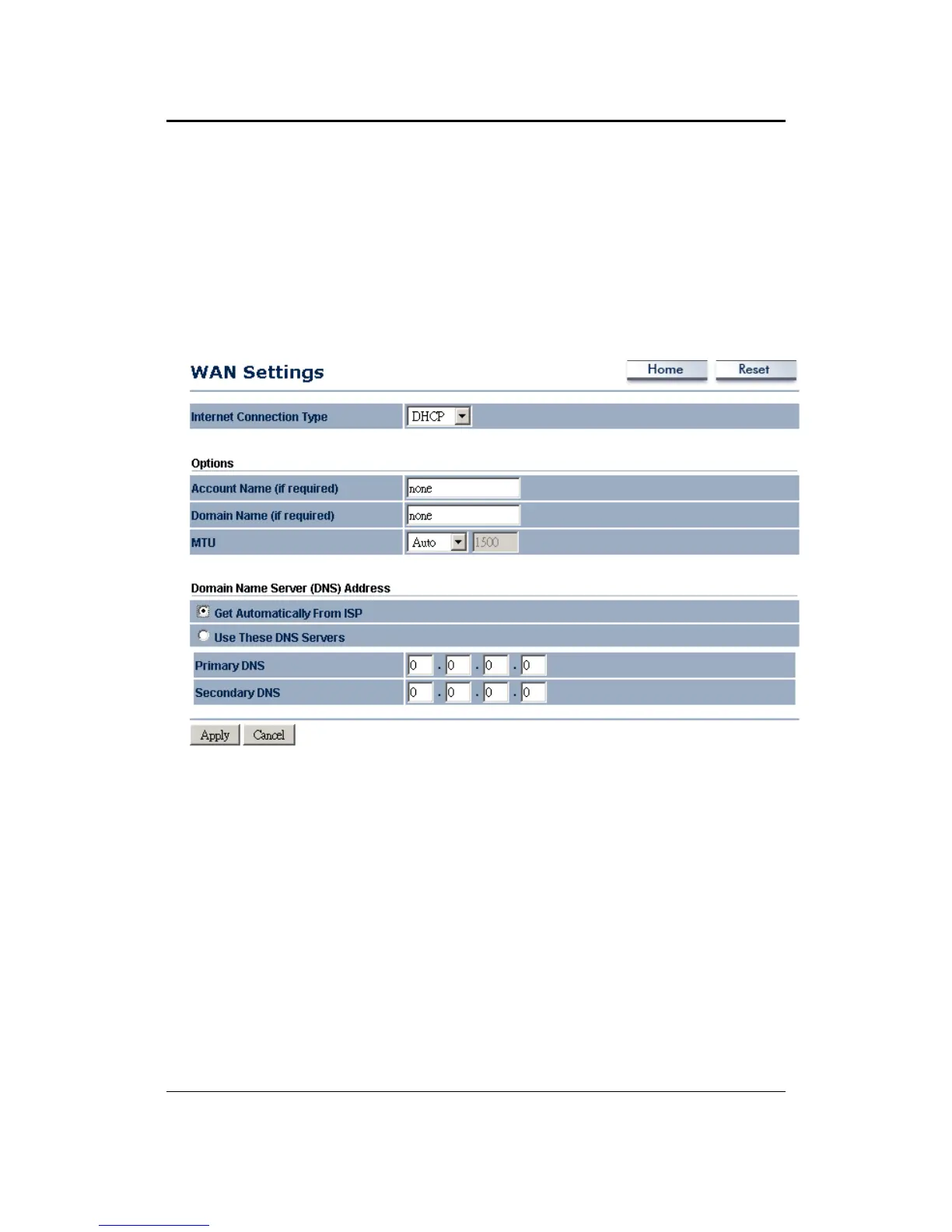
Click on the WAN Settings link under the Router drop‐down menu. This page
allowsyoutoconfiguretheWANinterfaceasDHCP,StaticIP,orPPPoE.
6.4.1.1 WAN‐DHCP
TheWANinterfacecanbeconfiguredasaDHCPClientinwhichtheISPprovides
theIPaddress
tothedevice.ThisisalsoknownasDynamicIP.
InternetConnectionType:SelecttheDHCPfromthedrop‐downlist.
AccountName:SpecifyanaccountnameifyourISPhasprovidedyouwithone.
DomainName:SpecifyadomainnameiftheISPhasprovidedyouwithone.
MTU: The Maximum Transmission Unit
(MTU) is a parameter that determines
the largest packet size (in bytes) that the router will send to the WAN. If LAN
devices send larger packets, the router will break them into smaller packets.
Ideally, you should set this to match the MTU of the connection to your ISP.
Typical
values are 1500 bytes for an Ethernet connection and 1492 bytes for a
PPPoEconnection.Iftherouter'sMTUissettoohigh,packetswillbefragmented
downstream.Iftherouter'sMTUissettoolow,therouterwillfragmentpackets
unnecessarily and in extreme cases may be unable to establish
some
connections.Ineithercase,networkperformancecansuffer.


 To Next Page