Long Range Wireless Access Point / Client Bridge Version 1.0
22
RADIUSPort:EntertheportnumberoftheRADIUSserver.Thedefaultisusually
1812.
RADIUSSecret:EnterthesharedpasswordoftheRADIUSserver.
Group Key Update Interval: Specify the number of seconds after which the
AccessPointwillprobetheclientforthesecret.
ClickontheApplybuttontosavethechanges.
4.4.2 WirelessMACFilter
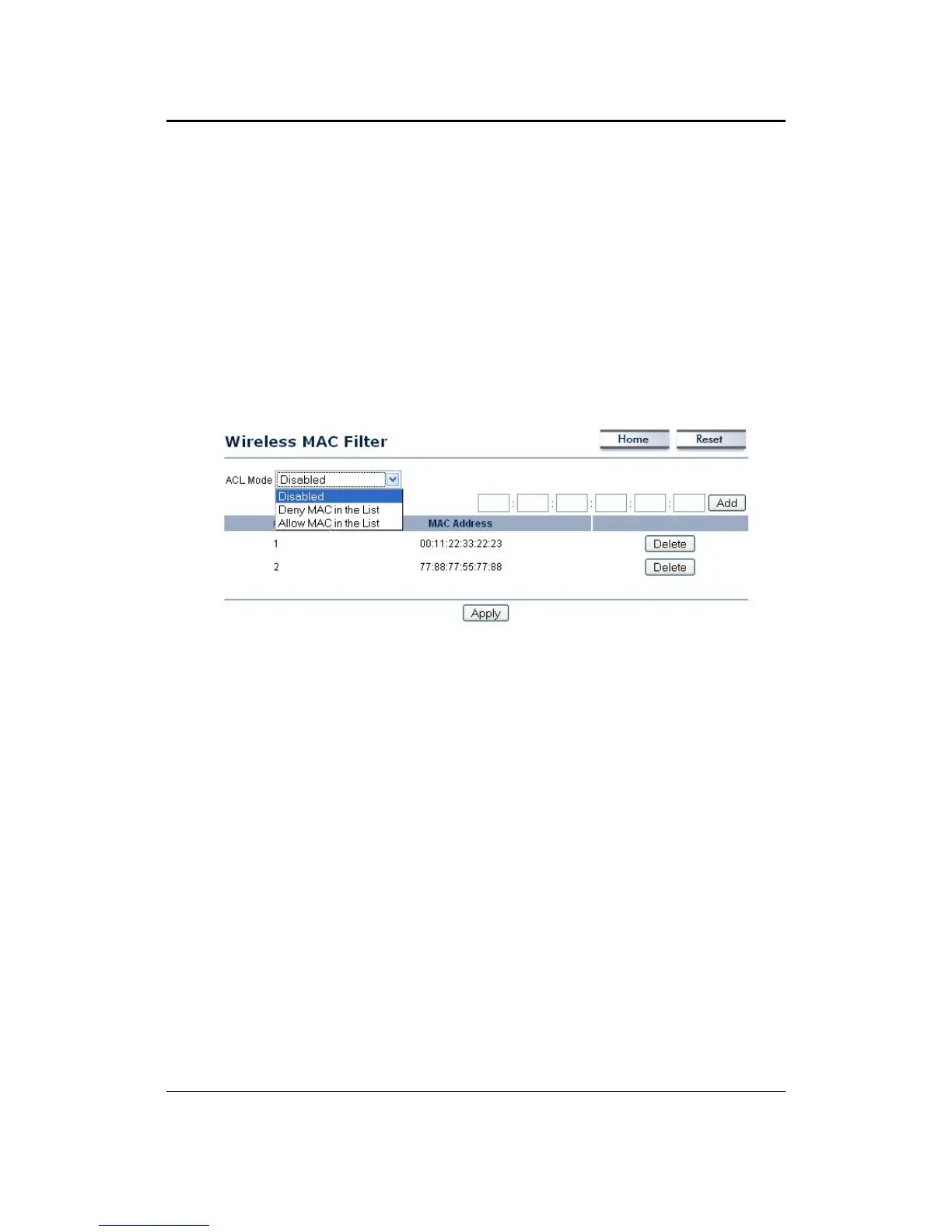
ClickontheWirelessMACFilterlinkundertheWirelessmenu.Onthispageyou
canfiltertheMACaddressbyallowingorblockingaccessthenetwork.
ACL (Access Control) Mode:You may choose to Disable, Allow Listed, or Deny
Listed MAC addresses from associating with the network. By selecting Allow
MAC in the List, only the address listed in the table will have access to the
network;allotherclientswillbeblocked.On
theotherhand,selectedDenyMAC
in the List, only the listed MAC addresses will be blocked from accessing the
network;allotherclientswillhaveaccesstothenetwork.
MACAddress:EntertheMACaddress.
Thistable lists theblocked or allowedMACaddresses;you may delete
selected
MACaddressordeletealltheaddressesfromthetablebyclickingontheDelete
button.
ClickontheApplybuttontosavethechanges.
4.4.3 WirelessAdvancedSettings
ClickontheWirelessAdvancedSettingslink.Onthispageyoucanconfigurethe
advancedsettingstotweaktheperformanceof yourwirelessnetwork. Options
availableare:datarate,transmitpower,fragmentationthreshold,RTSthreshold,
protectionmodeanddistance.



 To Next Page