Long Range Wireless Access Point / Client Bridge Version 1.0
56
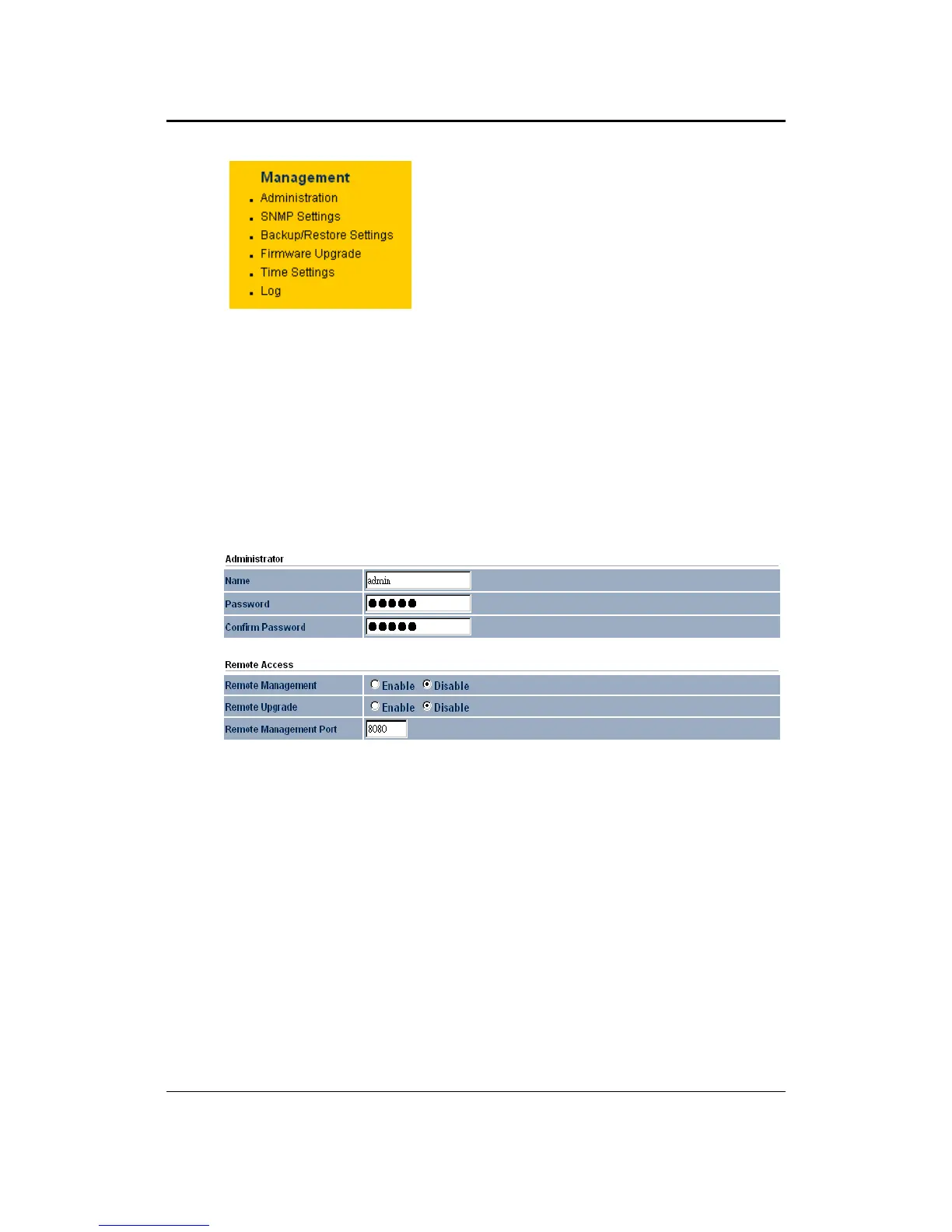
Click on the Management link on the
navigation drop‐down menu. You will
then see six options: administration,
SNMP settings, backup/restore settings,
firmware upgrade, time settings, and log.
Eachoptionisdescribedbelow.
6.6.1 Administration
Click on the Administration link under the Management menu. This option
allows you tocreate a username and password for the device. By default, this
device is configured without a user name and password admin. For security
reasons it is highly recommended that you create a new user
name and
password.
Name:Specifyausernameintothefirstfield.
Password:Specifyapasswordintothisfieldandthenre‐typethepasswordinto
theConfirmPasswordfield.
RemoteManagement:Choosetoenableordisableremotemanagement.
RemoteUpgrade:Choosetoenableordisableremote
firmwareupgrade.
RemoteManagementPort:Specifyaportforremotemanagement.Forexample,
if you specify 8080, then you will need to specify <IP address>:<port>
192.168.1.1:8080toconnecttothewebinterfaceofthedevice.
ClickontheApplybuttontosavethechanges.



 To Next Page