Long Range Wireless Access Point / Client Bridge Version 1.0
50
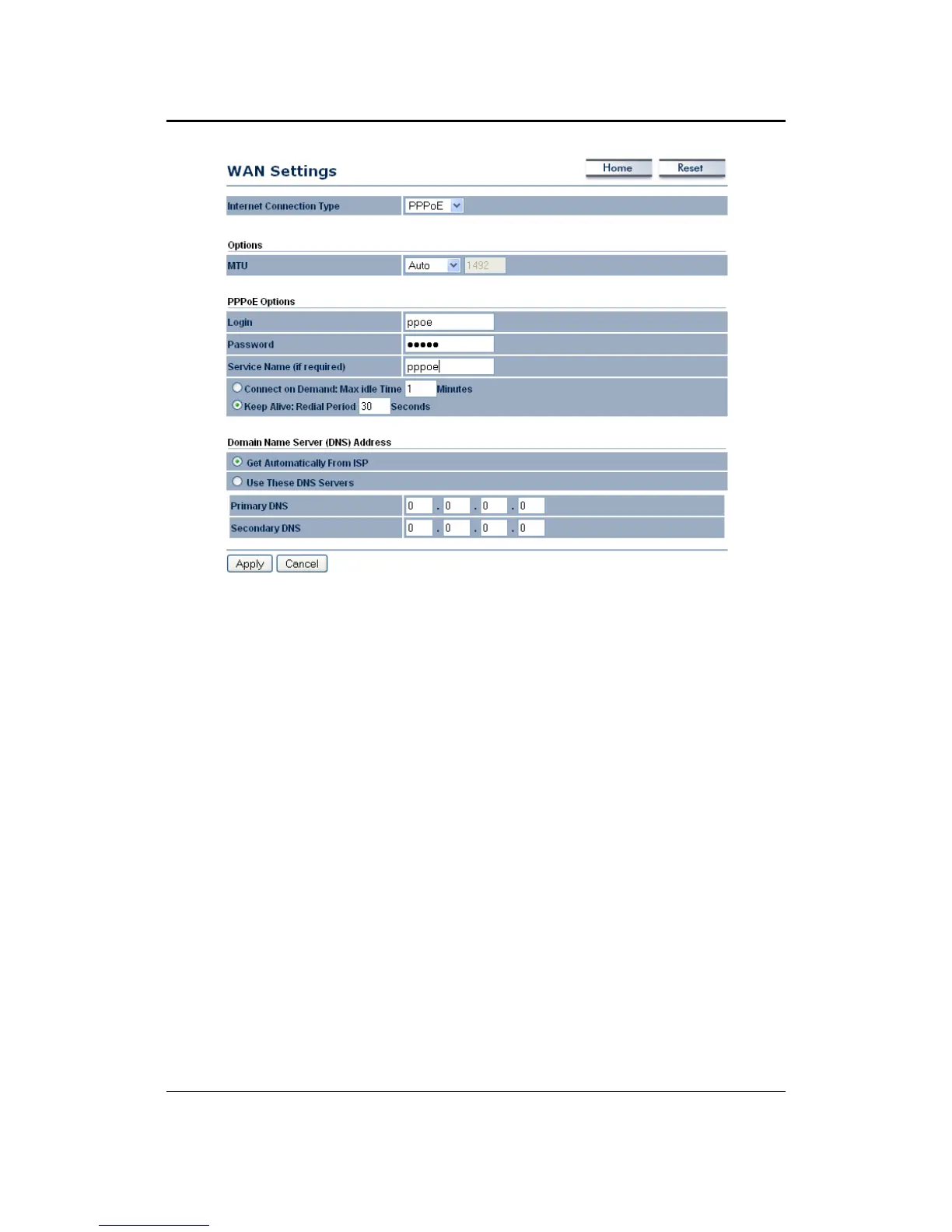
InternetConnectionType:SelectPPPoEfromthedrop‐downlist.
MTU: The Maximum Transmission Unit (MTU) is a parameter that determines
the largest packet size (in bytes) that the router will send to the WAN. If LAN
devices send larger packets, the router will break them into
smaller packets.
Ideally, you should set this to match the MTU of the connection to your ISP.
Typical values are 1500 bytes for an Ethernet connection and 1492 bytes for a
PPPoEconnection.Iftherouter'sMTUissettoohigh,packetswillbefragmented
downstream.Iftherouter'sMTU
issettoo low,therouterwillfragmentpackets
unnecessarily and in extreme cases may be unable to establish some
connections.Ineithercase,networkperformancecansuffer.
Login:SpecifytheusernamewhichisprovidedbyyourISP.
Password:Specifythepasswordwhichisprovidedbyyour
ISP,andthenverifyit
onceagaininthenextfield.
ServiceName:SpecifythenameoftheISP.
Type: Select a reconnection type: Keep Alive (A connection to the Internet is
alwaysmaintained), Connect on Demand:YouhavetoopenuptheWeb‐based
managementinterface
andclicktheConnectbuttonmanuallyanytimethatyou
wishtoconnecttotheInternet.
DomainNameService:SelectGetAutomaticallyfromISPiftheISPwillprovide
the DNS address, if not, select Use these DNS servers and specify the primary
andsecondaryDNSserverIPaddress.
ClickontheApplybuttontosavethechanges.



 To Next Page