3 Basics | 14
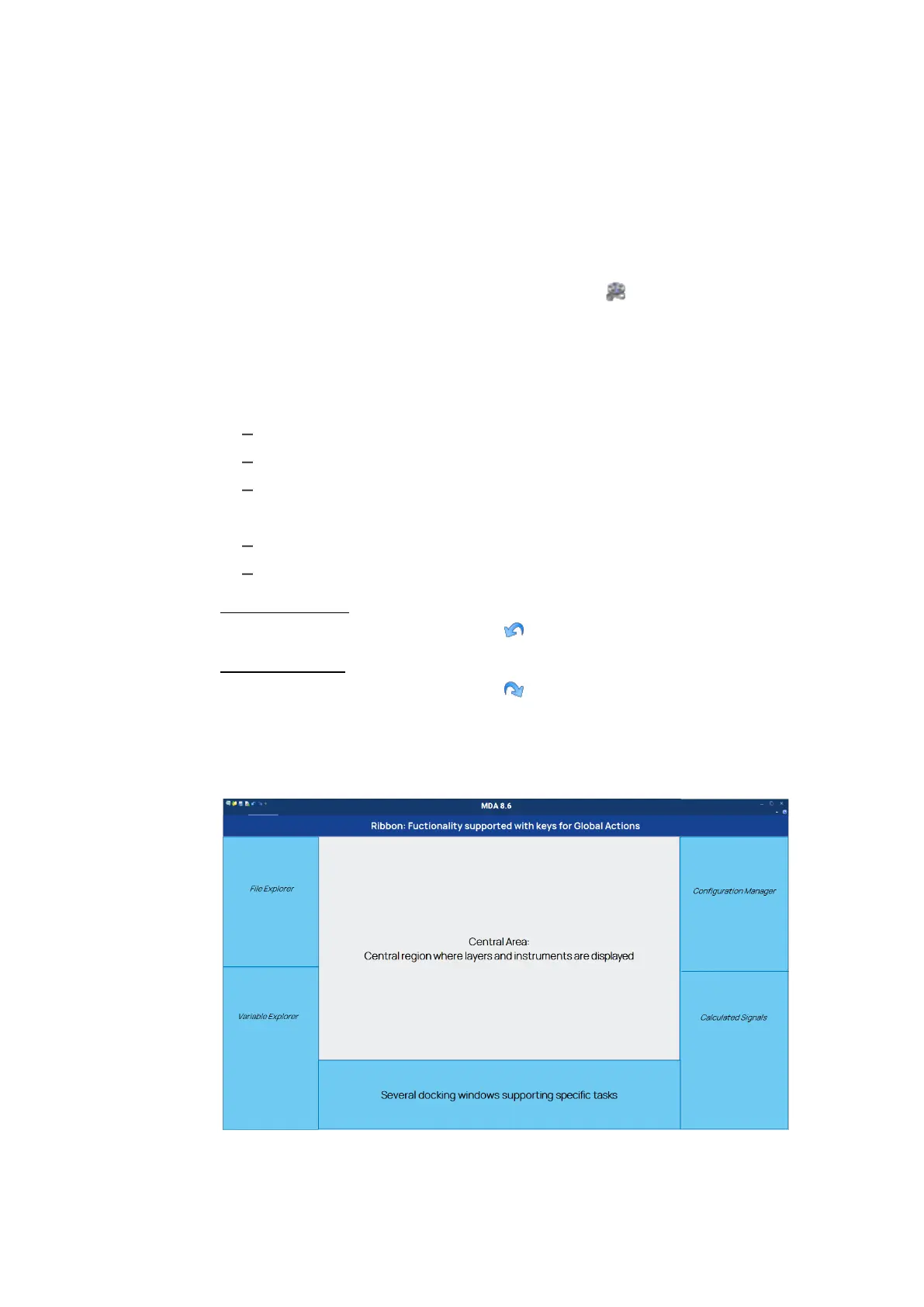
The Variable Explorer displays the list of variables available for analysis in
the active configuration. For more information, see "Signal Selection" on
page93.
You can select and arrange all windows according to your needs. For more inform-
ation, see "Customizing the Window Layout" on page18.
To see how you can optimize the view by defining docking windows behavior and
position, or basic instrument settings, watch our video Optimizing the View.
3.3 Undoing or Redoing Actions
You can reverse all changes that are stored in the configuration file. You can not
undo some actions, like for example:
saving or closing a configuration
creating and exporting a measure file
undocking and docking windows
You can perform the following actions:
"To undo an action" below
"To redo an action" below
To undo an action
1.
On the Quick Access Toolbar click or press CTRL+Z.
To redo an action
1.
On the Quick Access Toolbar click or press CTRL+Y.
3.4 Operating MDA via Keyboard
The concept for operating MDA V8 via keyboard has three aspects:
MDA V8 | User Guide



 To Next Page