5 Layers and Instruments | 88
in tooltips. The number of decimals shown in the tooltips depends on the zoom-
ing level. To change the values in the tooltips, see "Zooming with the Time Slider"
on page91.
To get a sufficient size and an accurate reporting of the relative position of the
currently visible time range at a high amount of zoom, the time slider auto-
matically switches into the magnifier mode.
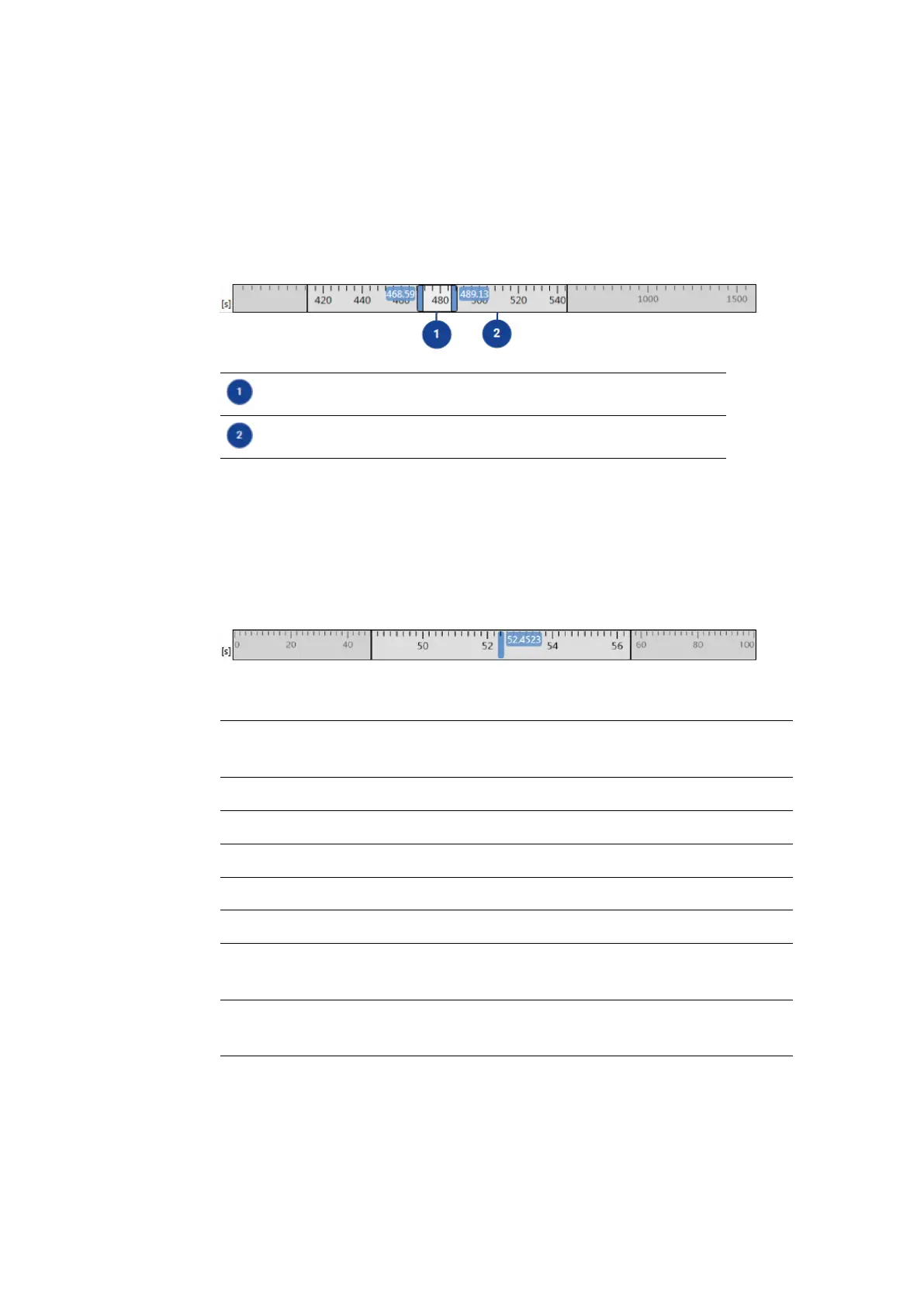
Currently visible time range
Magnified section of the time slider (displayed after zooming in)
Time slider in instruments with fixed scale
If an instrument just display a fixed scale, the time slider supports only scrolling
and synchronization. The missing zooming capability of the instrument is rep-
resented in the time slider by a blue line. This blue line marks the timestamp cur-
rently shown in the instrument. To enter an exact value for the time range, see
"To enter an exact value for the time range" on page91.
Possible actions depending on the instrument type
Time Slider Action Variable
Scale
Fixed
Scale
"To synchronize instruments" on page90 x x
"To scroll" on page90 x x
"To perform a fast scrolling" on page90 x x
"To zoom" on page91 x -
"To perform a fast zooming" on page92 x -
"To show the full time range of the measure file" on
page92
x -
"To enter an exact value for the time range" on
page91
x x
5.2.10.1 Synchronizing Instruments
If several instruments exist in a configuration, you can synchronize them. Instru-
ments can be distinguished into instruments with variable scale and fixed scale.
For more information, see "Time Navigation and Synchronization" on the previous
MDA V8 | User Guide



 To Next Page