5 Layers and Instruments | 89
page.
Synchronization of different instrument types
If you want to synchronize these two different types of instruments with each
other, the following recommendation applies: Start the synchronization from an
instrument with variable scale. Then, the zooming level of each synchronized
instrument with variable scale is adapted to this first instrument.
If you start the synchronization from an instrument with fixed scale, the current
timestamp is used. All cursors in instruments with variable scale are deleted and
one new synchronization cursor is created. The zooming level of each syn-
chronized instrument with variable scale remains the same as before.
Synchronization timestamp
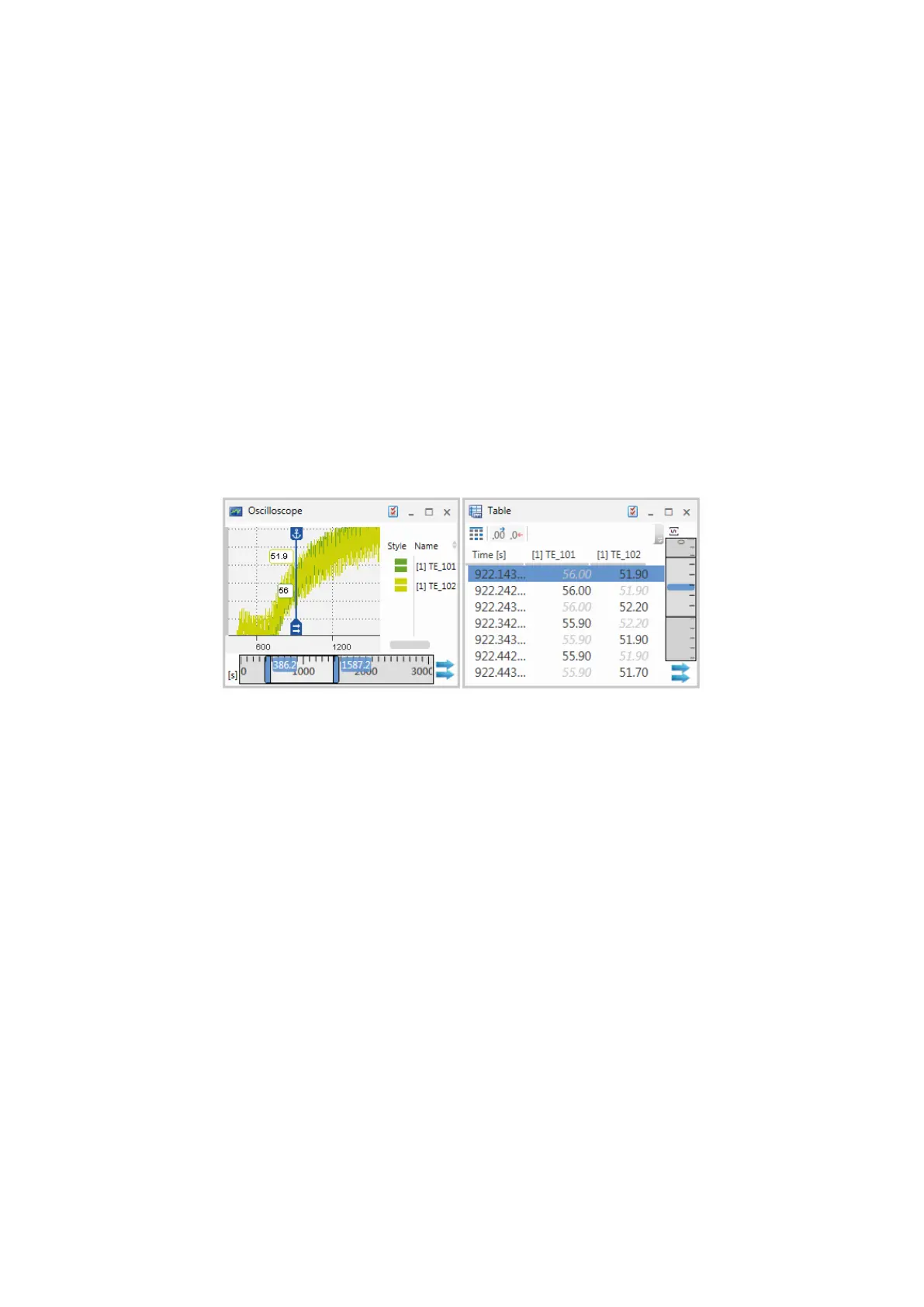
A synchronization timestamp indicates at which timestamp an instrument is syn-
chronized with other instruments.
In the oscilloscope, this timestamp is shown by a synchronization cursor that
automatically appears when synchronizing instruments. The active cursor within
the visible range is used as synchronization cursor. If no cursor exists or the curs-
ors are outside the visible range, a new cursor is created. The synchronization
cursor cannot be deleted. In case the synchronization cursor is anchored, it
remains always in the visible range and helps you to see the same point in time in
e.g. a table or event list and the oscilloscope. If the synchronization cursor is not
anchored, it is moved with the time line during scrolling or zooming. This means, it
can be outside the currently visible time range. But the timestamp of the syn-
chronization cursor is still used to synchronize with other instruments. If you stop
synchronizing, the synchronization cursor remains in the oscilloscope. For more
information, see "To switch the synchronization cursor" on page67.
In instruments with fixed scale, the synchronization timestamp is highlighted in
the second row in blue. If the synchronization timestamp is located between the
first two rows, a blue line is displayed between these rows. You can move the syn-
chronization timestamp to another row in the table. For more information, see "To
move the synchronization timestamp" on page77. When you stop the syn-
chronization, the color of the highlighted row or line changes from blue to gray to
indicate the current time of the time slider within the measure data.
MDA V8 | User Guide



 To Next Page