5 Layers and Instruments | 91
timestamp that is displayed as a blue line.
2. While keeping the mouse button pressed, move the cursor to the desired
position.
The faster you move the cursor, the faster is the scrolling performed.
To scroll slowly line by line
Use the keyboard and press the ARROW UP, ARROW DOWN, ARROW LEFT, or ARROW
RIGHT keys.
To enter an exact value for the time range
1. Click on one of the tooltips in the time slider showing the start and end
time of the displayed time range. Alternatively, press CTRL+B.
2. Enter the value for the time range.
3. Do one of the following:
l
To apply the new value to the time range, press ENTER.
l
To apply the new value to the time range and to directly jump to the
other tooltip, press TAB or CTRL+B.
If the value is invalid, the edit box is marked with a red border. If you hover
over the edit box, an error message is displayed.
5.2.10.3 Zooming with the Time Slider
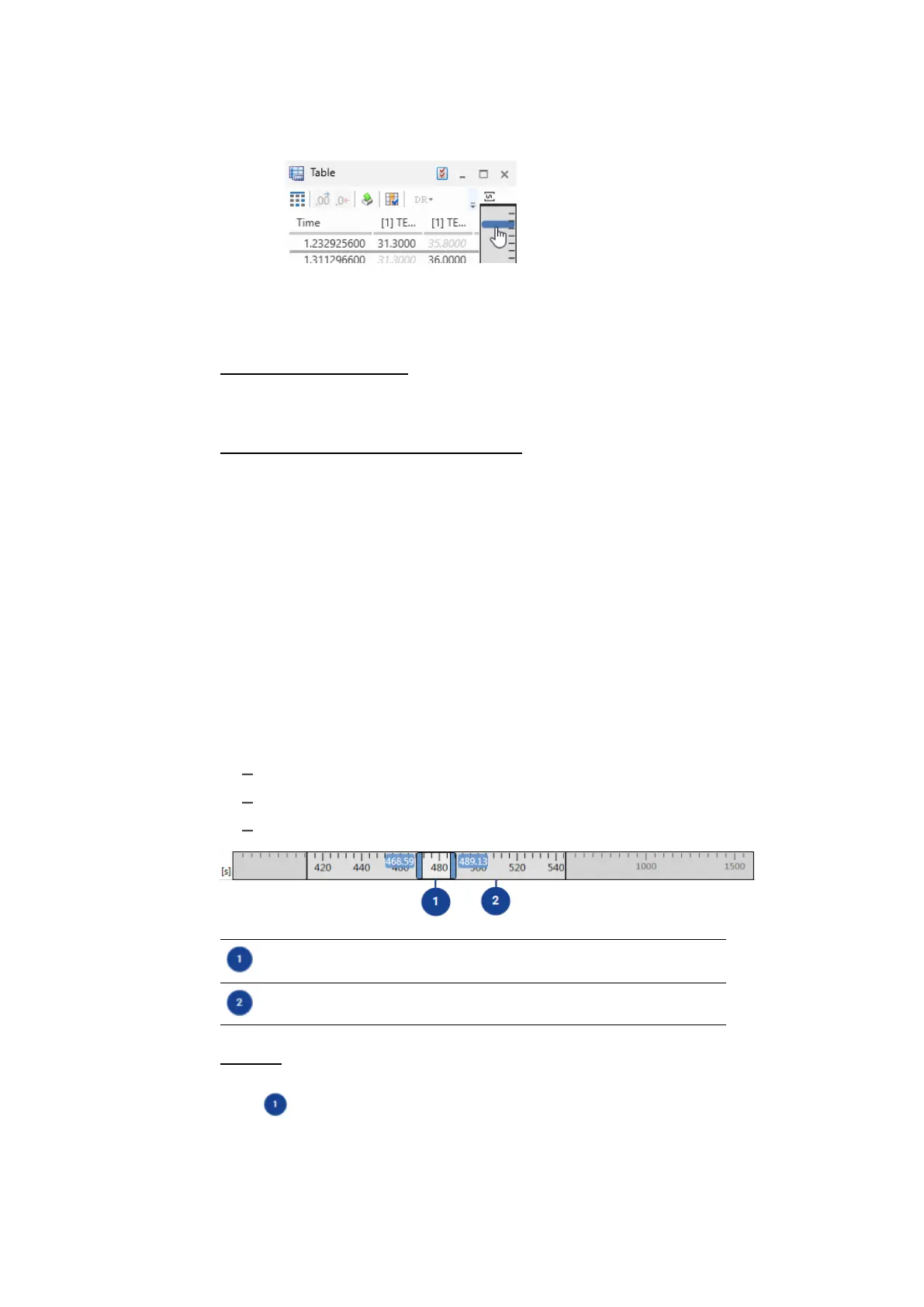
You can perform the following actions in instruments with variable scale:
"To zoom" below
"To perform a fast zooming" on the next page
"To show the full time range of the measure file" on the next page
Currently visible time range
Magnified section of the time slider (displayed after zooming in)
To zoom
1. Move the cursor to the left or right edge of the currently visible time range
.
The cursor changes into a double arrow.
2. If you want to perform a symmetric zoom operation, press CTRL.
MDA V8 | User Guide



 To Next Page