EasyManua.ls Logo

EverFocus EFC304 - Page 103

EverFocus EFC304
160 pages
Print Icon
To Next Page IconTo Next Page
To Previous Page IconTo Previous Page
Loading...
10.
10.1
R
Click on
events
p
Assho
w
Map lis
t
zones,
D
Electro
n
Suchas
The rea
automa
t
Cardhol
d
used to
display
e
isnotr
e
!N
there
a
record
inquir
y
Real
t
R
ealtim
e
system me
n
p
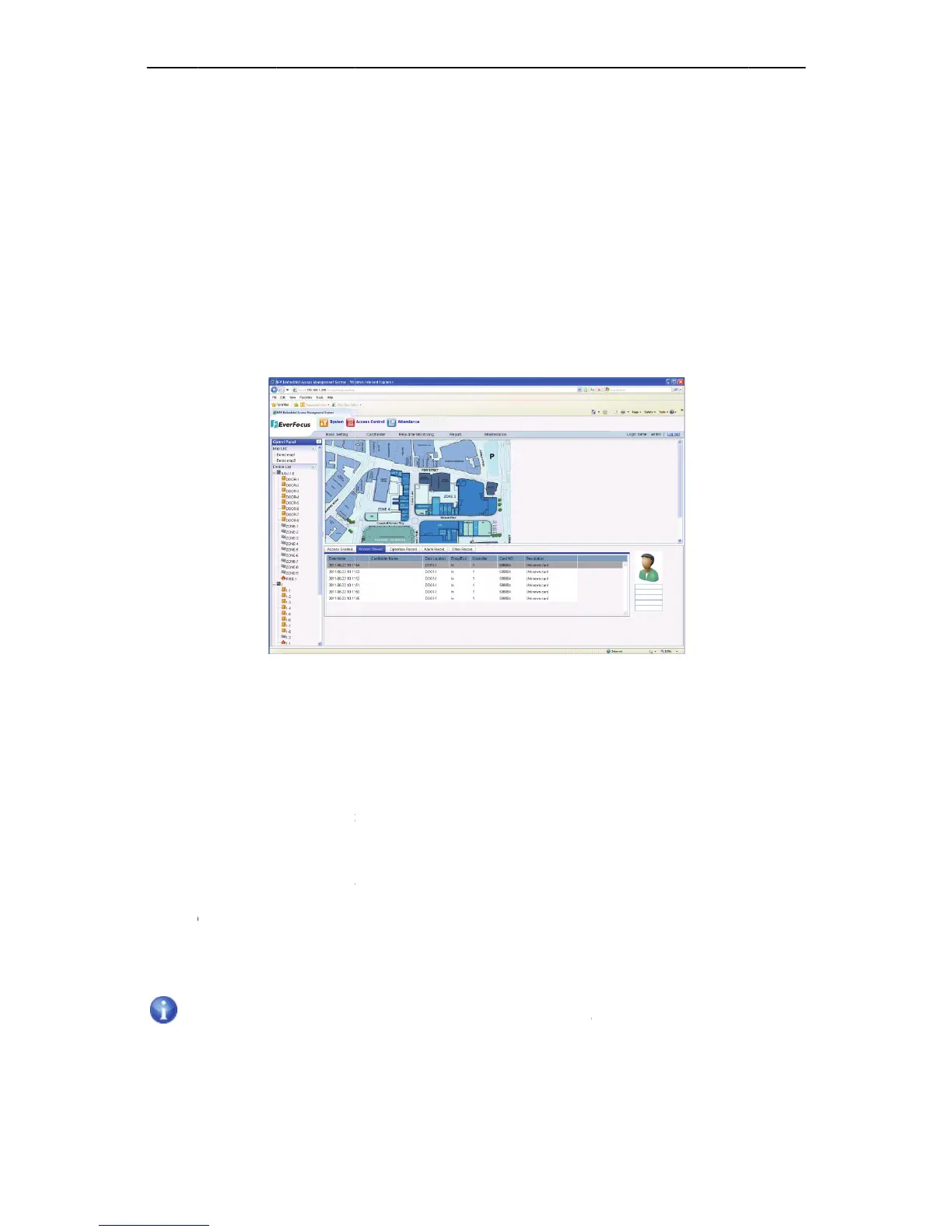
age;seefig
u
w
nintheabo
v
t
and device
D
VR,CAMan
d
n
icmapislo
c
doorisopen
ltime event
t
icallylisting
d
er informa
t
display the
c
e
achcardhol
d
e
latedtothe
c
ote:subst
a
a
ltimeeve
n
ofthestat
i
y
pagetos
e
t
ime
e
Event
n
u bar “Syst
e
u
rebelow:
v
efigure,th
e
list located
d
View.The
u
c
atedinthe
t
edorclosed,
records are
eachnowe
v
t
ion of each
c
ardholder d
d
er’sdetail,
s
c
ardholder,
t
a
tiononlyc
n
trecordp
a
i
on.Ifthe
u
e
arch.
M
onito
r
e
m” “Live
Fi
g
e
realtimee
v
on the left
s
u
serscaneas
t
opofthemi
controlisar
located in
t
v
entattheto
record is po
etail.When
s
uchascard
h
t
herelatedc
o
achessom
e
a
geatthe
f
u
serinquir
e
94
r
ing
Monitoring
g
ur
e
101LiveE
v
v
entmonitor
i
s
ide, it show
ilyremotec
o
ddle.Eachd
e
medordisar
t
he bottom
o
pallowingf
o
sitioned in t
eachdiffere
n
h
older’sphot
o
ntentsinthi
e
realtime
f
irsttime,i
t
e
stheoldr
e
“LiveEv
e
v
ent
i
ngpageisdi
n all the ma
o
ntrolopen/
c
e
vice’srealt
i
medetc.
o
f page. Th
e
o
rscrollinga
n
he right bot
t
n
t realtime
e
o,name,ge
n
scolumnwil
eventrec
o
t
onlydispl
a
e
cords,ne
e
NA
V
e
nts”, and e
n
videdintoth
p list, contr
o
c
lose,setala
r
i
mestatusis
e
y are listed
n
ddisplaying
t
om corner
o
e
vent isrece
n
der,depart
m
lbeblank.
o
rds.When
a
yssomer
e
e
dstogoto
V
IP Access
c
n
ter to the
R
reebasicar
e
o
llers and d
o
r
metc.
displayedb
y
in order of
inrealtime.
o
f the page,
ived, thisse
c
m
entetc.Ift
h
theusere
n
e
altimee
v
o
cardacce
s
Ch
a
1
c
ontrolle
r
R
ealtime
e
as.
o
ors, arm
y
itsicon.
r
eceiving

which is
c
tion will
h
erecord
n
ters
v
ent
s
s
a
pte
r
0

Table of Contents