EasyManua.ls Logo

EverFocus EFC304 - Cardholder

EverFocus EFC304
160 pages
Print Icon
To Next Page IconTo Next Page
To Previous Page IconTo Previous Page
Loading...
NAV IP
A
9.
C
This ch
a
setting,
Depart
m
Cardhol
employ
e
Import
c
9.1D
Click o
n
setting
p
The left
rightsi
d
anddel
e
Set the
layeris
c
9.1.1
A
Click“A
d
A
ccess cont
r
C
ardh
o
a
pter introd
u
cardholders
m
entsetting
:
der setting:
e
escanbea
s
c
ardholder:
t
epartm
e
n
the menu
b
p
age,shown
side panel i
d
eofpagesh
e
teadepart
m
department
c
ompany,th
e
A
ddADe
p
d
d”button,
s
r
olle
r
o
lder
u
ces EverAcc
e
ettingandi
m
:
Setthedep
a
Set employ
e
s
signedone
o
t
heeditedC
S
e
ntSetti
n
b
ar “System
asfollowing:
s a treesho
w
owallthec
h
m
entonthe
r
detail info
r
e
secondlay
e
p
artment
s
ystemwillp
o
e
ss® NAV C
o
m
portcardho
a
rtmentinfo
r
e
e number,
o
rmorecard
s
S
V(Excel)for
m
n
g
“Cardh
o
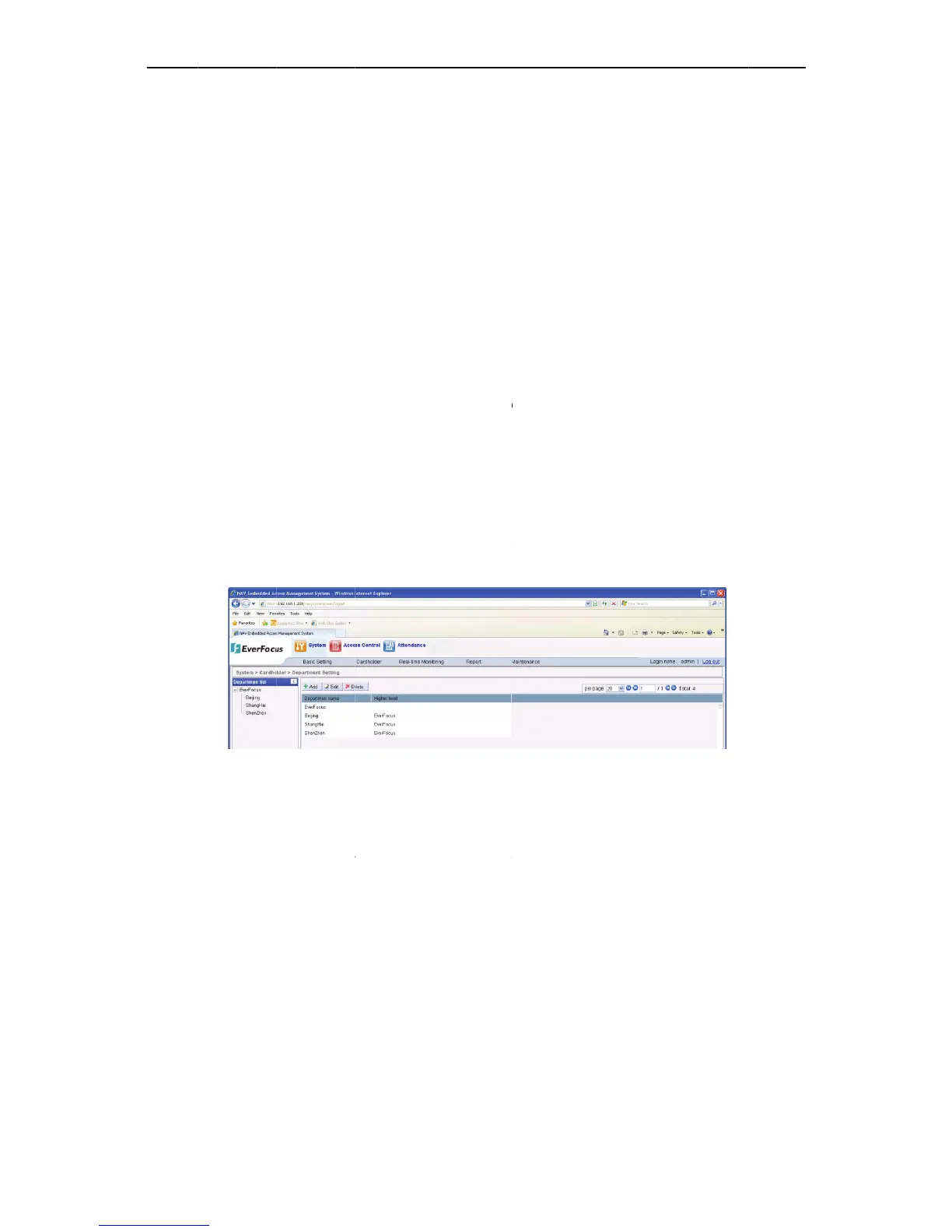
Figure
9
w
ing the co
m
h
ilddepartm
e
r
ightside.Af
t
r
mation. Org
a
e
risdepartm
o
pupawind
85
o
ntroller’s ca
r
lder.
r
mation.
full name,
d
s
,setitspro
p
m
atfiletoi
m
o
lder” “D
e
9
1Departmen
t
m
pany’s orga
e
ntsofthes
e
t
ercomplete
d
a
nizational s
t
entandthe
t
ow,showna
r
dholder ma
d
epartment
a
p
ertiesetc.
m
portintoth
e
e
partment S
t
Setting
nizational st
e
lectednode
d
,systemwil
t
ructure is
d
t
hirdlayeris
g
sfollowing:
nagement, i
n
a
nd other b
a
e
controller.
etting”, ent
e
ructure (all
d
inthetree.
lautomatica
d
ivided into
t
g
roup.
n
cluding: de
p
a
sic informa
t
e
r to the de
p
d
epartments
)
Usercanad
d
llysave.
t
hree layers,
Ch
a
9
p
artment
t
ion, and
p
artment
)
. On the
d
,modify
the first
a
pte
r
9

Table of Contents