NAV IP Access controller
20
Figure2‐11
ConnectingtotheDoorOpenButton
Connectthewiresfromthedooropenbuttontotheterminalblockonthedoormodule.
YoucaneitherconnectthewirestoPin8and9(Door1)orPin24and25(Door2)onthe
terminalblock.
Figure2‐12
2.2.4 ConnectingtotheFire Alarm/AlarmInput
Youcaneitherconnectthealarminputstothemainmoduleorthealarmmodule.
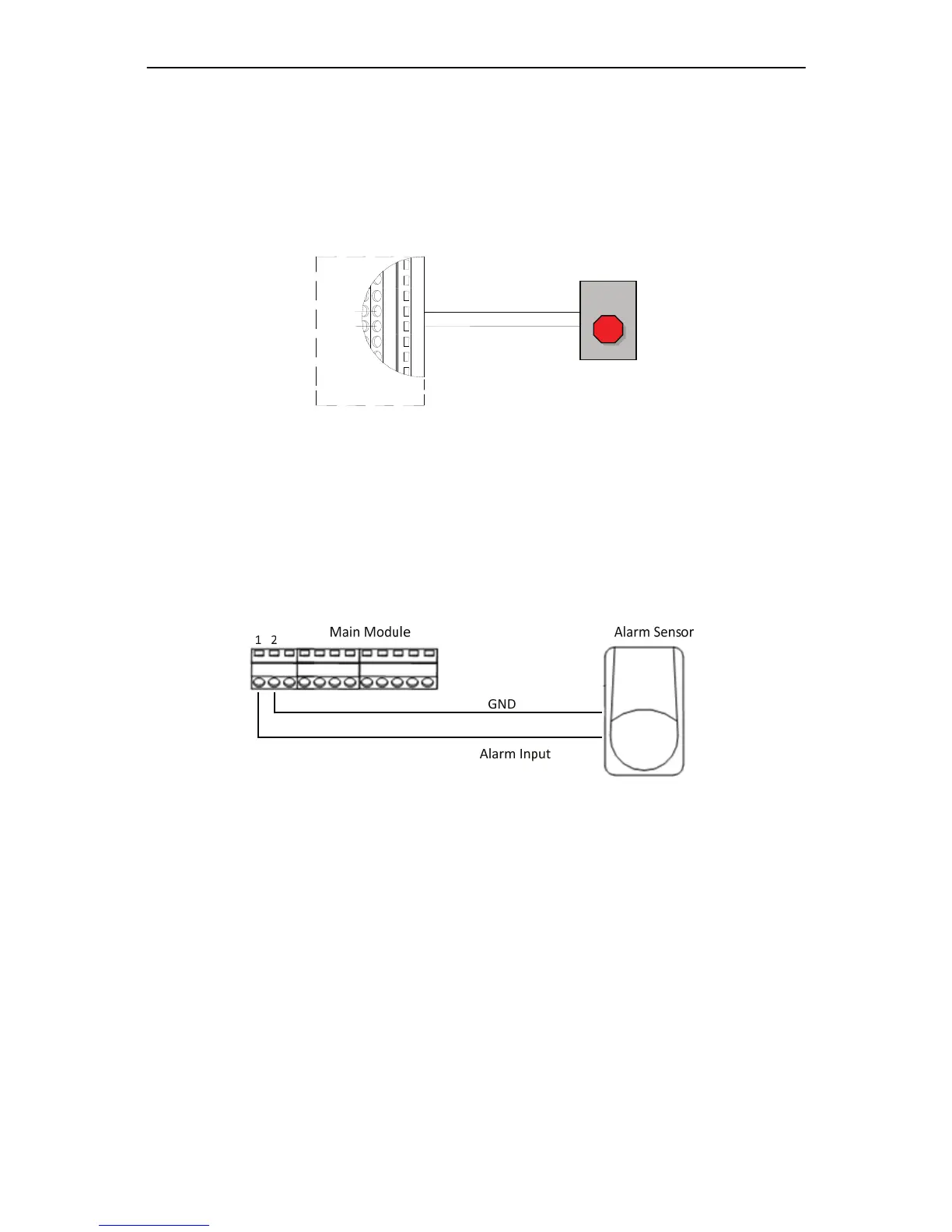
OntheMainModule
Themainmoduleprovidestwogeneralalarminputs,connectingtoPin1and2orPin
2and3ontheterminalblock.TheGNDterminalissharedbythesetwoinputsignals.
Bothinputscanbeconfiguredaseitherfirealarminputorgeneralalarminput.
Figure2‐13
OntheAlarmModule
Thealarmmodulesprovide8alarminputs.Thealarminputpinsprovidedbythe
alarmmoduleincludesPin1,3,4,6,19,21,22,24.Fordetailsonpinassignment,
pleasereferto1.6.2TerminalBlockandLEDsonAlarmModule.Followingisan
exampleonconnectingthealarminputtothealarmmodule.
Doormodule
EXIT
8
9
24
25
GND
InputSignal



 To Next Page