NAV IP Access controller
33
5.5.7SetArmPIN
Arm PIN must be entered before the controller can be armed or disarmed via controller keypad. The
factorydefaultarmPINis00000000.
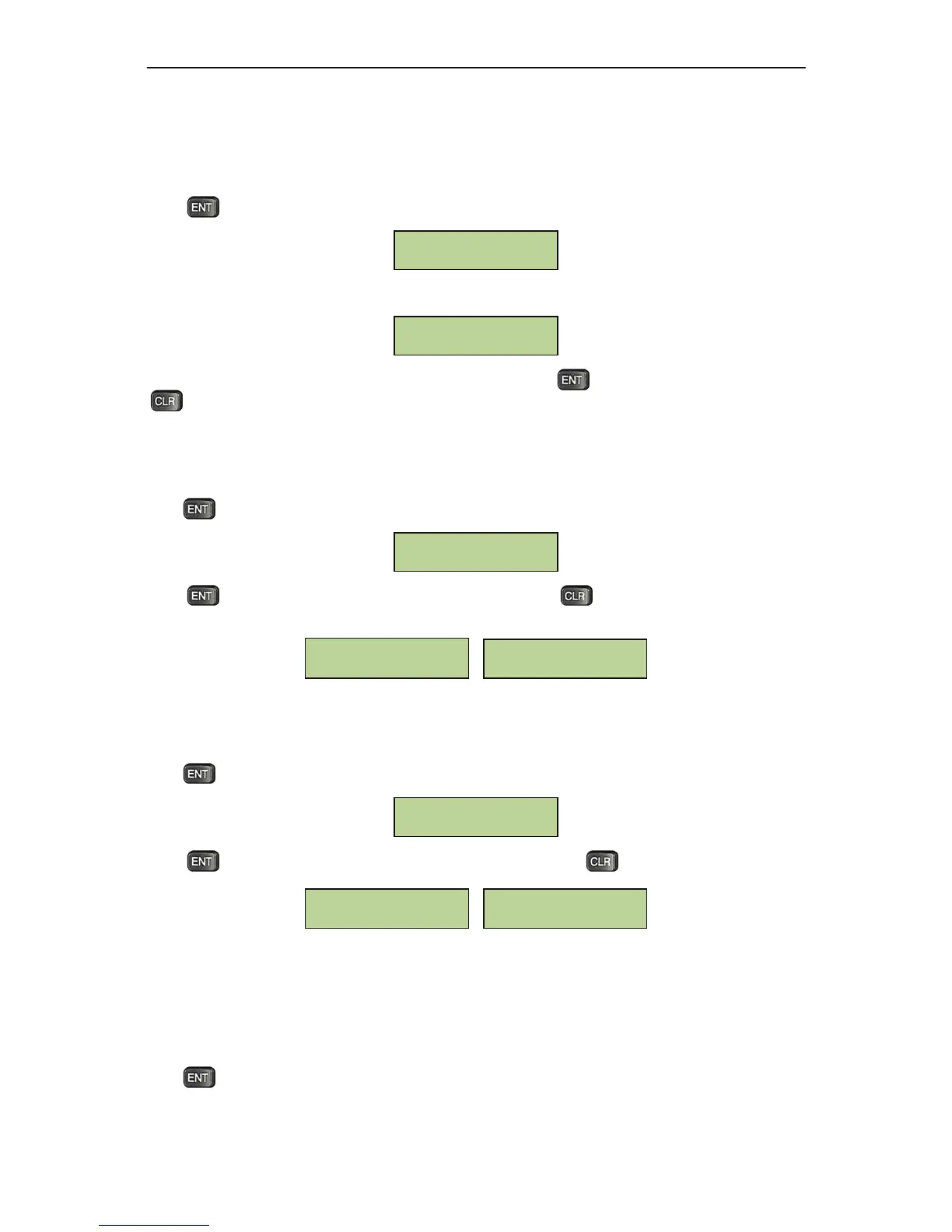
Press atthewindowbelowtosetarmPIN.
TheLCDwilldisplaythefollowingmenu.
Enter a new arm PIN. Enter it a second time to
confirm. Press to set the new arm PIN. Pressing
atanytimewillexitthemenuwithoutchangingthearmPIN.
5.5.8SetLanguage
Press atthebelowwindowtoadjustthelanguagesetting:
Press to toggle among Chinese, English and Russian, Pressto exit. The selected language is
theoneshownonwindowwhenexiting.
5.5.9BacklightSetting
Press atthebelowwindowtochangethebacklightsetting
Presstotogglebetweenenablinganddisablingbacklight.Presstoexit
5.5.10SystemMaintanence
NAV Controller supportstwo waysto update firmware,backup and restore database: viaUSB driveor
FTP.ThissectionintroduceshowtousesystemmaintenancewithaUSBdrive.
Press atthebelowwindowtoentertothesystemmaintenancemenu.
Backlight: OFF
[ENT] to toggle
Backlight: ON
[ENT] to toggle
Backlight Setting
English
[ENT] to toggle
简体中文
按[ENT]切换
Set Language
Input ARM Password
________
Set ARM



 To Next Page