NAV IP Access controller
22
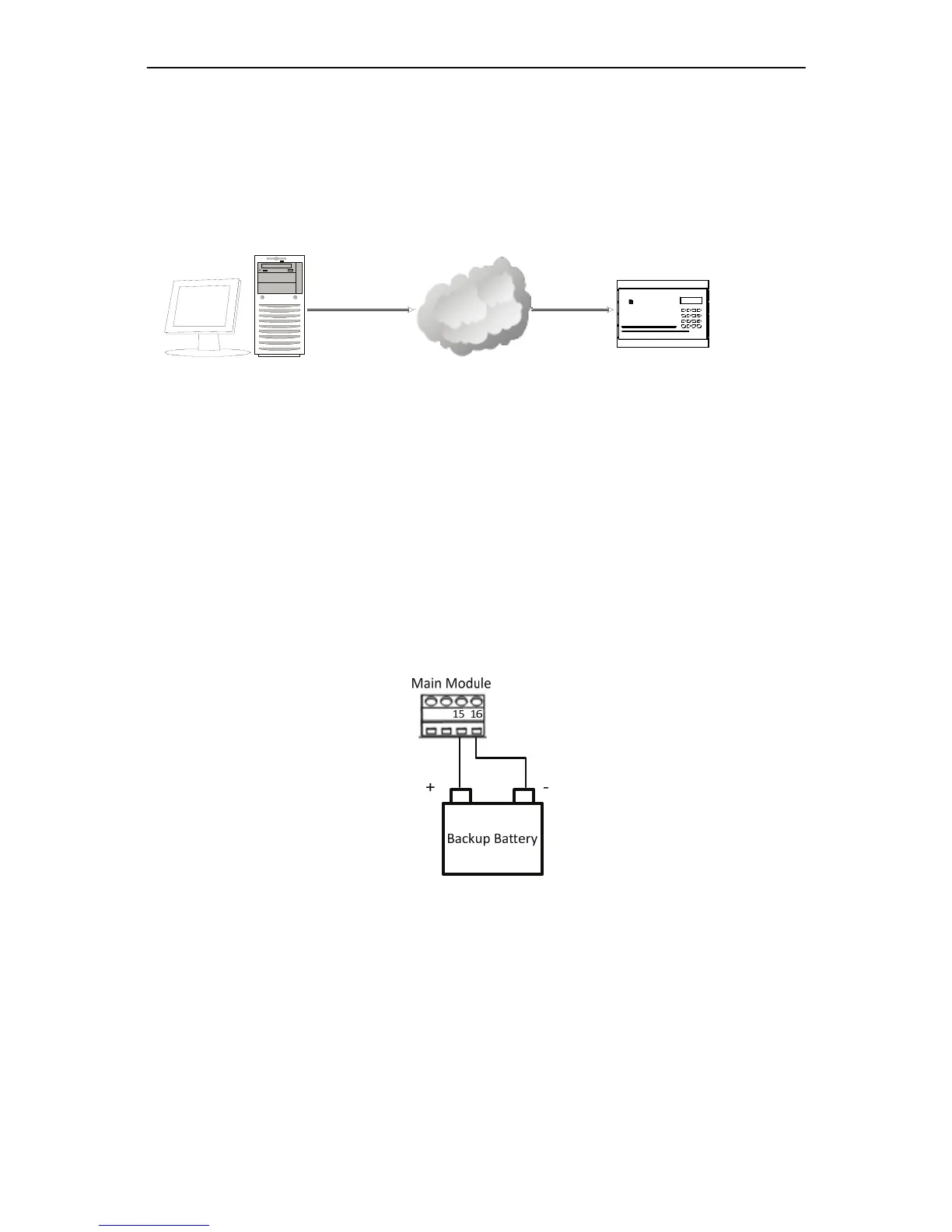
2.2.6 ConnectingtotheComputerthroughtheNetwork
UsercancarryoutbasicsettingthroughthekeypadontheEFC301controlleror
connectionwiththecomputerviaTCP/IP.Usercancarrycomplicatedsystem
administrationbyaccessingtheembeddedsysteminthecontrollerthroughvarious
browsers.
Figure2‐17
2.2.7 MountingaBackupBatteryintheEnclosure(Optional)
Youcanoptionallyconnectabackupbatteryintheenclosuretoprovidebackuppowerto
thecontroller.Oncethebatteryisinstalled,itwillchargeofftheexternalpoweruntilitis
needed,atwhichtimeitwillautomaticallybeusedtopowerthesystem.
ConnectingtotheBackupBattery
Connectthewiresfromthebackupbatterytotheterminalblockonthemainmodule.
ConnectthepositiveleadtoPin15andnegativeleadtoPin16ontheterminalblockof
themainmodule.
Figure2‐18
Ifabackupbatteryisconnected,thecontrollerwillautomaticallyswitchtobackuppower
intheeventthattheexternalpowerislost.Thebackupbatterywillchargewhileexternal
powerisbeingsupplied.
Ingeneral,thelargerthebatterycapacity,thelongeritcansupportthecontroller.A
12AHbatterycanprovide4hoursofenergyforacontrollercontaining4doormodules,
onealarmmoduleand8readers.
EverAccess
ARM
ENT
0
CLR
WXYZTUVPQRS
MNOJKLGHI
3
DEFABC
21
45 6
987
SYS
FlexIIAccess Controller
TCP/IP
NavController



 To Next Page