EasyManua.ls Logo

EverFocus EFC304 - Page 124

EverFocus EFC304
160 pages
Print Icon
To Next Page IconTo Next Page
To Previous Page IconTo Previous Page
Loading...
NAV IP
A
13.
13.1
D
Click“A
c
13.1.
1
In
t
Co
Sunda
y
accord
i
setting
So
f
differe
n
A
ccess cont
r
Acces
D
ateTy
p
c
cessContro
l
1
AddADa
t
hedatety
p
ntrollersu
p
y
toSaturd
a
i
ngtotheir
isthese3
h
Recurre
n
f
twareallo
w
n
tHoliday.
r
olle
r
sRule
p
e
l
“Access
te
p
epage,cli
p
ports10d
a
a
yisautom
a
ownneed
s
h
olidaytyp
e
n
ttype
w
ssetthe
h
Therethre
e
Rule”“D
a
Fi
g
ckthe“Ad
d
Fig
u
a
tetypes,i
n
a
ticallyset
b
s
custom1
3
e
.TheNAV
h
olidayflex
i
e
typesofc
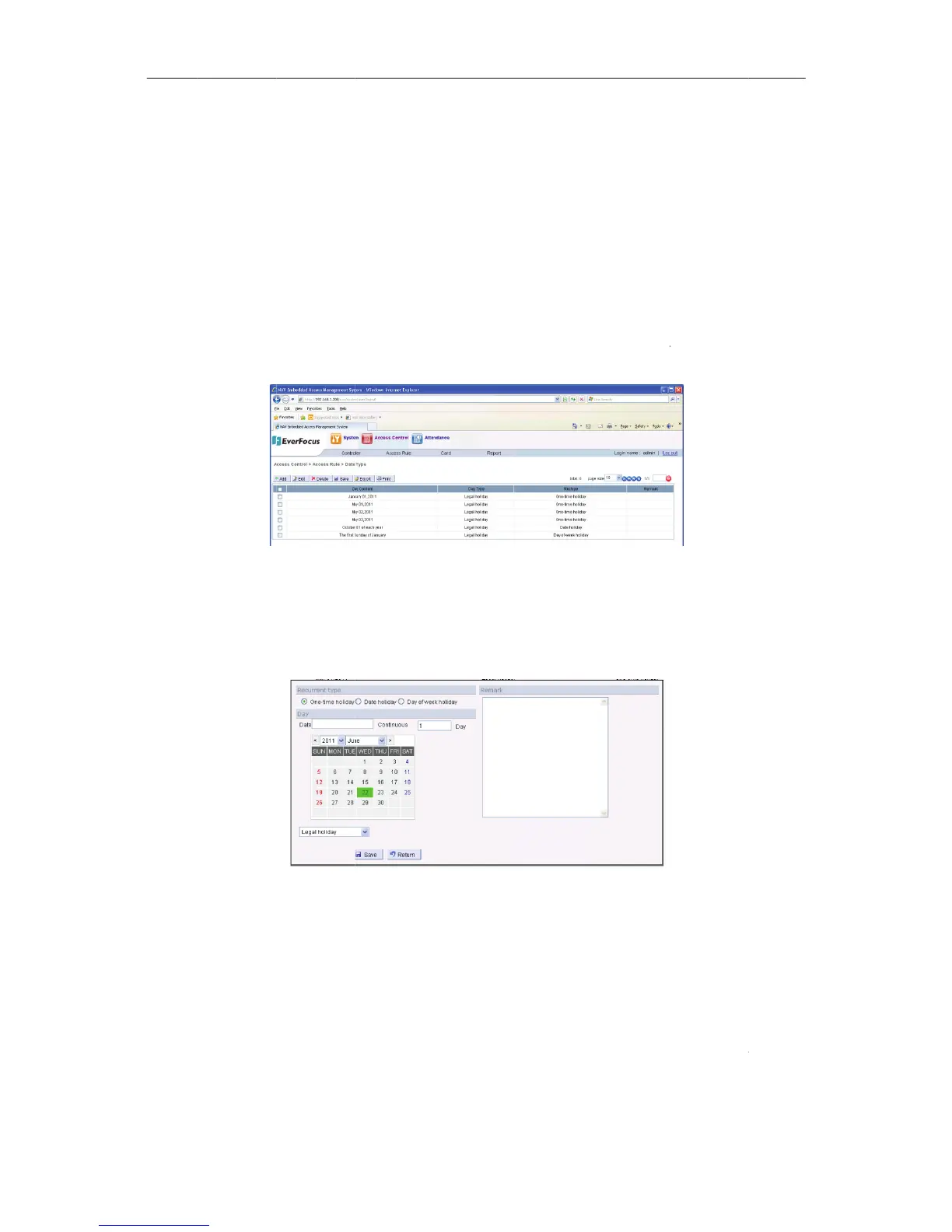
115
a
teType”,e
n
g
ur
e
131Date
T
d
buttona
n
u
r
e
132Adda
D
n
cluding:S
u
b
asedont
h
3
.Inthism
a
controller
s
i
bilityinac
c
yclesarea
s
tertotheda
T
yp
e
n
dwillpop
D
at
e
u
ndaytoSa
h
ecalendar
a
nual,cust
o
s
upportsu
p
c
ordancew
s
following:
tetypepage
,
upbelow
s
turday(7t
y
.Userscan
o
m13are
p
to255hol
iththesta
n

,shownasf
o
s
creen:
y
pes),cust
o
customize
holidays.H
o
idaysettin
g
n
dardseto
f
Cha
p
1
o
llowing:
o
m13.
o
liday
g
.
f
three
p
te
r
3

Table of Contents