EasyManua.ls Logo

EverFocus EFC304 - Page 150

EverFocus EFC304
160 pages
Print Icon
To Next Page IconTo Next Page
To Previous Page IconTo Previous Page
Loading...
NAV IP
A
17.2.
1
Click th
e
employ
e
Clickth
e
totheli
s
Ifitis
n
emplo
y
system
17.2.
2
Users
c
Choos
e
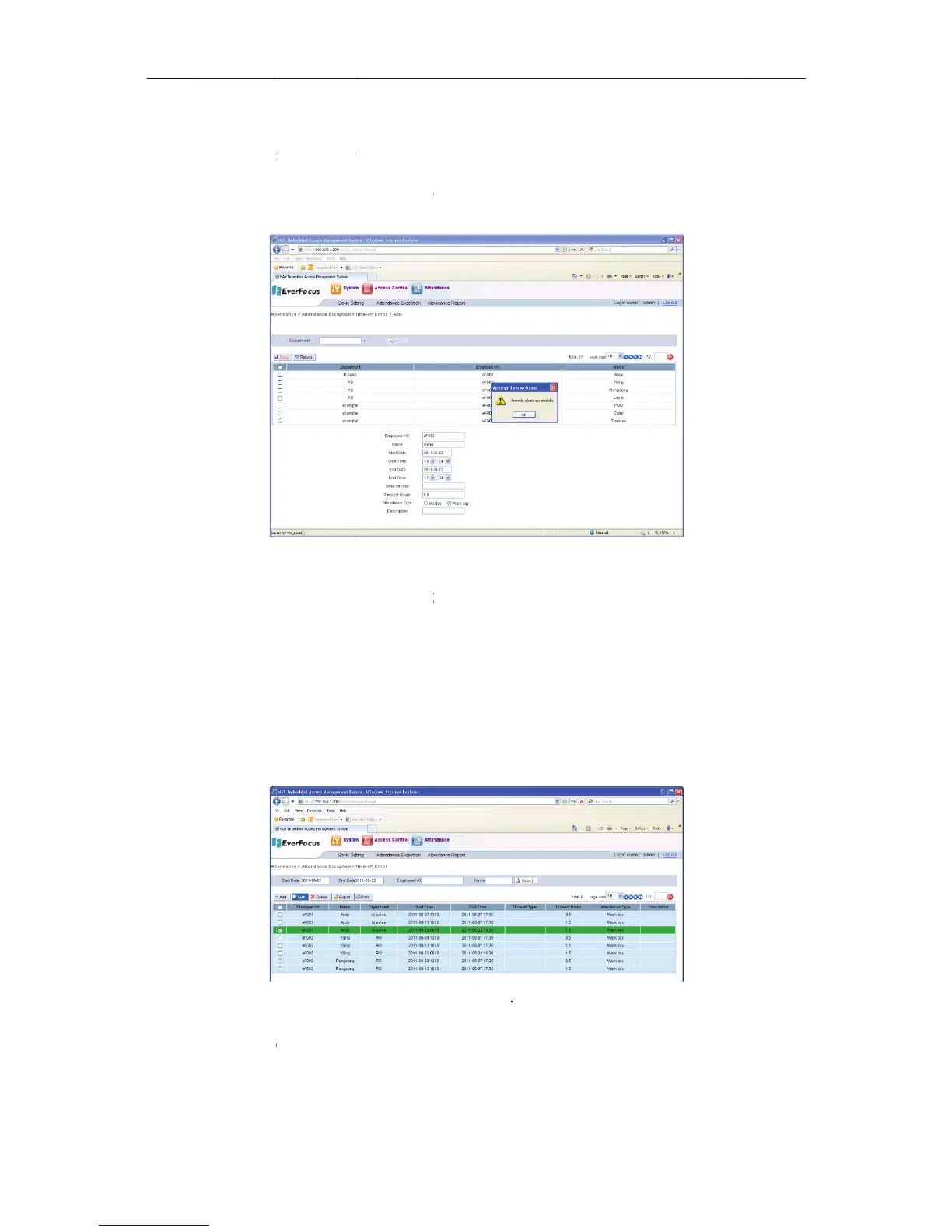
Figure
1
Editthe
A
ccess cont
r
1
AddTim
e
e
“Add” but
t
e
enumber,
e
e
“Save”but
t
s
t,shownon
n
otinconve
y
eenumbe
r
willauto
m
2
EditTim
e
c
aneditTi
m
e
arecordi
n
1
77:
timeoffenr
o
r
olle
r
e
offEnrol
t
on to enter
t
e
mployeena
m
t
onafterthe
Figure176:
nienttose
a
r
orname
o
m
aticallyap
p
e
offEnrol
m
eoffEnrol
n
thelistof
o
llment’sde
t
l
t
he timeoff
m
e,startti
m
requiredinf
o
Figure1
a
rchthrou
g
of
thestaff
m
p
lytheaddi
l
lrecords.
“Timeoff
E
Figure177
S
t
ailinformati
141
enroll detail
m
e,endtime,
o
rmationha
s
7
6AddTime
o
g
hthestaff
m
emberin
t
tionalinfor
E
nroll”and
S
electaTimeo
f
on,asshow
n
page. Selec
t
timeofftyp
s
beenfilled.
o
ffEnroll
list,youca
n
t
he“AddTi
mationne
e
click“edit”
f
fEnr ollment
n
onFigure1
7
t
a record o
n
e,timeoffh
Clickthe“B
a
n
manually
meoffEnr
o
e
ded
buttonas
s
7
8:
n
the list, an
d
oursandde
s
a
ck”button
t
inputthe
o
ll”section
s
hownon
d
set the
s
cription.
t
oreturn
.The

Table of Contents