Primacy Service Manual
51 / 61
Step 23 – FLEX SENSOR KIT – S10088
1. First, be sure to have completely performed Step 22.
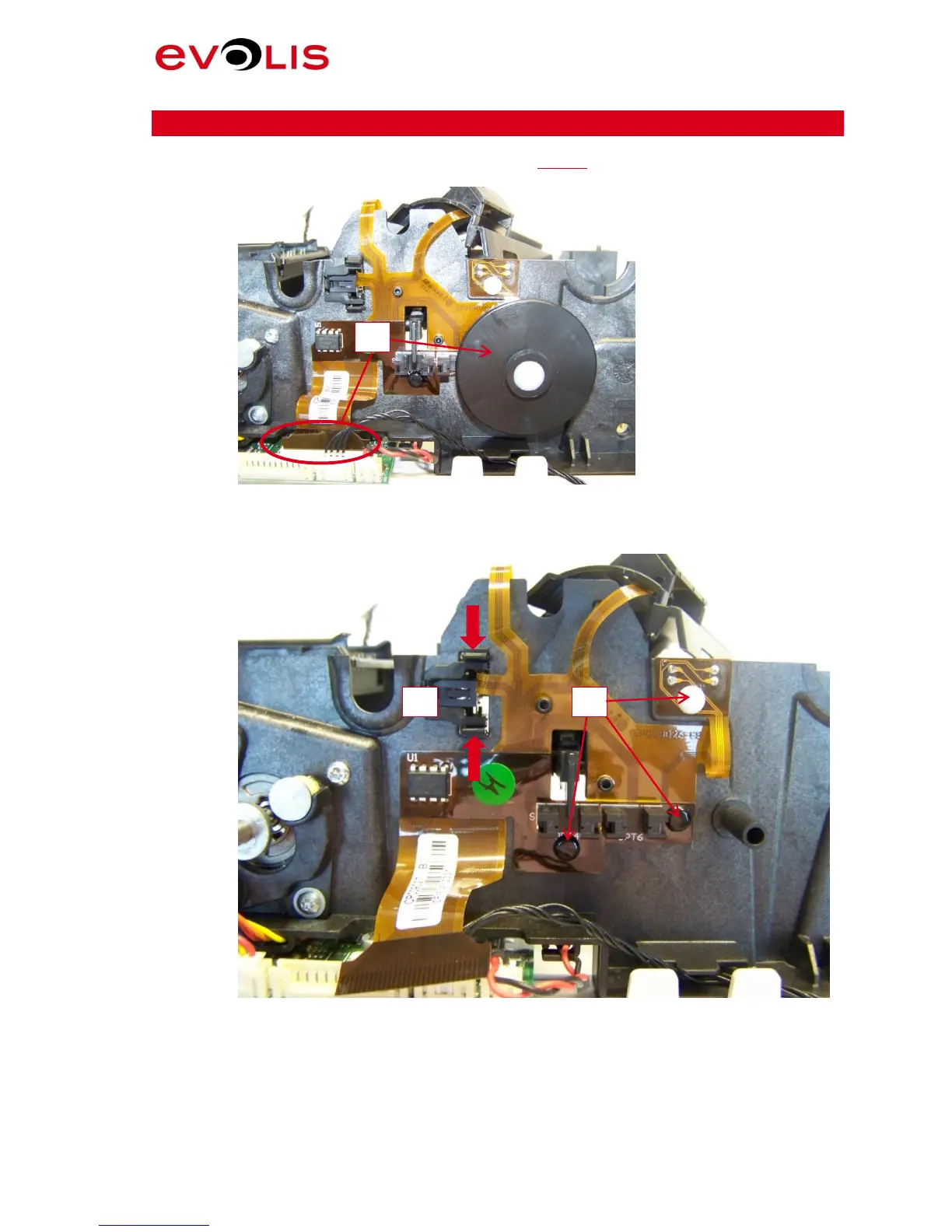
2. Remove the flag and disconnect the flex.
Picture 61: Flex connector
3. Press on the two sides of the up and down sensor and remove it.
4. Remove the three rivets.
Picture 62: Flex Rivets



 To Next Page