Design and function
TIG Synergic operating principle
099-000115-EW501
17.06.2015
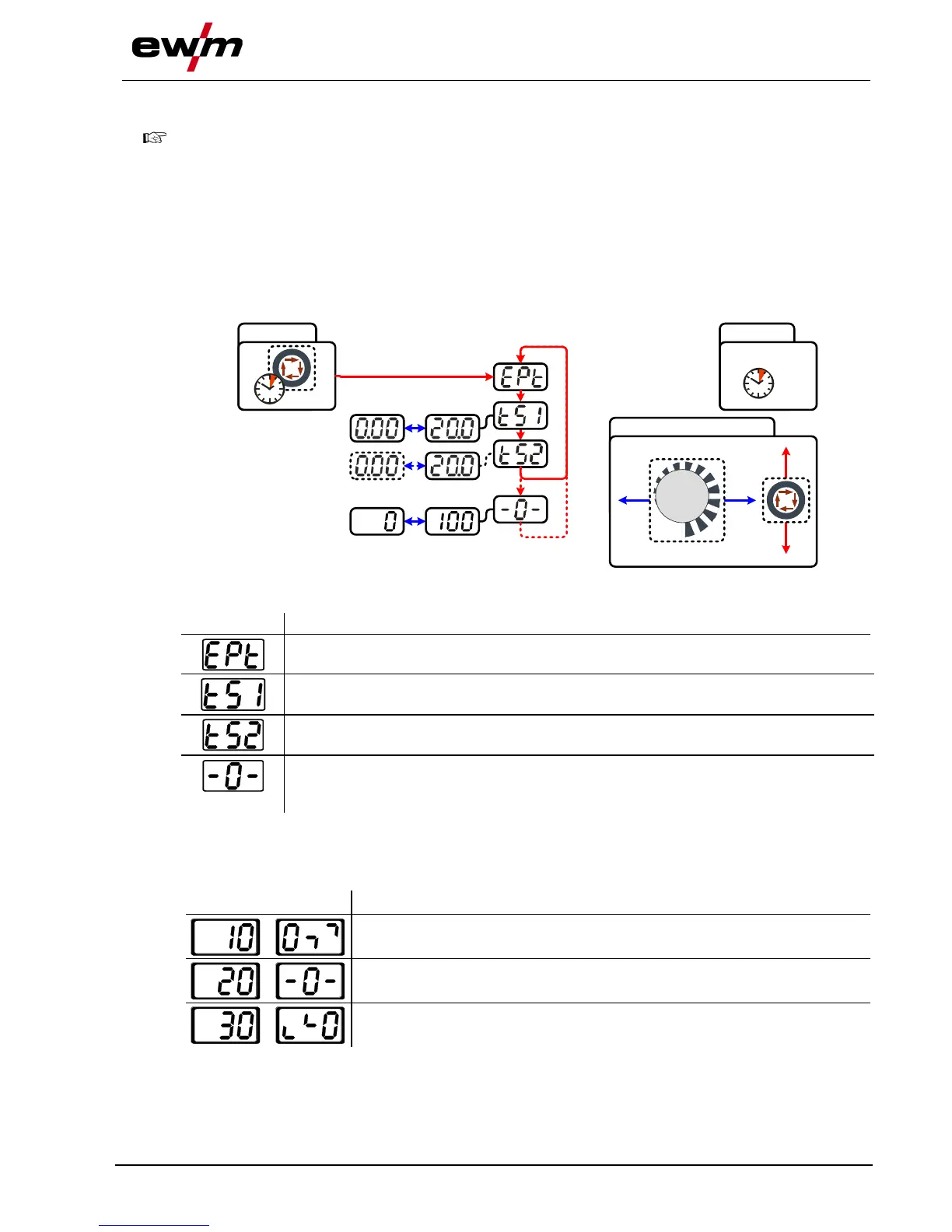
ENTER (enter the menu)
• Keep the "welding parameters" button pressed for 4 s.
NAVIGATION (Navigating in the menu)
• Parameters are selected by pressing the "welding parameters" button.
• Set or change the parameters by turning the "welding parameter setting" rotary dial.
EXIT (leave the menu)
• After 4 s, the machine will return automatically to the ready-to-operate status.
The expert menu includes functions and parameters which are either not set on the machine control, or
which do not require regular setting.
ENTER EXIT
4 s
NAVIGATION
4 s
Slope time tS1 (main current to secondary current)
Setting: 0.00 s to 20.0 s (factory setting 0.00 s)
Slope time tS2 (secondary current to main current)
Setting: 0.00 s to 20.0 s (factory setting 0.00 s)
activArc parameter
Parameter can also be set after activating TIG activArc welding.
Display shown = factory setting.
5.13.6.1 Welding parameter setting
During the welding parameter setting process, the parameter value being set is displayed on the left-hand
display. The right-hand display shows the “Factory setting” or a variation of it upwards or downwards.
Displays, e.g. when setting the ignition current, and their meanings:
Meaning of the symbols shown in the right-hand display
Increase parameter value To restore the factory settings.
Factory setting Parameter value is on the optimum setting
Reduce parameter value To restore the factory settings.








 To Next Page