Working With the TestFlow Mobile Application
Optical Explorer 143
Enabling or Disabling the Wireless Communication
To enable or disable the Wi-Fi communication from the smart
device:
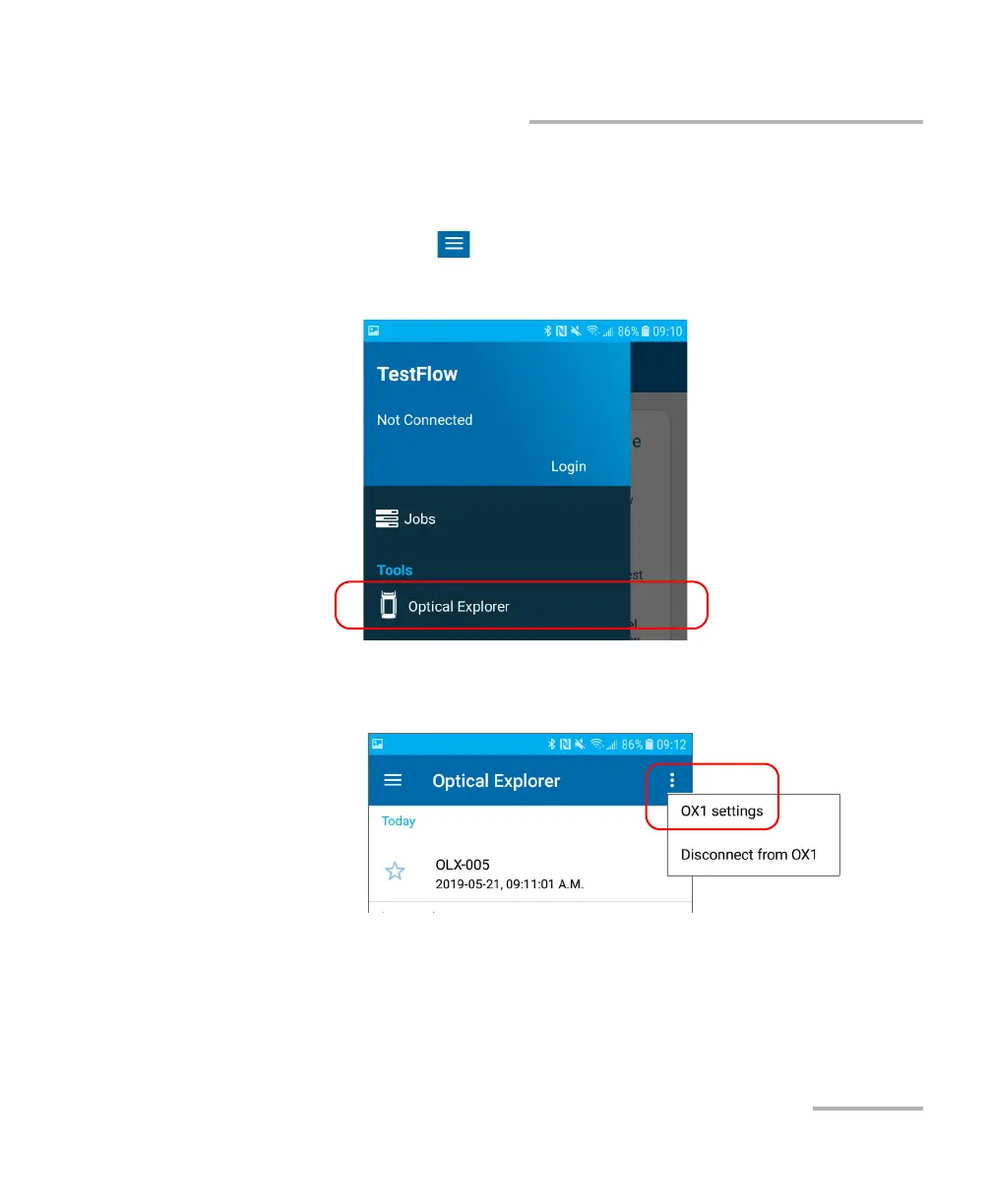
1. On the smart device, open the TestFlow mobile application and access
its main menu ( menu).
2. Under Tools, tap Optical Explorer.
3. From the Optical Explorer tool, open the three-dot menu, and then
select OX1 settings to access the parameters.



 To Next Page