Working With the TestFlow Mobile Application
Optical Explorer 137
Establishing or Closing a Connection With a Smart Device Via the Bluetooth Technology
Establishing or Closing a Connection With a
Smart Device Via the Bluetooth Technology
When you want to work with TestFlow jobs, perform tasks such as
generate reports (single or multiple measurements), or configure Wi-Fi
networks to receive updates for your unit, interactions are necessary
between the unit and a smart device equipped with the TestFlow mobile
application. These interactions are accomplished using the Bluetooth
®
technology. By default, the Bluetooth
®
communication is enabled on your
unit, but if you have disabled it, you must enable it before trying to connect
to a smart device (see Enabling or Disabling the Wireless Communication
on page 141).
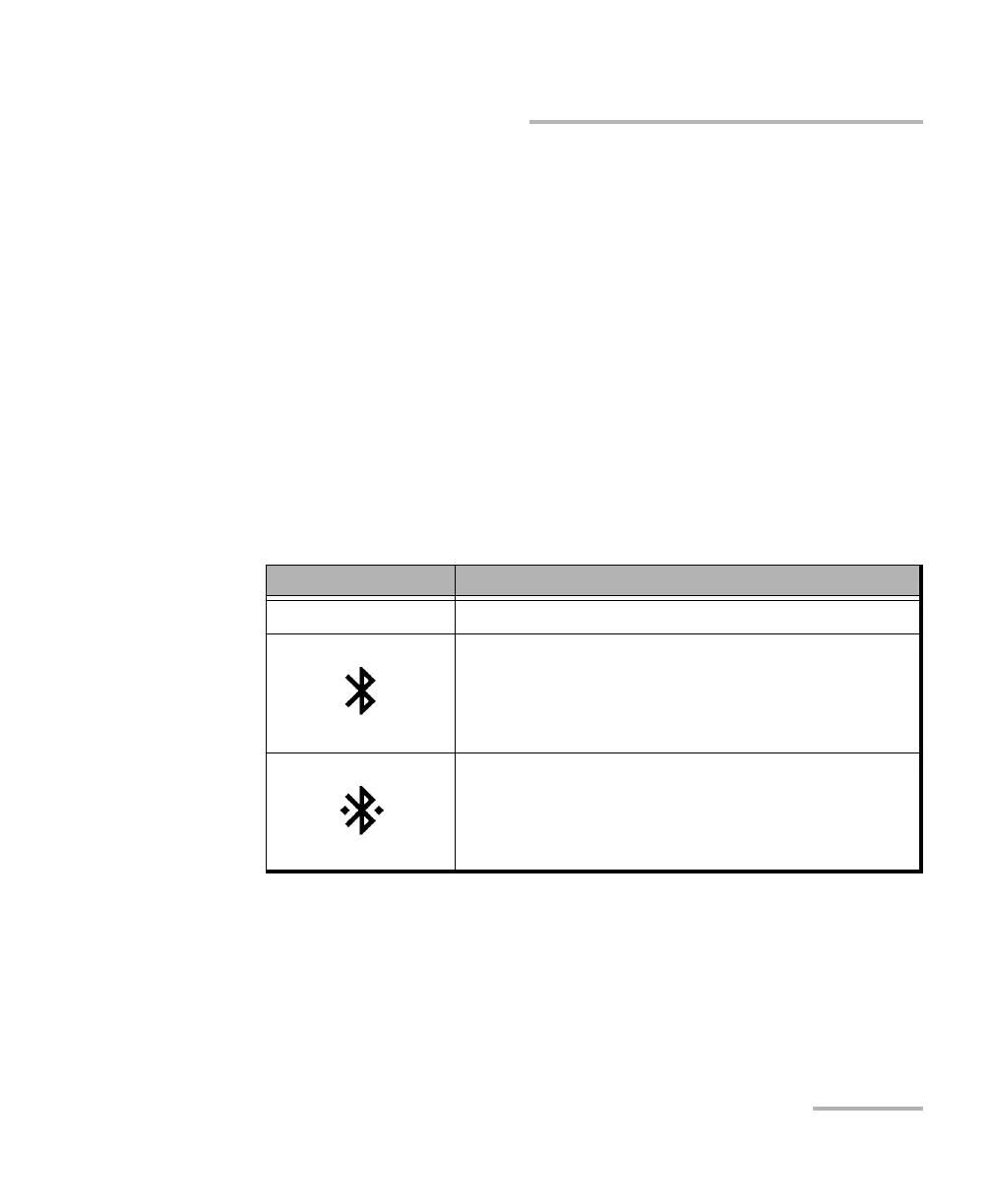
On your OX1 unit, the status of the Bluetooth
®
communication is indicated
with an icon in the title bar. The table below shows the possibilities.
If a connection has been established with a smart device already, but you
wish to use your unit with another smart device, you can close the current
connection directly from your unit. Similarly, if a connection exists already,
but you wish to connect a smart device to another OX1 unit, you can close
the connection from the smart device (Optical Explorer tool in the
TestFlow mobile application).
Icon Meaning
Not visible The Bluetooth
®
communication is disabled.
The Bluetooth
®
communication is enabled, but no
connection has been established yet between the
unit and a smart device.
A connection has been established between the
unit and a smart device.



 To Next Page