Maintenance
Optical Explorer 191
Determining the Condition of the Click-Out Optical Connector (Pro Units Only)
Determining the Condition of the Click-Out
Optical Connector (Pro Units Only)
If you have a Pro unit, you can perform a procedure to help you determine
if there is a problem with the internal connector or only with the
replaceable Click-Out connector.
To determine if the Click-Out connector only needs to be
replaced:
1. Remove the Click-Out connector from the unit (see the corresponding
procedure in Replacing the Click-Out Optical Connector (Pro Units
Only) on page 193).
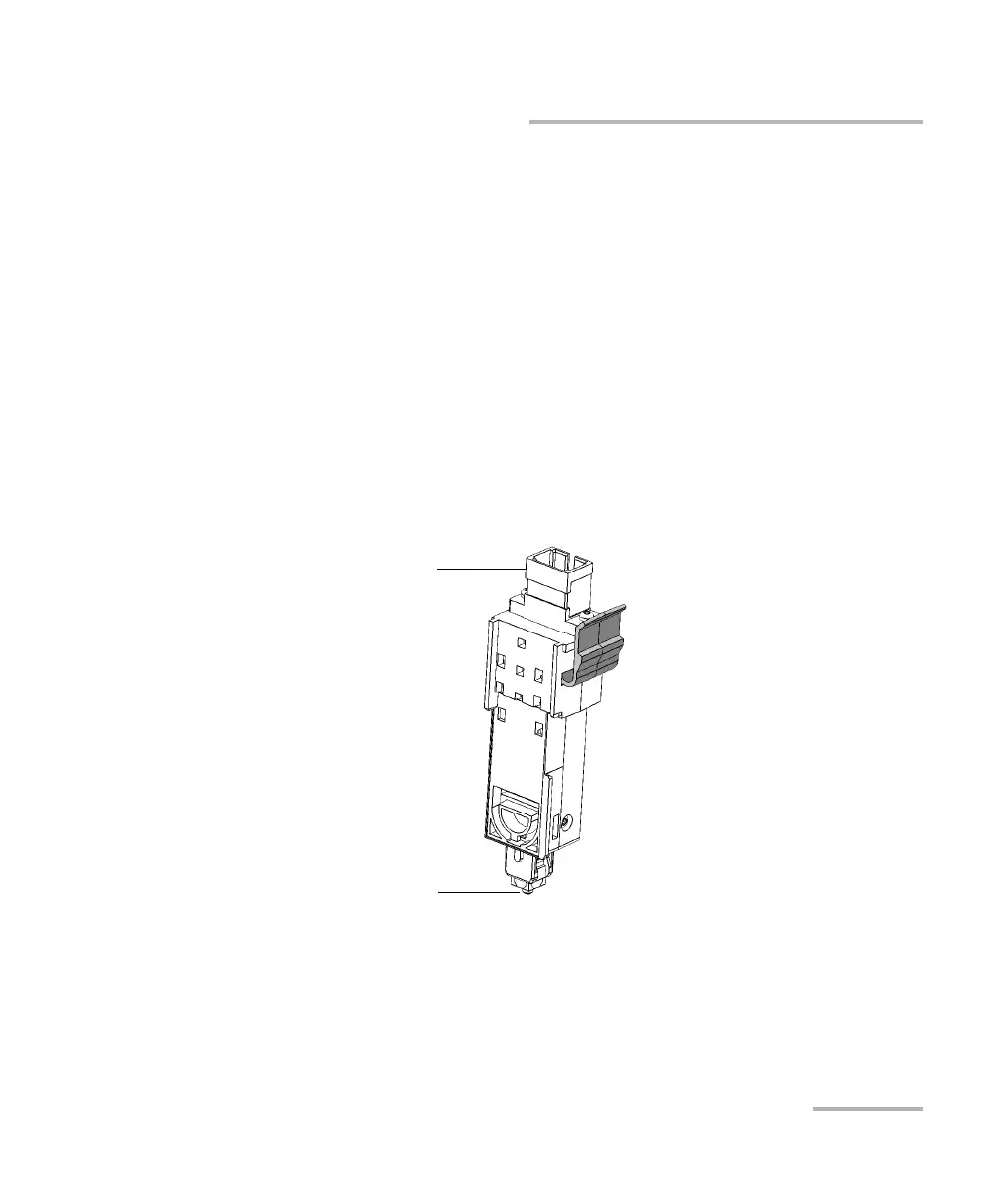
2. Clean and inspect the optical port and the optical connector that
connects inside the unit.
Optical port
Optical connector that connects inside
the unit



 To Next Page