Working With the TestFlow Mobile Application
138 OX1
Establishing or Closing a Connection With a Smart Device Via the Bluetooth Technology
To establish a connection via the Bluetooth
®
technology:
1. If necessary, enable the Bluetooth
®
communication on your unit
(see Enabling or Disabling the Wireless Communication on page 141).
2. If it is not already done, install the TestFlow mobile application on your
smart device (see Installing the TestFlow Mobile Application on Your
Smart Device on page 136).
3. On the smart device, establish the connection as follows.
3a. Open the TestFlow mobile application.
3b. If the application prompts you to sign in to a TestFlow account, tap
NOT NOW, since you do not need to connect to a TestFlow
account to establish the connection between your unit and a
smart device.
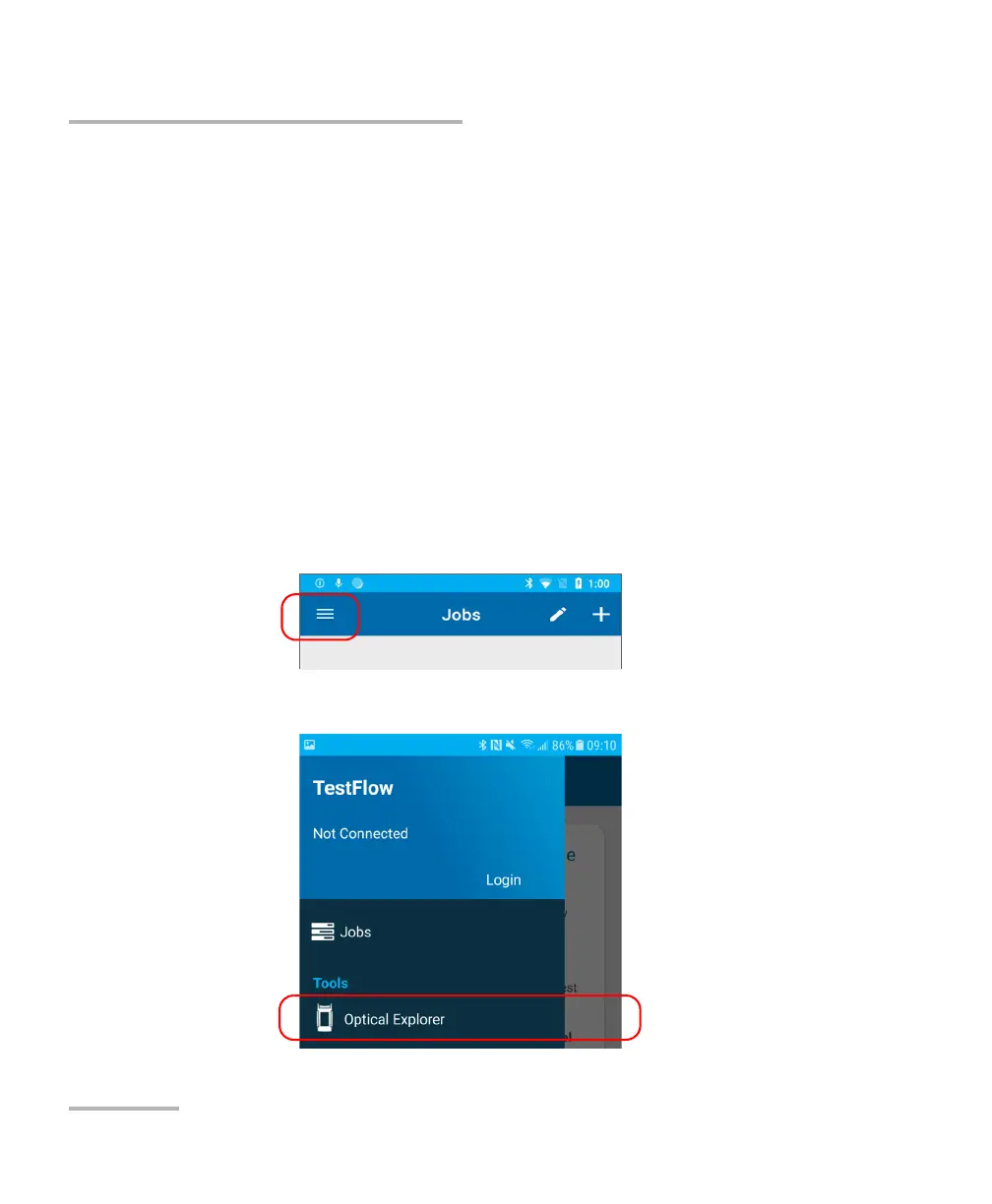
3c. Tap the three-line icon to access the main menu.
3d. Under Tools, tap Optical Explorer.



 To Next Page