101
SunSDR2 DX User Manual
© 2020 Expert Electronics
TRANSCEIVER OPERATIONS
7.6.1 SPLIT + Sub RX Operation
In some cases, you need to transmit in a SPLIT mode and simultaneously listen to the transmit
frequency (VFO B), in other words, use Sub-receiver.
To enable this mode:
1. Activate the SPLIT mode by pressing the TX button near the VFO B frequency indicator.
Flashing red indicator in the software window means the SPLIT mode is enabled.
2. Activate the Sub-receiver by pressing the button in the software window. Flashing
green indicator in the software window means the Sub-receiver is enabled.
3. Set the required TX frequency (VFO B).
4. Listen to the VFO A and VFO B frequencies simultaneously
Note:
·
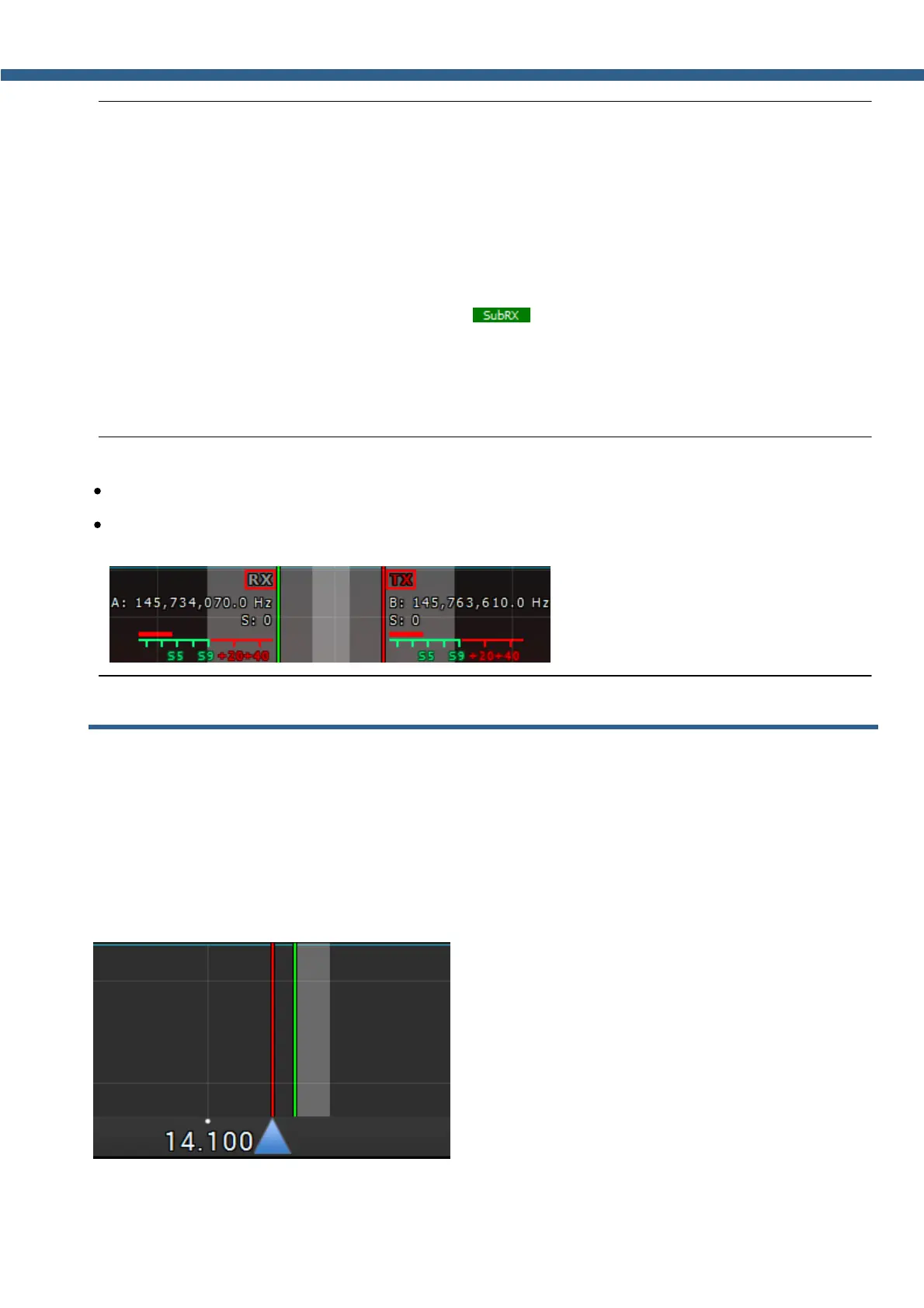
Sub-receiver's red tuning line means that you'll transmit on the VFO B frequency.
·
You can switch the TX status between VFO A and VFO B by pressing the RX indicator near
any VFO tuned frequency.
7.7 RIT/XIT
Sometimes you need to use RIT/XIT modes.
7.7.1 RIT
The RIT offset in the RX mode means that transmission will be held on the tuned frequency
and receiving frequency will differ by the offset value. The offset is displayed as a translucent
band on the spectrum scope. Tuned TX frequency displayed as the red line. RX frequency
displayed as the green line with the filter band (on the picture you can see USB mode).



 To Next Page