92
SunSDR2 DX User Manual
© 2020 Expert Electronics
ExpertSDR2 SOFTWARE DESCRIPTION
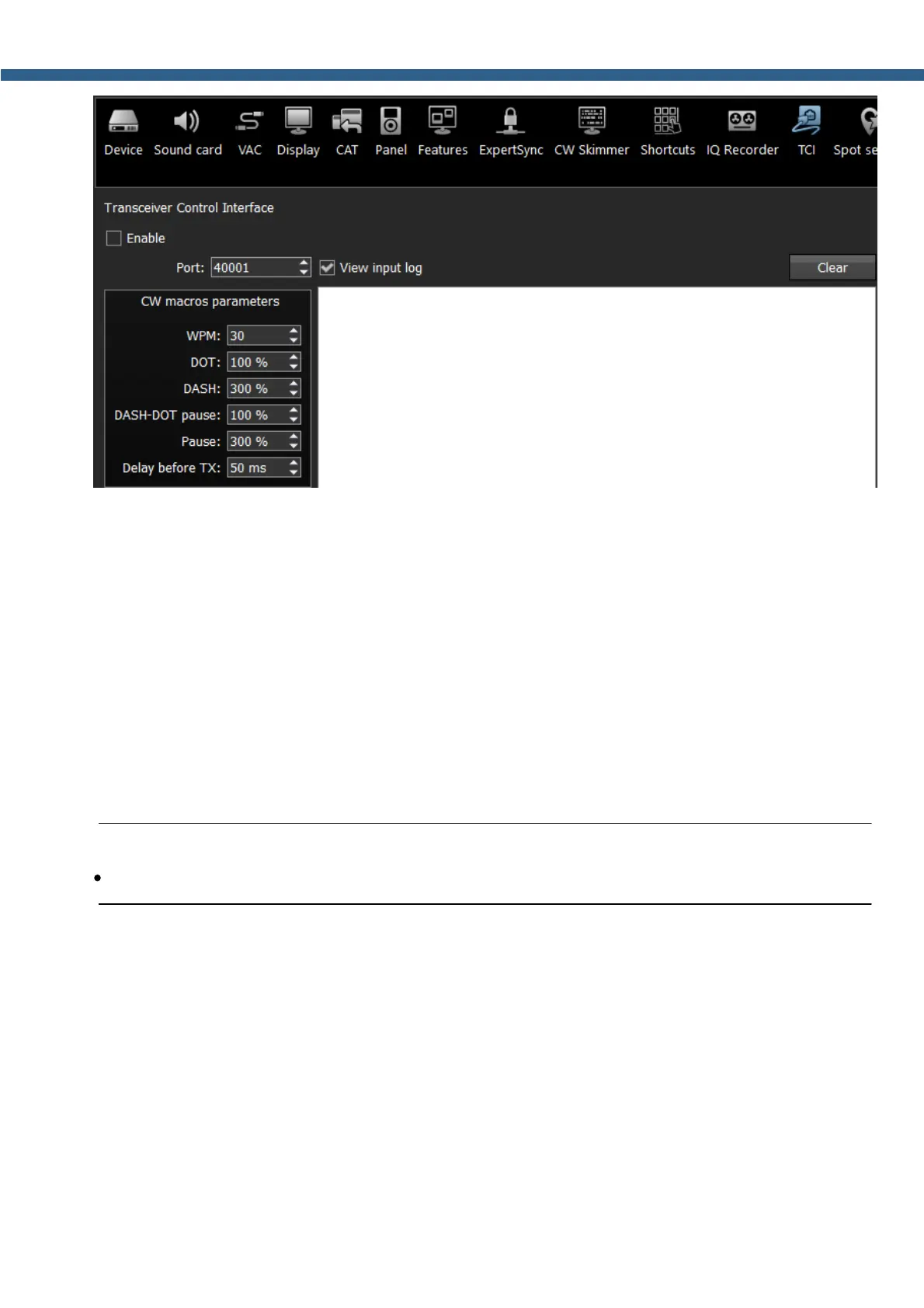
ExpertSDR2 has a TCI server inside with a certain port for communication with client software.
Select the Port, which then has to be indicated in the client software.
CW macros parameters - parameters of the CW signal generated by the CW core in the TCI
server. They are independent from the parameters of the manual CW keyer.
WPM - speed of the keying (words per minute).
DOT - length of the dot
DASH - length of the dash (percent of the dot length).
DASH-DOT pause - pause between symbols, if 100% it equals the ideal dot length.
Pause - pause between characters, it equals the 3 DOTs length.
Delay before TX - delay between turning to TX mode and starting the CW manipulation.
Note:
·
All parameters set in % are calculated based on the DOT length according to the set WPM.
5.7.13 Spot settings
In the Spot settings menu, you can adjust spot settings you receive from CW Skimmer and
telnet clusters.



 To Next Page