55
SunSDR2 DX User Manual
© 2020 Expert Electronics
ExpertSDR2 SOFTWARE DESCRIPTION
Discover – search the device in the local network. When you press the Discover button,
software searches for the SDR-device in the network.
SDR Info – button to show you the transceiver serial number, SDR firmware revision, PA
firmware revision, PCB revision and set options.
Note:
·
You can use this button to test the connection between the software and SDR module. If
the connection is successfully set up - you'll see the transceiver's info, if not - nothing will show
up.
Disable audio output – turns off transceiver’s audio output from the headphones connector.
Use wide RX filter – set the Use wide RX filter checkbox to enable the wide filter for the
whole HF (0...65 MHz) or VHF (95...155 MHz) band.
Auto enable – set the Auto enable checkbox to auto enable the RX wide filter when the
band-scope and/or the second receiver on the other band are switched on.
VHF LNA – set the VHF LNA checkbox to auto enable Low Noise Amplifier for the VHF band.
Use external reference – set this checkbox to enable REF input on the rear panel of the
transceiver and synchronize it with the 10 MHz reference oscillator.
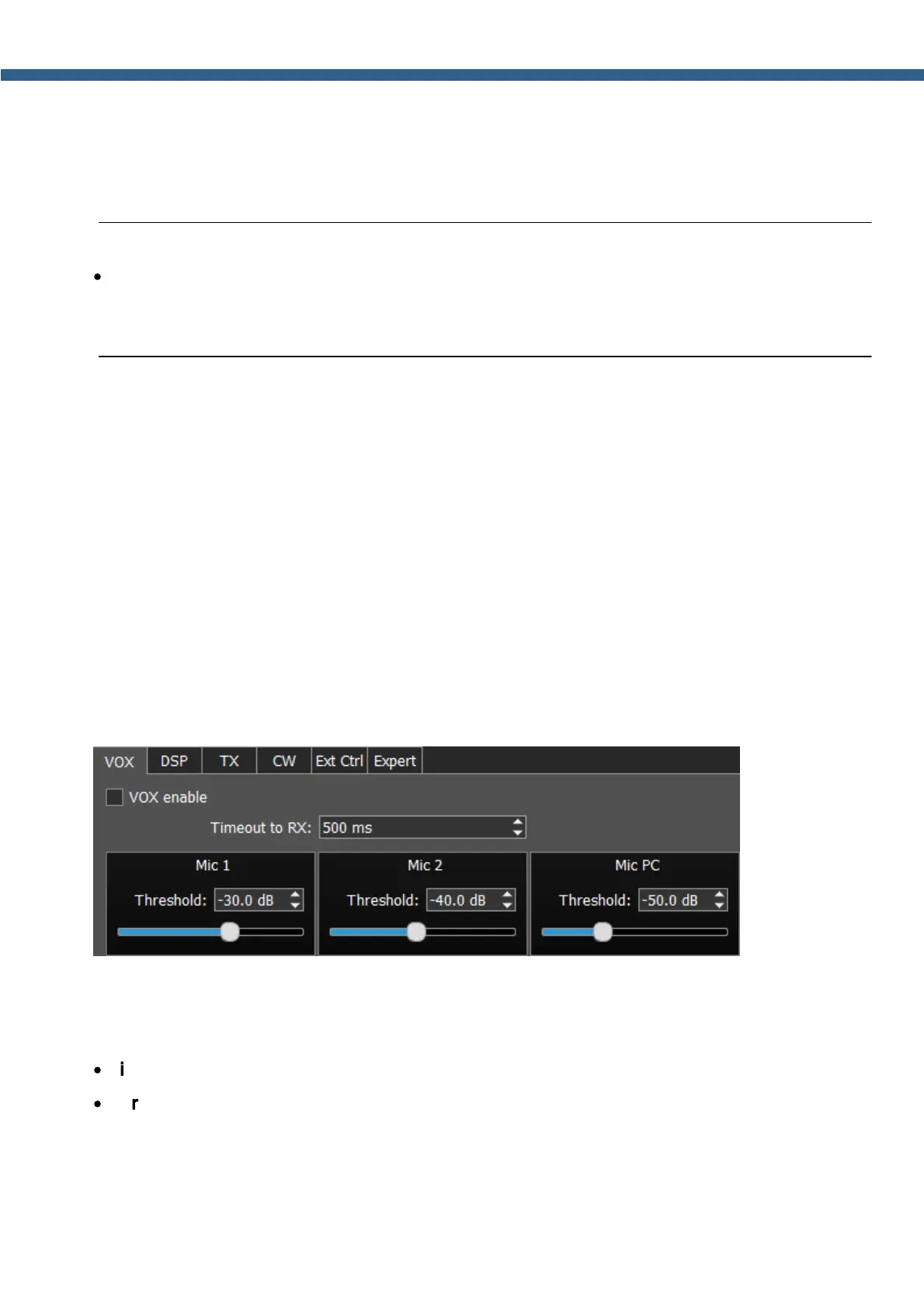
5.7.1.1 VOX
On the VOX tab, you can see the settings of the Voice-Operated Transmit system.
VOX system triggers when the microphones voice signal exceeds the Threshold. The
Threshold could be set for each microphone individually.
Set the VOX enable checkbox to enable VOX system.
·
Timeout to RX – time before transceiver will turn back to RX mode.
·
Threshold – VOX activation threshold.
5.7.1.2 DSP
On the DSP tab you can see the AGC's and Digital Signals Processing settings.



 To Next Page