11
SunSDR2 DX User Manual
© 2020 Expert Electronics
READ IT FIRST
2
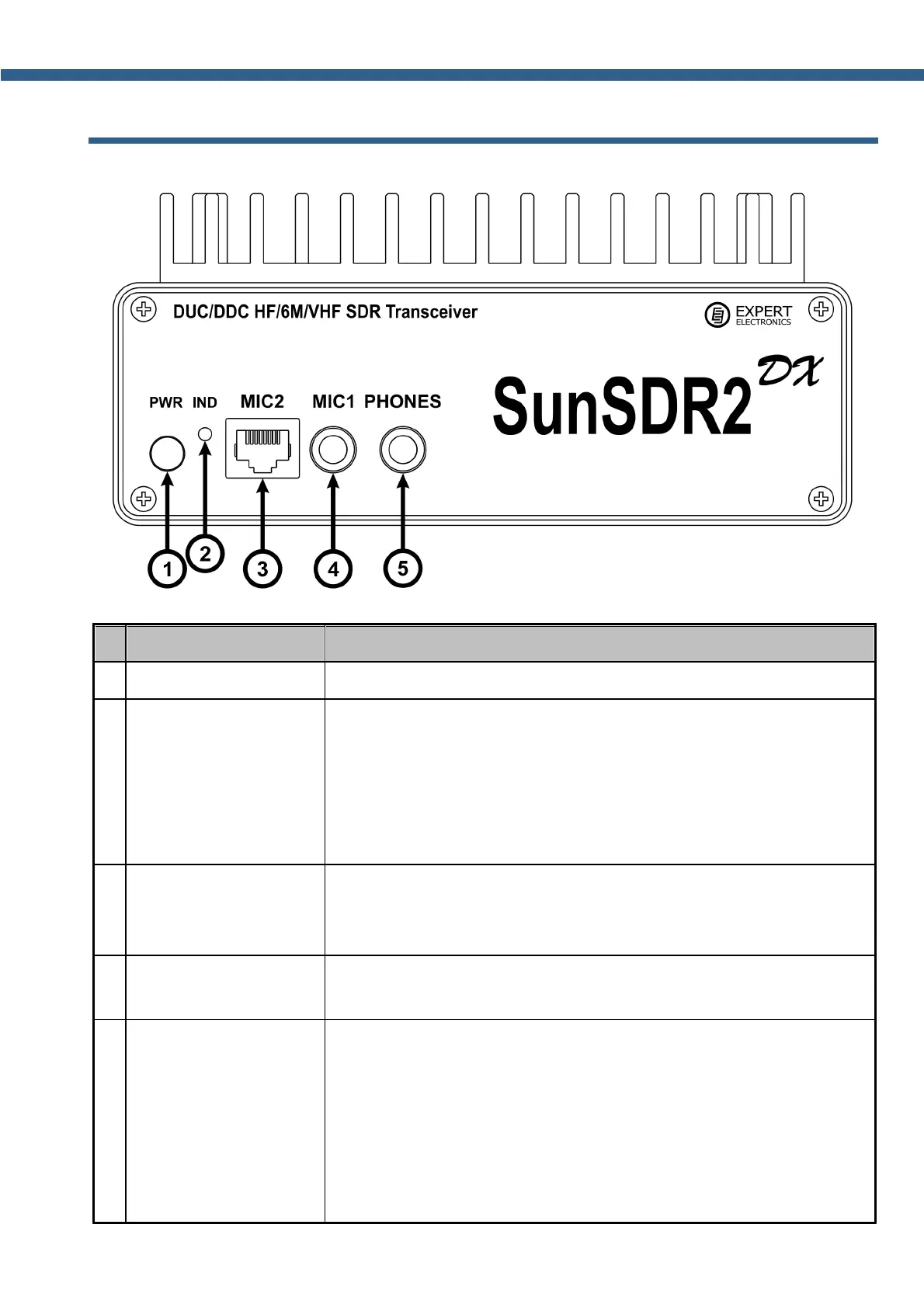
FRONT PANEL DESCRIPTION
Press the button to power on/off the transceiver.
Power and connection
LED indicator
This indicator displays operation modes of the transceiver:
- green color: LAN is active/connected;
- red color: transmit mode is “ON”;
- blinking green or orange color: network setup state, wait until
blinking stops.
Here you may connect a dynamic microphone MH-31 or any other
dynamic microphone with the RJ-45 connector and similar pinout.
Allowed output impedance is 500-600 Ohm.
Electret microphone
jack 6.3 (MIC1)
Here you may connect an electret microphone from a PC's
headset.
Headphones jack 6.3
(PHONES)
Here you may connect headphones with 16-30 Ohm impedance or
speakers.
Warning! Never use headphones with a mono connector! If you
have a monophonic headphones, use the stereo 6.3 mm Jack and
connect headphones to one of the channels.



 To Next Page