70
SunSDR2 DX User Manual
© 2020 Expert Electronics
ExpertSDR2 SOFTWARE DESCRIPTION
5.7.4 Display
In the Display menu you can see the settings of the transceiver's software display.
Display settings are placed according to their functionality:
·
"Main" tab
·
"Spectrum" tab
·
"Waterfall" tab
·
"Grid" tab
·
"Filter" tab
·
"Background" tab
·
"Indicators" tab
5.7.4.1
Main
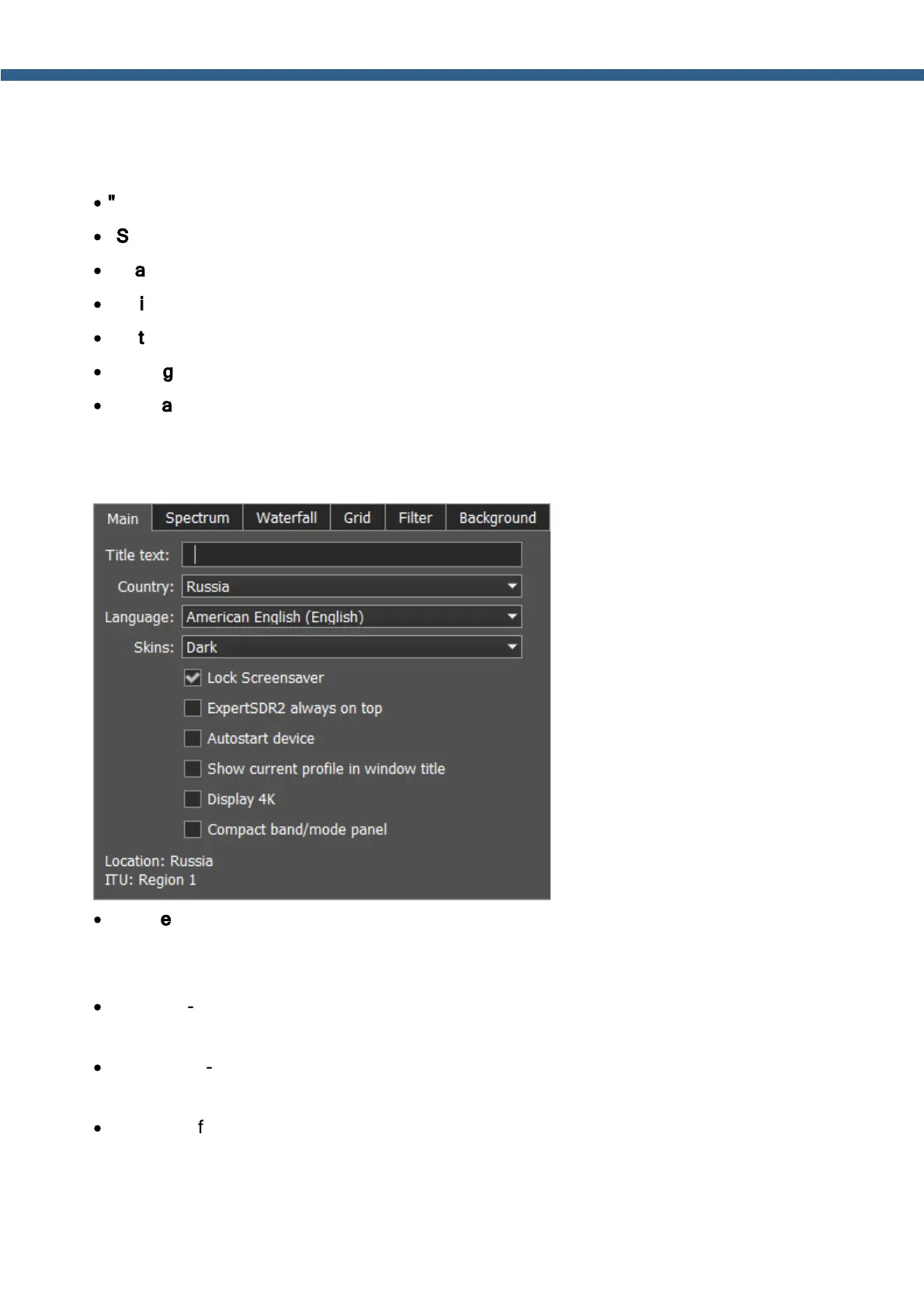
On the Main tab, you can see the settings of the transceiver's software main window display.
·
Title text - Input box to enter the title.
Enter your call-sign or other information in the Title text box, it will always be displayed in the
software title.
·
Country - select the country where are you working on the air. Correct country should be
determined by the System. This setting determines the ITU region.
·
Language - Interface language menu.
Select the required language from the list.
·
Skins - Software color theme menu.
Select the required software color theme from the list.



 To Next Page