91
SunSDR2 DX User Manual
© 2020 Expert Electronics
ExpertSDR2 SOFTWARE DESCRIPTION
·
Shortcut - Main shortcuts column.
In the Shortcut column you can set the main transceiver's functions.
·
Shortcut RX1 - RX1 receiver shortcuts column.
In the RX1 shortcut column you can set RX1 receiver functions.
·
Shortcut RX2 - RX2 receiver shortcuts column.
In the RX2 shortcut column you can set RX2 receiver functions.
·
- Shortcut button.
Press the Shortcut button, then press the key combination on the keyboard.
·
To delete a shortcut, press the Del button on the keyboard.
5.7.11 IQ Recorder
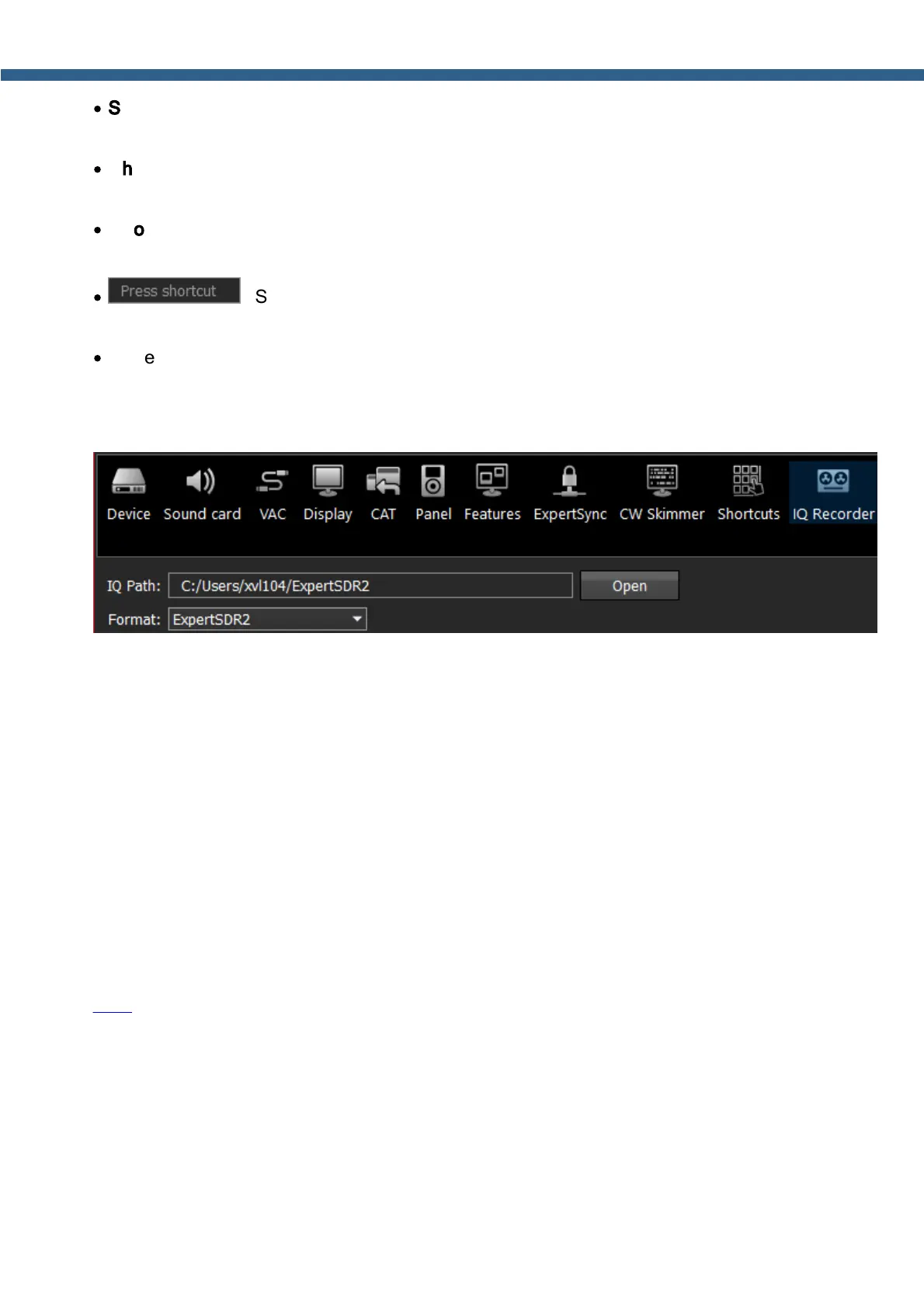
In the IQ Recorder menu, you can select a folder where you will store IQ recordings.
IQ Path: select the folder where to save IQ files.
Format: select the format of IQ recording: ExpertSDR2, HDSDR or standard WAVE.
5.7.12 TCI
With the help of TCI you can set up a WEB-socket connection between ExpertSDR2 and third-
party software, with TCI support.
TCI - Transceiver Control Interface was developed for simple and still advanced connection
between the ExpertSDR2 and third-party software. TCI has all required control commands
similar to CAT system, but even more, it can transfer IQ-streams from the ExpertSDR2 to clients
(third-party software such as signal Skimmers, etc) via local network and the Internet, CW
macroses and Audio In/Out streams for digital modes. TCI is the universal multi-client interface
(you can connect it to Loggers, Skimmers, PAs, Antenna switches etc. at the same time).
Link to the list of files with the description of the interface in English and Russian and source
code of the demo-client software with TCI support.



 To Next Page