102
SunSDR2 DX User Manual
© 2020 Expert Electronics
TRANSCEIVER OPERATIONS
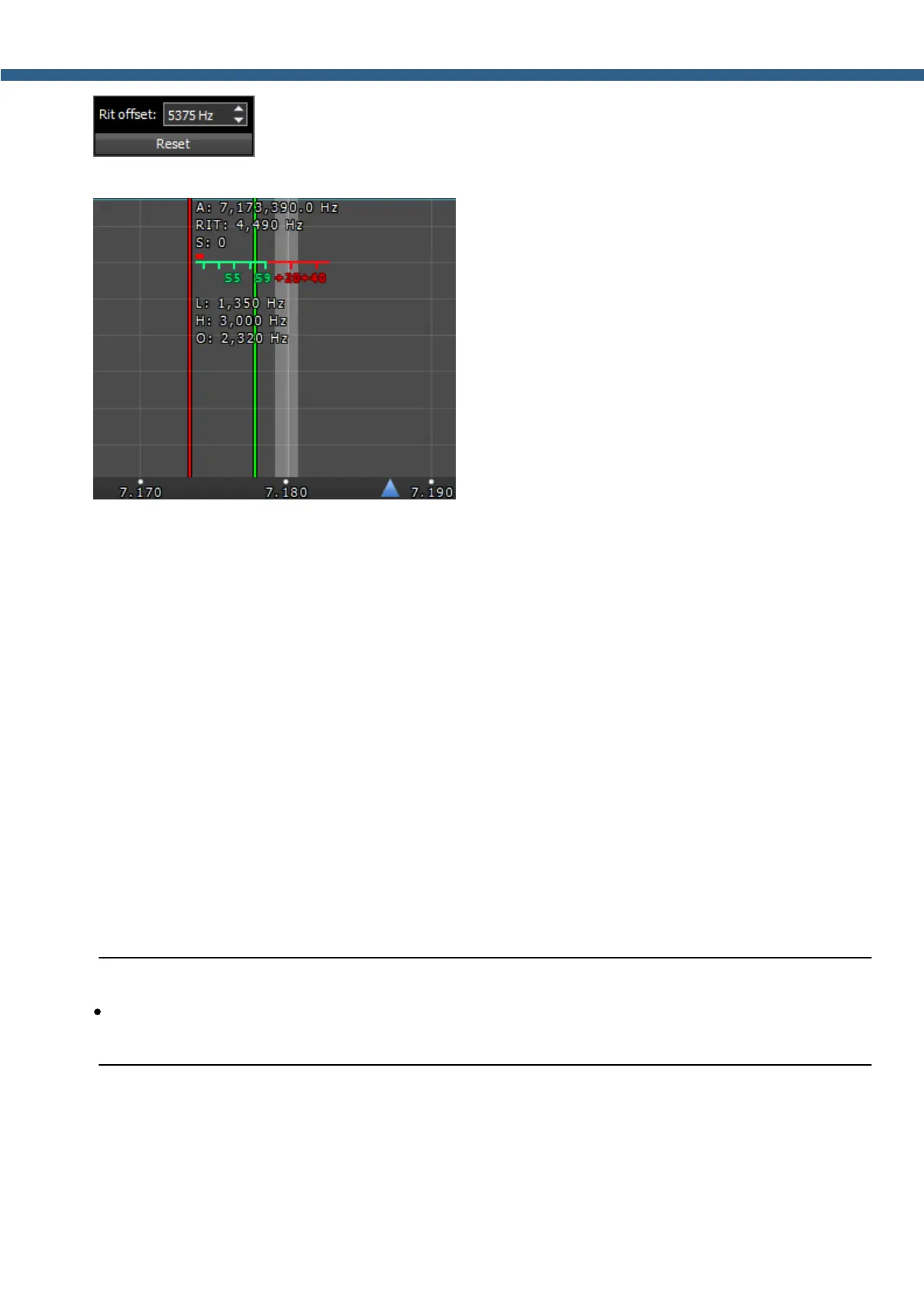
- In the drop-down menu, you can set the frequency offset in Hz. Reset -
resets the offset value to zero.
- The following values will be displayed below the
main receiver's frequency indicator:
RIT: - the frequency offset.
L: and H: - low and high filter's edges frequencies.
O: - mouse cursor frequency inside the filter.
To change the filter bandwidth: move the mouse cursor over the filter edge, it will be highlighted,
then drag the edge with the left mouse button.
When the RIT is enabled, frequency tuning changes a bit:
Press and hold the left mouse button inside the RX filter to move it over the panorama.
Press and hold the left right button inside the RX filter to move the whole panorama with the
filter.
Press and hold the middle mouse button inside the RX filter then move the mouse cursor out of
the filter bandwidth, the O: indicator will show the frequency difference between the mouse
cursor and the RX filter.
Note:
·
If the RIT offset wasn't reset, when you disable the RIT its state will be saved. When you
activate the RIT next time, the offset will equal the previous value.
7.7.2 XIT
The XIT offset in the TX mode means that receiving will be held on the tuned frequency and
transmission frequency will differ by the offset value.



 To Next Page