79
SunSDR2 DX User Manual
© 2020 Expert Electronics
ExpertSDR2 SOFTWARE DESCRIPTION
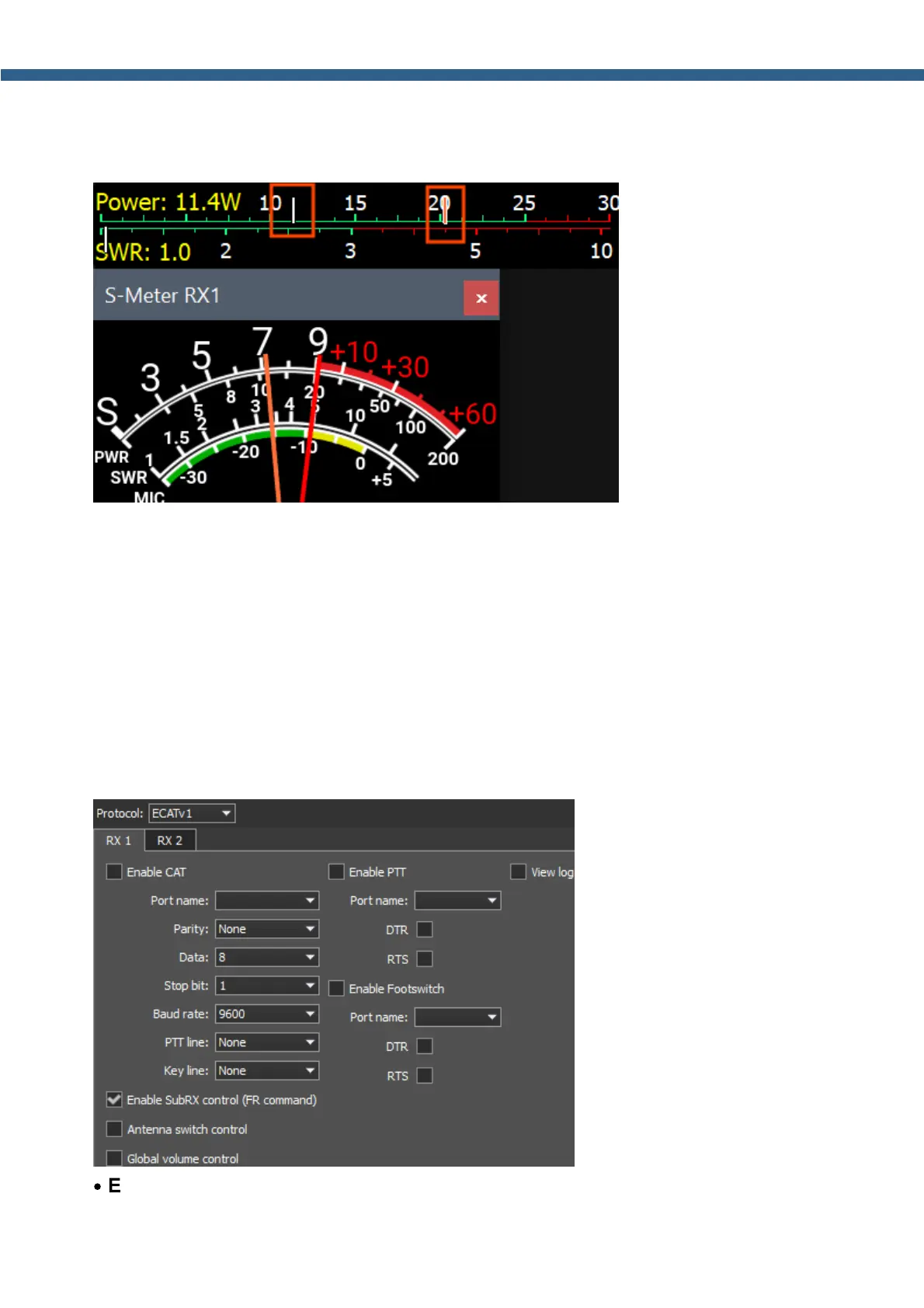
Display RMS and Peak output power simultaneously - check to see both Peak and RMS
indicators on Power meter and S-meter. If checked, the Peak power displayed as orange
indicator on the Power meter and red needle on the S-meter.
5.7.5 CAT
In the CAT menu, you can see the CAT-system settings. CAT-system is the transceiver's
exchange interface with external devices and software.
CAT-interface is used for control of the transceiver from a third-party software. This could be
contest logs, digital modes decoder-software, SAT-tracker etc. RX1 and RX2 have independent
settings and could be controlled separately via the CAT-protocol.
5.7.5.1 ECATv1
ECATv1 - exchange protocol compatible with TS-480 transceiver. This protocol allows
exchanging data with external devices and software via COM-port.
·
Enable CAT – Checkbox to enable control of the transceiver via the CAT-system.



 To Next Page