67
SunSDR2 DX User Manual
© 2020 Expert Electronics
ExpertSDR2 SOFTWARE DESCRIPTION
·
Signal output delay via the sound card can reach 250-500 ms. It can be adjusted with buffer
size (smaller values equal lower delay) or selecting different Audio driver.
ExpertSDR2 supports the following drivers: MME, WDM-KS, WASAPI, ASIO.
MME, WDM-KS and WASAPI are standard Windows drivers, ASIO is the driver for the
professional audio cards. Sometimes simple audio cards also support ASIO drivers.
If sound card supports a certain type of driver it'll be displayed in the drop-down menu.
ASIO is the fastest driver (minimal latency), WDM-KS is slightly slower (moderate latency),
WASAPI and MME slower (the biggest latency).
·
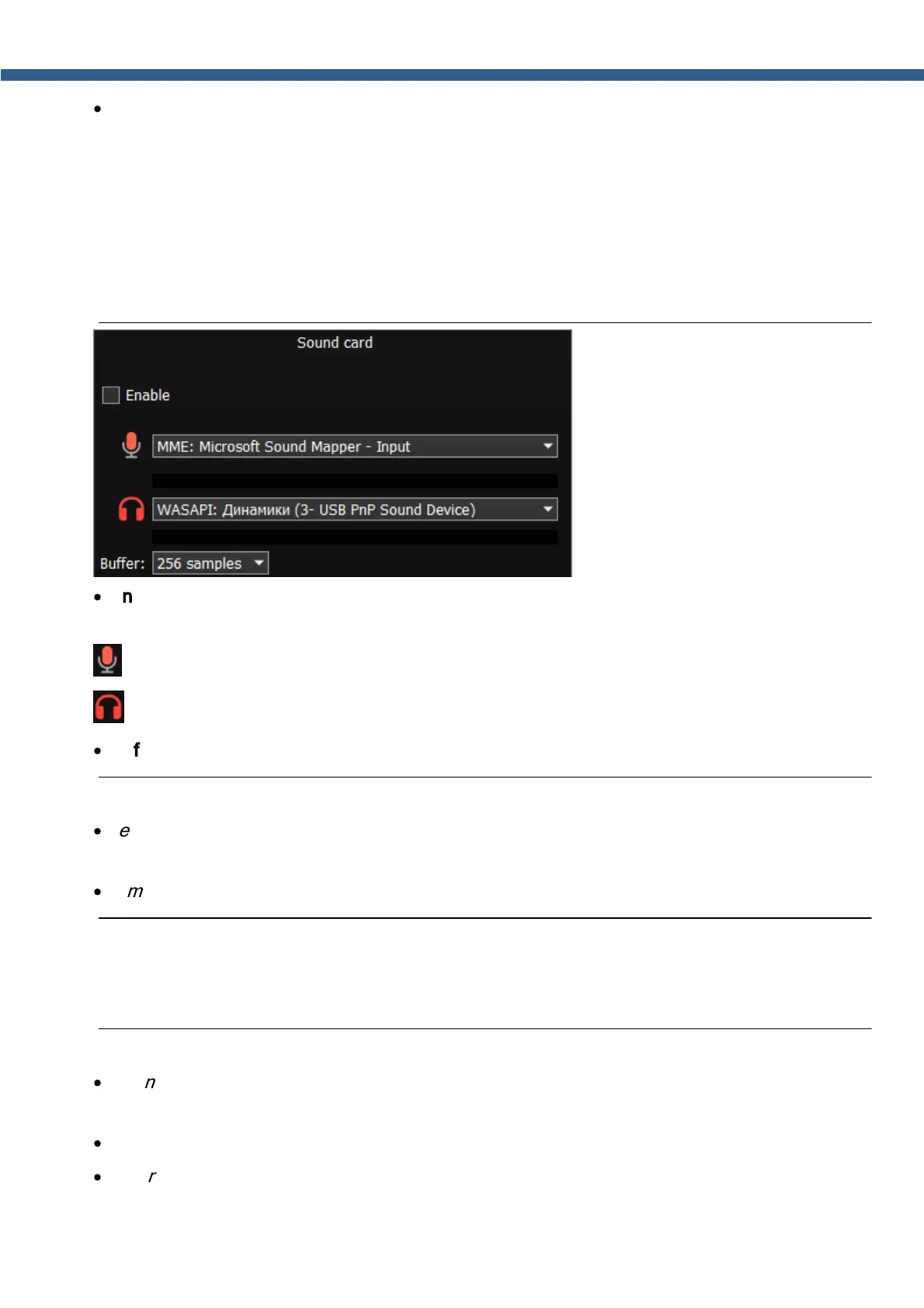
Enable - Checkbox to enable PC's sound card.
Set the Enable checkbox to enable sound output via the sound card.
Input – select the sound card's physical input and driver type.
Output – Select the sound card's physical output and driver type.
·
Buffer – size of the buffer.
Note:
·
Before you'll enable the Sound card by the Enable checkbox, make sure that all sound
devices settings are set correctly.
·
Sample rate is always 48 kHz
5.7.2.2 Line out
In the Line out category you can adjust the sound output from the sound card in the RX and
TX modes. RX1 and RX2 receivers have separate settings.
Note:
·
Sound output via the Line out will be simultaneous with the sound output from the
transceiver.
·
Line out volume has a constant max value and cannot be changed by the operator.
·
As a rule sound output via the Line out is used for recording communications in contests
and other purposes.



 To Next Page