68
SunSDR2 DX User Manual
© 2020 Expert Electronics
ExpertSDR2 SOFTWARE DESCRIPTION
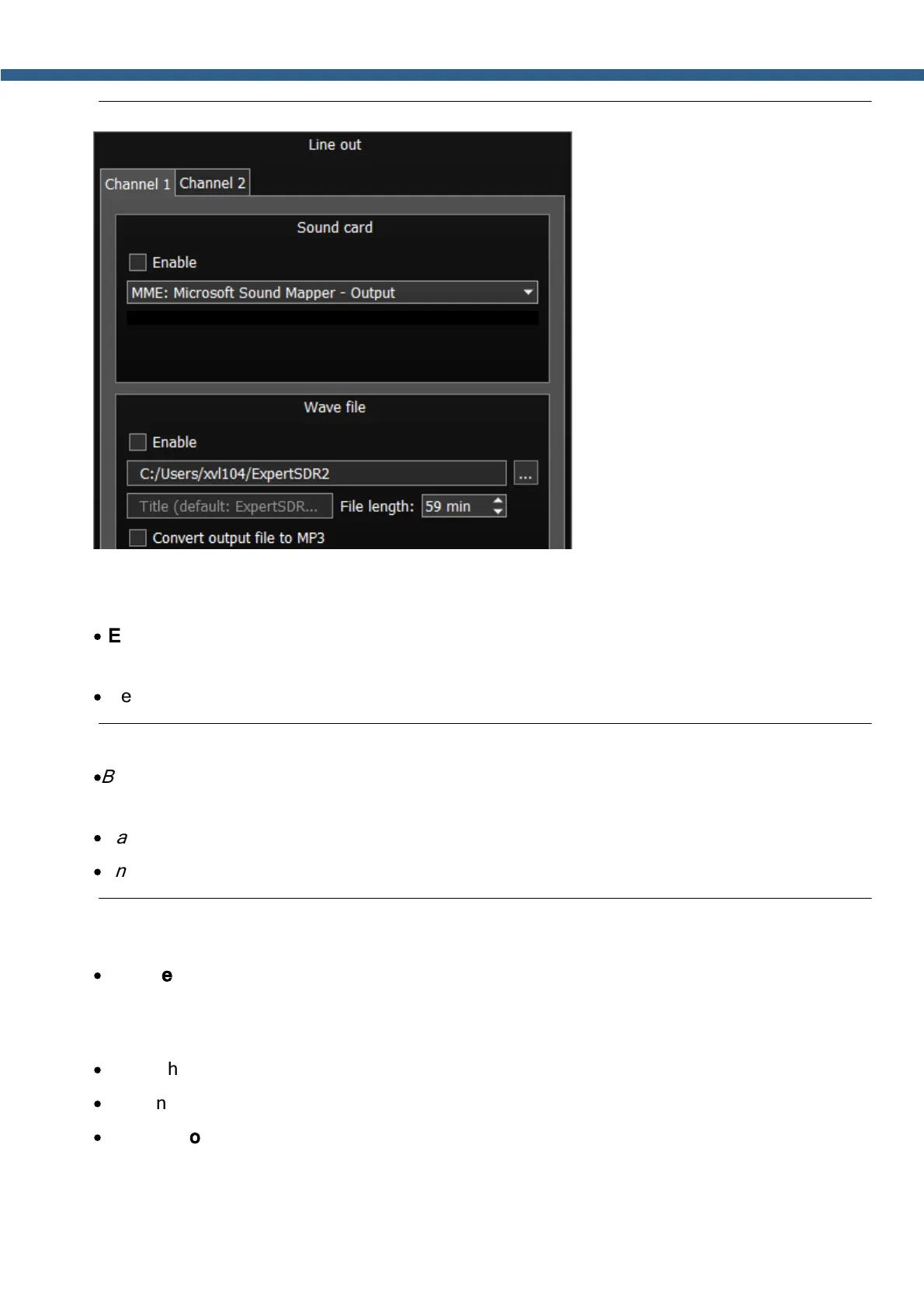
There are two identical tabs for RX1 and RX2 receivers (Channel 1/2).
Sound card
·
Enable - Checkbox to enable Line out.
Set the Enable checkbox to enable Line out.
·
Select the physical output and driver type of the sound device.
Note:
·
Before you'll enable the Line out by the Enable checkbox, make sure that all sound devices
settings are set correctly
·
Sample rate is always 48 kHz
·
Line out always operates in 2 channels.
Wave file
·
Enable -Set the Enable checkbox to start recording of the wave file.
C:/Users/xvl104/ExpertSDR2 (example) - Select the folder where the recorded file will be
stored.
·
Name the recorded file
·
File length: set the length of the recorded wave file, up to 59 minutes.
·
Convert output file to MP3 - after the end of the recording process wave file will be
converted to MP3. If you convert files longer than 30 minutes, all information after 30 minute
mark will be cut off.



 To Next Page