62
SunSDR2 DX User Manual
© 2020 Expert Electronics
ExpertSDR2 SOFTWARE DESCRIPTION
Enable Secondary Key - checkbox to enable secondary additional CW key. Set it to enable
secondary additional CW key, which is connected to the COM-port. As a rule, this port is being
used for CW signal generated by the additional software (message logs, contest logs and
others).
·
Port name - COM-port number, which is connected to the key.
·
PTT line - line menu, is being used to turn the transceiver to the TX mode.
·
Key line - line menu, is being used to generate CW signal.
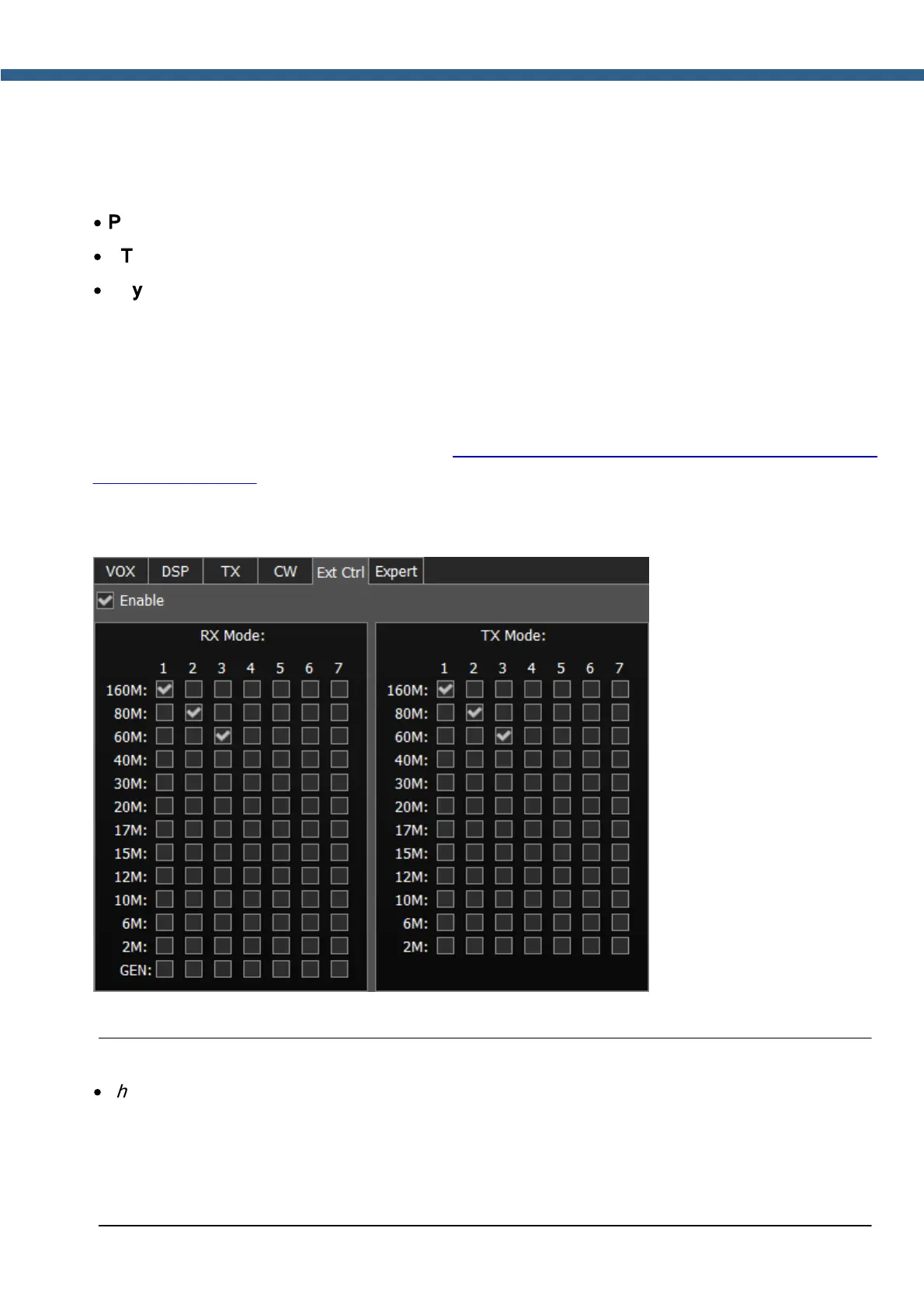
5.7.1.5 Ext Ctrl
To control external devices, the transceiver has a special connector Ext Ctrl. Settings could be
adjusted separately for the RX mode and TX mode.
The Ext Ctrl connector output consists of the keys with open collector. For more details on how
to use the Ext Ctrl connector, look up the "Connecting an external PA, fan, relay etc. to
the SunSD2 PRO" document.
The best way to use this feature is to switch the narrow-band filters in the RX mode and switch
the LPF in the TX mode. Also, you may arrange your own antenna switch, having only the relay.
Enable – checkbox to enable control of the electronic keys.
Note:
·
The pin 14 directly connected to an external power supply connector and has the same
voltage. Also, pin 14 power line has a 1A fuse and serial diode for protection. The GND 15 pin
has a direct connection to common GND of the radio and direct connection to negative pin of
the power supply connector. You should set protective diode in parallel with FAN, cathode to
+V, anode to -V.



 To Next Page