61
SunSDR2 DX User Manual
© 2020 Expert Electronics
ExpertSDR2 SOFTWARE DESCRIPTION
i
PTT switching delays are disabled in CW mode, and with CW manipulation in SSB!
Be careful using an external PA!
Monitoring in PC
·
Low latency - When you monitor your own signal via SC, you have a delay, which depends on
the audio driver and buffer size. If you unset this checkbox, you'll listen to your own signal as
it's generated and sent to the air, BUT it leads to higher delay. If you set this checkbox,
software will use the low latency filter, your monitoring signal will slightly differ from what you
send to the air, BUT it won't add more delay. We recommend setting this checkbox only if you
operate in SSB and monitor your signal via Sound Card, to achieve the lowest monitoring
delay values.
High SWR protection
·
- Trigger threshold of the transceiver's high SWR protection in the TX mode.
Warning!
i
Raising the SWR protection trigger threshold higher than 4, may lead to
transceiver failure!
5.7.1.4 CW
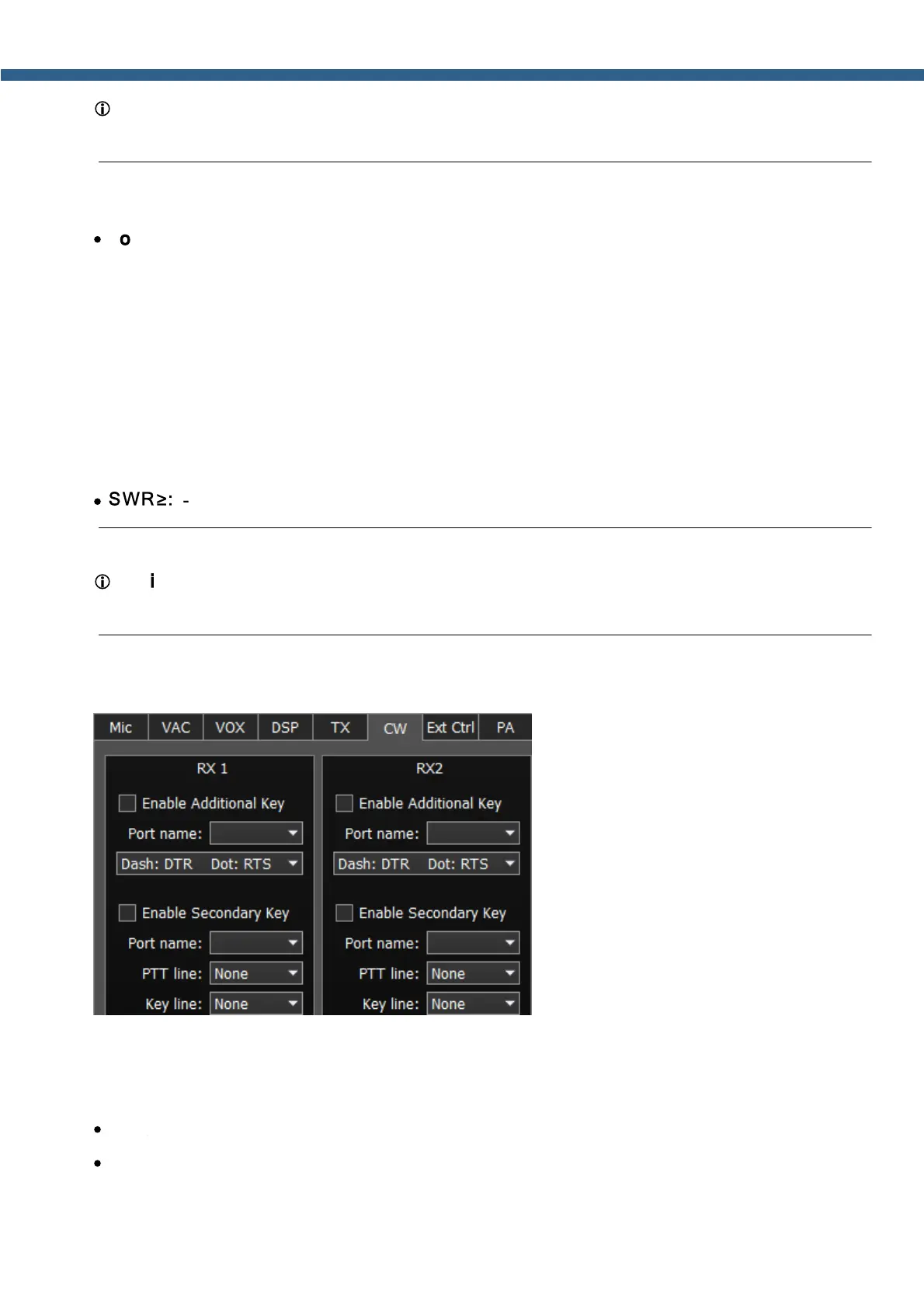
On the CW tab, you can see the settings of the additional CW keys.
RX1, RX2 - these categories have similar settings for the RX1 and RX2 receivers.
Enable Additional Key - checkbox to enable additional CW key. Set it to enable additional
iambic CW key, which is connected to the COM-port.
·
Port name - COM-port number, which is connected to the key.
·
Lines - in the Lines drop-down menu you may swap Dot and Dash signals with COM-port bits
RTS and DTR.



 To Next Page