72
SunSDR2 DX User Manual
© 2020 Expert Electronics
ExpertSDR2 SOFTWARE DESCRIPTION
5.7.4.2 Spectrum
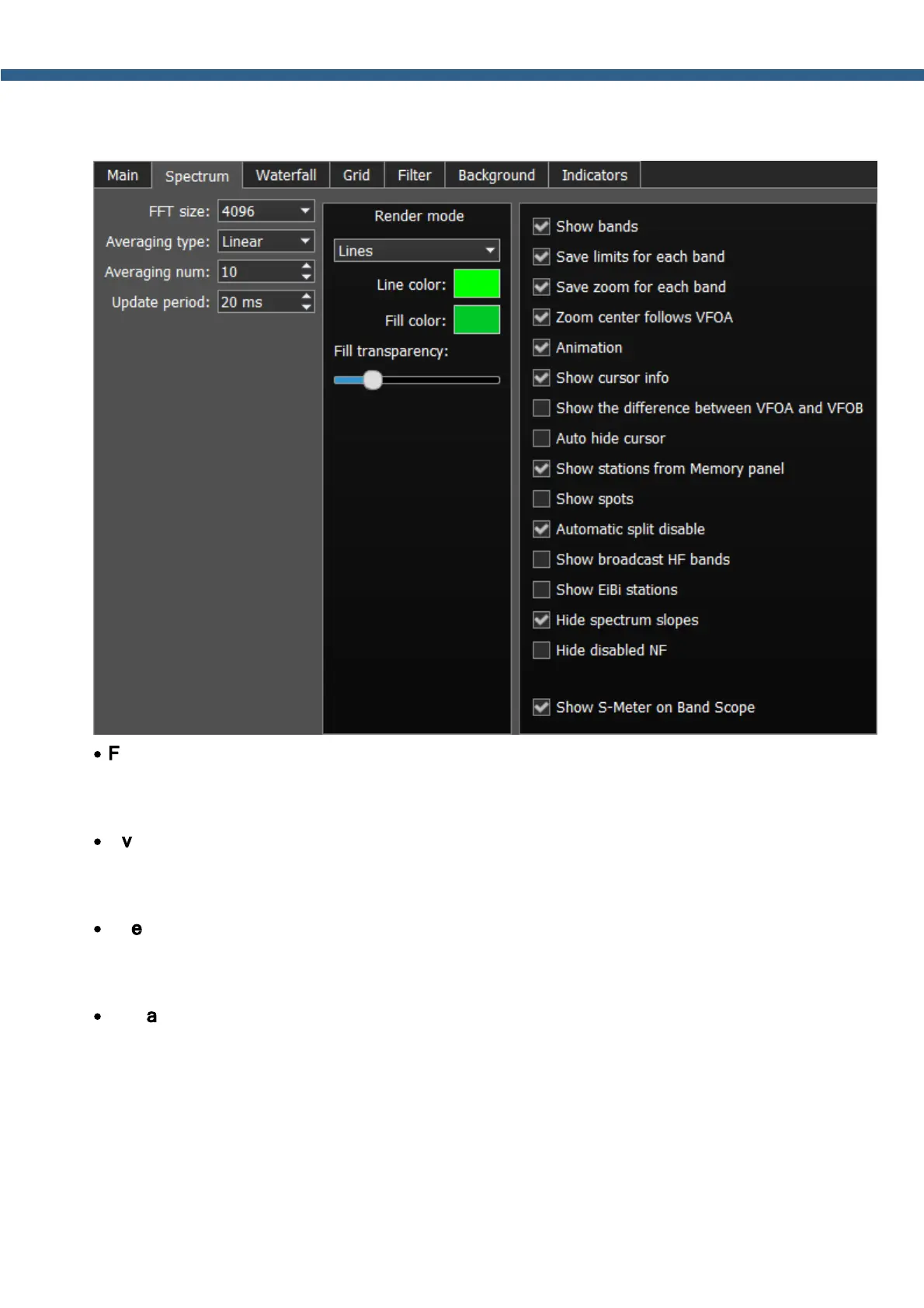
On the Spectrum tab you can see the transceiver's spectrum settings.
·
FFT size - Fast Fourier Transform (FFT) size of the spectrum scope.
Select the required FFT size. The higher FFT size, the higher spectrum scope resolution by
frequency, along with the higher processor load.
·
Averaging type - Spectrum scope averaging type menu.
Select the averaging type from the list: Linear, root-mean-square (Rms), Exponential, which
suits you best.
·
Averaging num - A number of samples for averaging.
Set the required amount of samples for averaging. The bigger a number of samples, the
slower the spectrum will change on the graph.
·
Update period - Spectrum scope update period.
Set the required specter's graph update period. The bigger the number, the more FPS on the
spectrum scope, along with the higher processor load.
Render mode - Spectrum render mode: lines, gradient.
Set the required specter render mode.



 To Next Page