87
SunSDR2 DX User Manual
© 2020 Expert Electronics
ExpertSDR2 SOFTWARE DESCRIPTION
There are three LEDs on the E-Coder panel, from left to right:
1) Lights green when the VFO B is active
2) Lights red when on TX
3) Lights orange when the RX2 is active
5.7.7 Features
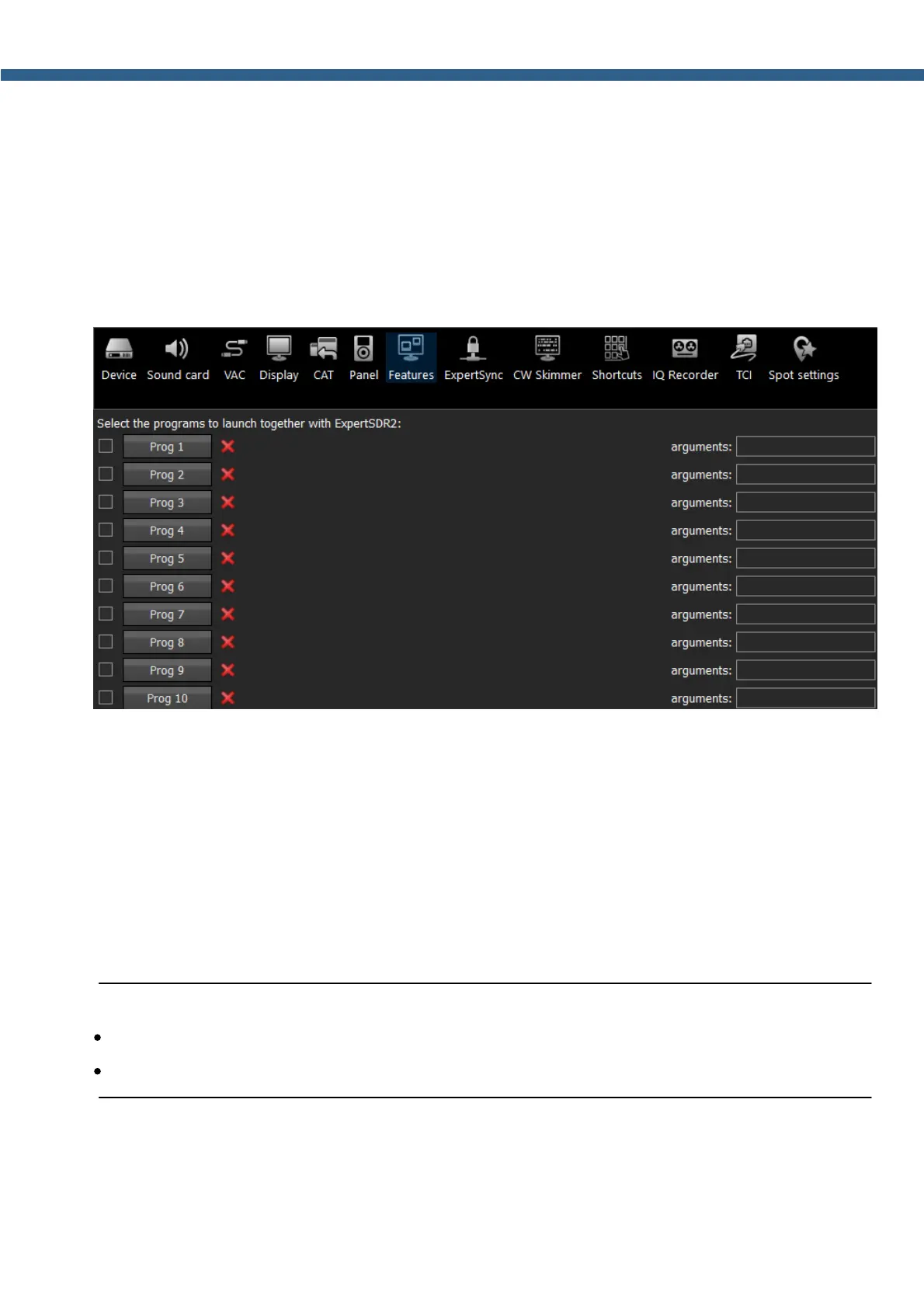
In the Features menu you can set other programs to be launched along with the ExpertSDR2.
Enable checkbox - Enable autorun.
Set the Enable checkbox in front of the corresponding program in the list.
Program 1-10 - program's button.
Press the Prog X button to open the File explorer and select .exe file of the required program.
Delete button - Delete program.
Press the Delete button if you want to remove a program from the autorun list.
Arguments - Argument input box.
Enter some text in the arguments input box for the corresponding program.
Note:
·
Arguments allow to the same program to be launched with different settings files etc.
·
Read an instruction for your software, to know which arguments are supported.
5.7.8 ExpertSync
ExpertSync interface was developed long before TCI. It allows you to synchronize the tuning
frequency, mode type and RX/TX between several Expert Electronics devices. ExpertSync



 To Next Page