56
SunSDR2 DX User Manual
© 2020 Expert Electronics
ExpertSDR2 SOFTWARE DESCRIPTION
There are two types of settings in the drop-down menu:
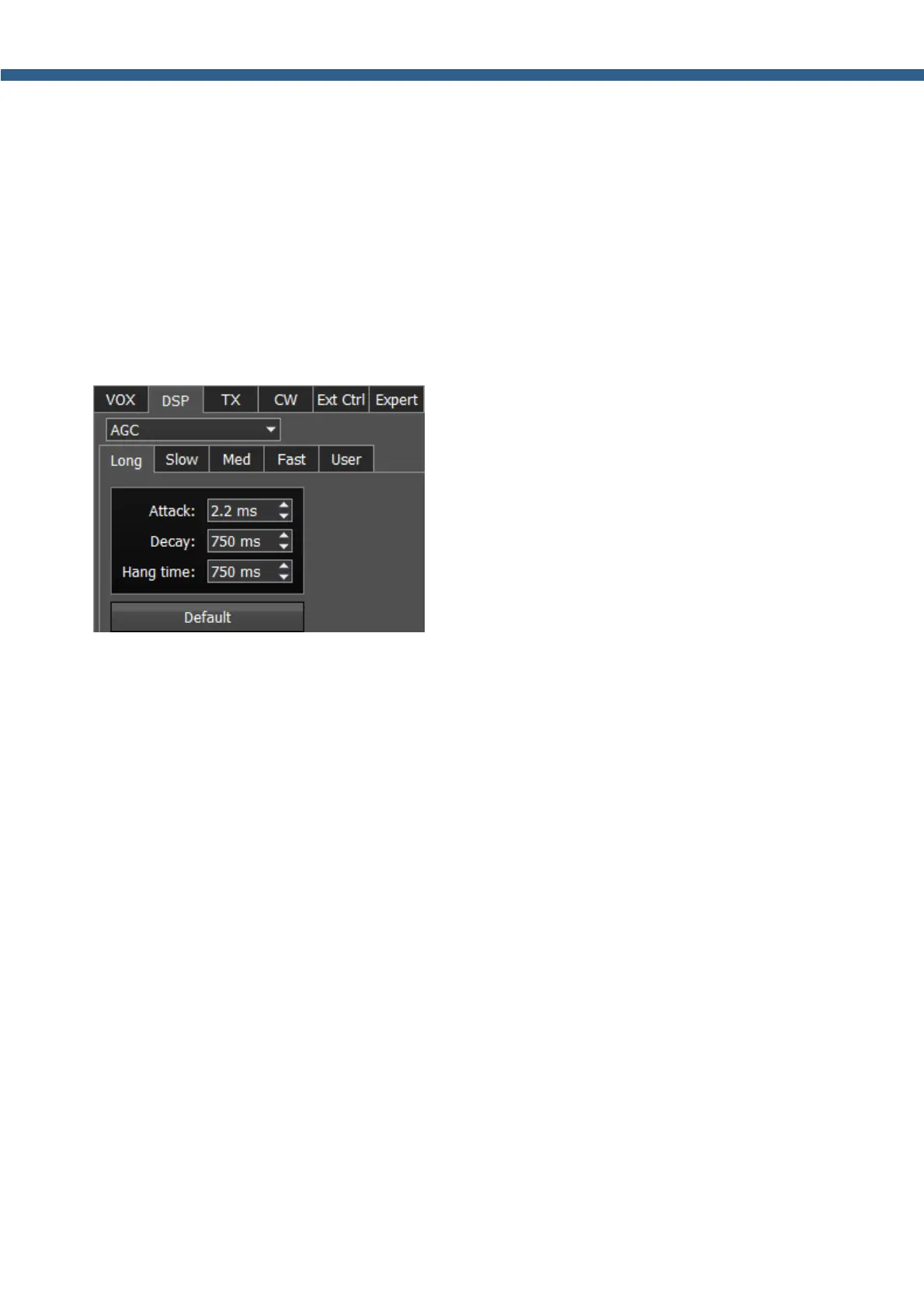
AGC – receiver’s AGC settings.
DSP – digital processing filter's settings.
Receiver’s AGC settings
There you can find fine AGC settings. AGC settings are divided by the processing speed on
Long, Slow, Med, Fast and User.
Each settings type has its own tab and differs from others in terms of Attack, Decay and Hang
time.
AGC parameters:
Attack – when a signal gets stronger, this value determines how quickly the AGC will decrease
gain.
Decay – when a signal gets weaker, this value determines how quickly the AGC will increase
gain.
Hang time – sets time (in ms) to keep the signal level the same, after the Attack period is over
and before the Decay period is initiated.
Default – reset AGC setting to the default level. Press the Default button if you set wrong
AGC values and don't like the result. Each AGC tab has a Default button.
Digital processing filter's settings.
There you can find fine the settings of the receiver's digital processing filters. DSP functions
clear the signal from abnormal noises and crosstalk. These are the standard functions:



 To Next Page