57
SunSDR2 DX User Manual
© 2020 Expert Electronics
ExpertSDR2 SOFTWARE DESCRIPTION
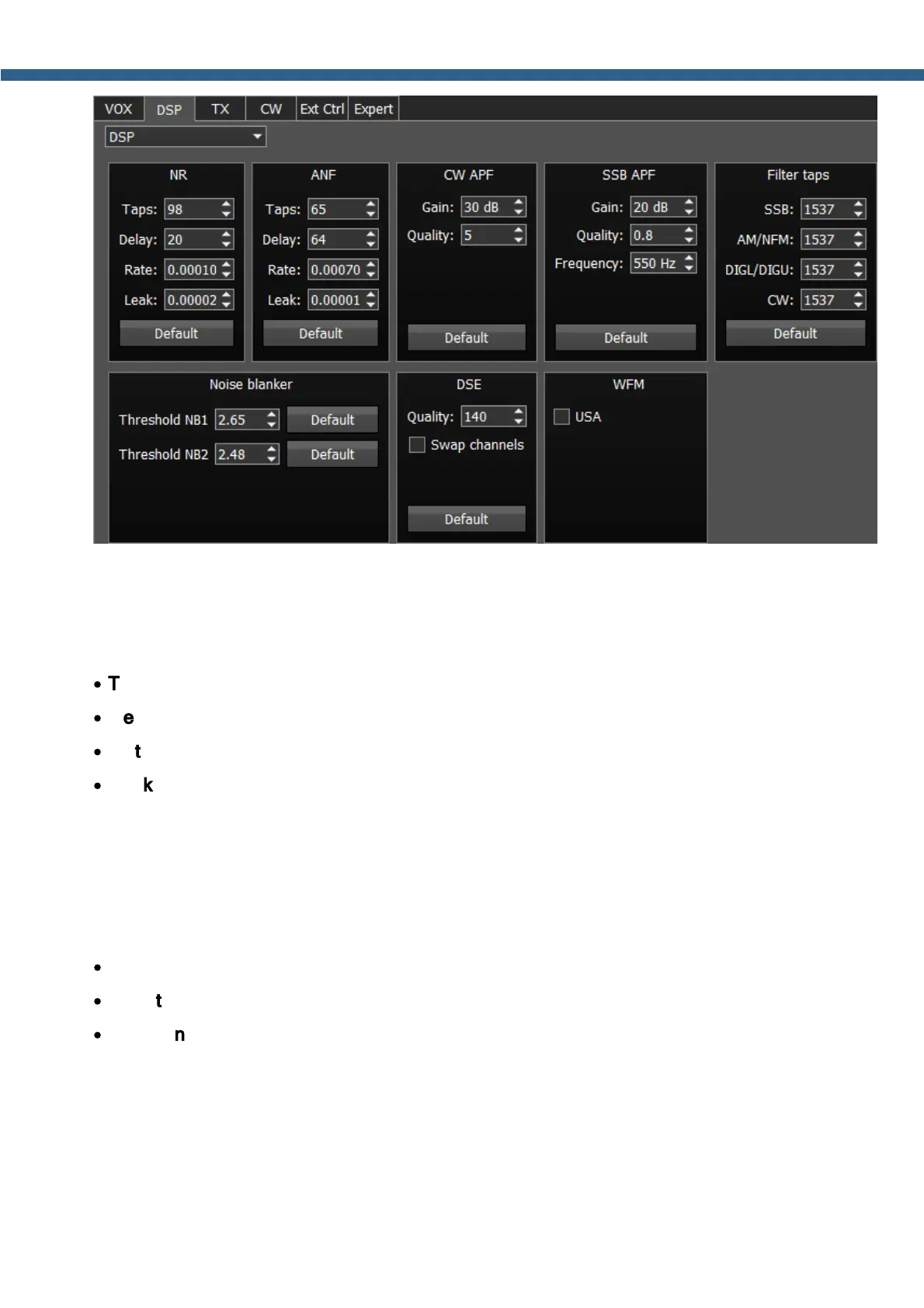
NR – Noise Reduction, removes the white noise. This is a special adaptive filter, which removes
any abnormal noises from the air in the RX filter band.
ANF – Auto Notch filter, removes the carrier signals. This is a special adaptive filter, which
removes any periodical signals from the air in the RX filter band.
·
Taps – filter taps, determines the quality of the filter functionality.
·
Delay – trigger delay time.
·
Rate – set the adaptation rate of the filter to the air changes.
·
Leak – set the filtering quality, the higher the value the more effective filtering of the required
signal from the noise.
APF - Analog peak filter for CW and SSB mode. Provides a more comfortable listening of the
CW signals by amplifying the CW signal in the center of the receive filter (triangle filter's AFC
(amplitude-frequency characteristic) in the filter bandpass).
·
Gain – Analog peak-filter amplifying factor.
·
Quality – Analog peak-filter quality (slope sharpness).
·
Frequency – central frequency of the voice signal.
Filter taps - receiver's filter taps for SSB, AM/NFM, DIGL/DIGU, CW modes, by default 1537.
The higher the receiver's filter taps value, the more rectangular the filter's shape, but it also
increases the signal pass delay. That is why the user should find the best settings for himself,



 To Next Page